by hannahadmin | Sep 28, 2026 | Microsoft Cloud & Managed IT, Seimless
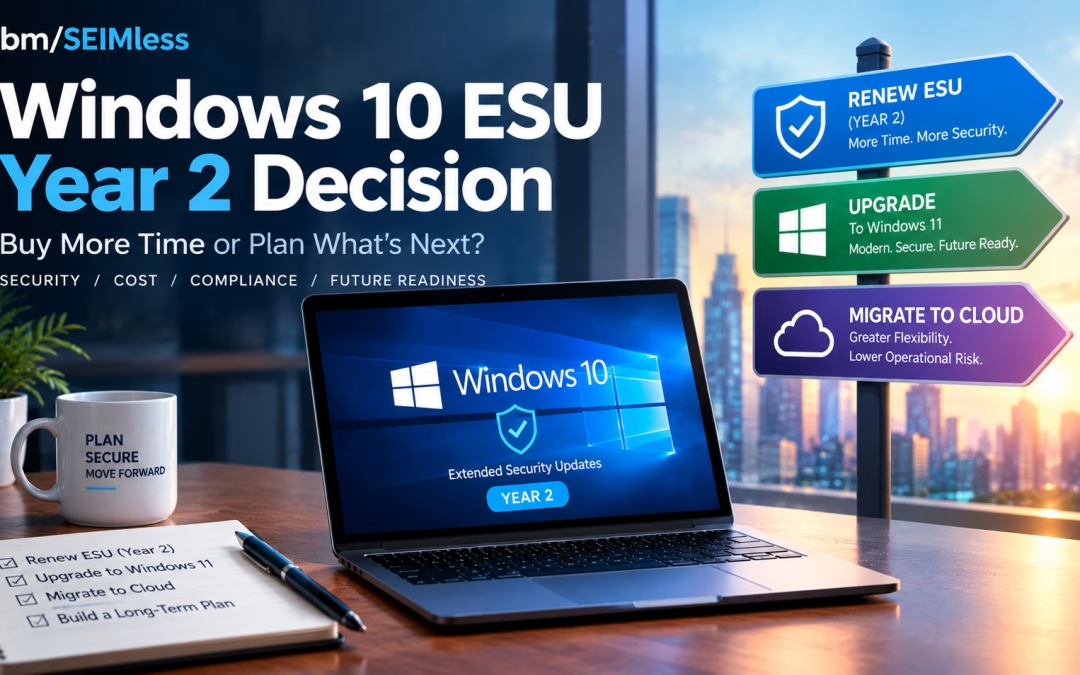
Windows 10 ESU coverage for Year 1 ends on October 13, 2026, and every business still running Windows 10 has less than three weeks to decide what happens next. After that Patch Tuesday, the next Windows 10 security fix goes only to devices licensed for Year 2, which costs twice as much as Year 1.
For IT and security leaders in financial services, healthcare and insurance, this is not a routine renewal. This guide covers the verified dates and prices, the regulatory stakes, a decision matrix and a 30-60-90 day plan.
| What is Windows 10 ESU? Windows 10 ESU (Extended Security Updates) is Microsoft’s paid, time-limited program that delivers critical and important security patches to Windows 10, version 22H2 devices after official support ended on October 14, 2025. It includes no new features or general support, is sold one year at a time, and ends completely on October 10, 2028. |
| KEY TAKEAWAYS
■ Windows 10 ESU Year 1 ends October 13, 2026; Year 2 runs to October 12, 2027 and Year 3 to October 10, 2028.
■ Commercial pricing starts at $61 per device and doubles each year, and later years are cumulative, so late enrollees pay for missed years.
■ Windows 10 in Windows 365 and Azure Virtual Desktop receives extended security updates at no extra cost, and Windows 365 Enterprise can also cover the physical Windows 10 PC used to connect.
■ Unsupported operating systems create documented risk under HIPAA, PCI DSS, NYDFS Part 500 and the FTC Safeguards Rule, and CISA lists end-of-life software as a “bad practice.”
■ ESU buys time, not a strategy. Use the next 90 days to retire Windows 10 for good. |
Windows 10 ESU Dates and Pricing: The Verified Facts
Microsoft’s Windows 10 ESU program documentation and its Lifecycle FAQ for Extended Security Updates set out the timeline. Windows 10 reached end of support on October 14, 2025. ESU can extend security patches for up to three years, one year at a time.
| ESU Period |
Coverage Ends |
Commercial Price per Device |
| Year 1 |
October 13, 2026 |
$61 |
| Year 2 |
October 12, 2027 |
$122 |
| Year 3 |
October 10, 2028 |
$244 |
Three details matter most for budgeting:
- Pricing is cumulative. Microsoft states that if you purchase in Year 2, you must also pay for Year 1. A device that skipped Year 1 costs $183 to cover through October 2027.
- Cloud-managed discount. When Microsoft first published commercial pricing in its post on when to use Windows 10 Extended Security Updates, it announced a reduced Year 1 price of $45 per device for organizations using cloud-based update management through Microsoft Intune or Windows Autopatch. Confirm current terms with your licensing partner.
- Only version 22H2 qualifies. Devices must run Windows 10, version 22H2 with the required servicing and licensing preparation updates, according to Microsoft’s guide to enabling Windows 10 Extended Security Updates.
How Year 2 Activation Works
Paying for Year 2 is not enough on its own. Microsoft’s enablement guide lists a separate activation ID for each ESU year, applied with the Multiple Activation Key (MAK). Plan Year 2 activation now through Intune, a script or the Volume Activation Management Tool, or devices will stop receiving patches after October 13.
Consumer Windows 10 ESU Is a Different Program
Microsoft’s consumer Windows 10 Extended Security Updates page offers enrollment at no cost when you sync PC settings, by redeeming 1,000 Microsoft Rewards points, or with a one-time $30 payment. Consumer coverage runs to October 12, 2027. It is intended for personal devices, not managed fleets that hold regulated data.
The Zero-Cost Path: Windows 10 ESU Through Windows 365 and Azure Virtual Desktop
Many organizations overlook this part of the Windows 10 ESU program. Microsoft provides extended security updates at no additional charge to Windows 10 virtual machines in Windows 365, Azure Virtual Desktop and other Azure-hosted platforms.
Windows 365 Covers the Endpoint Too
According to Microsoft’s guide to ESU deployment scenarios for Windows 365, a physical Windows 10 device can receive ESU entitlement when its user holds an active Windows 365 Enterprise license with an assigned Cloud PC and signs in with the same Microsoft Entra ID account. Windows 365 Flex Dedicated users must sign in at least once every 22 days to stay eligible.
An aging laptop becomes a secure access device while work happens on a managed Cloud PC. Microsoft’s Windows 365 Enterprise pricing page lists its entry configuration (2 vCPU, 4 GB RAM, 64 GB storage) at $28 per user per month at the time of writing. That compares with $122 or more per device for Year 2 ESU alone. Microsoft’s instructions to enable ESU for clients accessing cloud and virtual machines explain the required policy settings.
Azure Virtual Desktop Covers the Session Hosts
Azure Virtual Desktop supports Windows 11 and Windows 10 Enterprise multi-session, which lets many users share one virtual machine. Microsoft’s Azure Virtual Desktop ESU guidance confirms that personal and pooled Windows 10 session hosts receive ESU automatically. That guidance does not extend the same free coverage to the physical PCs that connect to AVD, so plan those endpoints separately.
Microsoft offers no central report of which endpoints claimed ESU, so keep your own inventory.
The Upgrade Path: Windows 11 Hardware Reality
Upgrading in place is the cleanest long-term answer when hardware qualifies. Microsoft’s Windows 11 system requirements include:
- A 1 GHz or faster processor with two or more cores that appears on Microsoft’s approved CPU list
- 4 GB of RAM and 64 GB of storage
- UEFI firmware with Secure Boot capability
- Trusted Platform Module (TPM) version 2.0
- DirectX 12 compatible graphics with a WDDM 2.0 driver
TPM is often disabled in firmware, so use Microsoft’s guide to enabling TPM 2.0 on your PC before writing off a device. Machines that fail on CPU generally need replacement.
Microsoft 365 Apps Are Also Frozen on Windows 10
Microsoft’s note on Windows 10 end of support and Microsoft 365 Apps says Microsoft 365 Apps get security updates on Windows 10 until October 10, 2028, but stay on Version 2608 with no further feature or Copilot updates. Microsoft does not consider it a supported configuration.
Compliance Risk of Running an Unsupported Operating System
Regulators rarely name Windows 10, but they expect you to know which systems are out of support and to manage the risk. Skipping Windows 10 ESU without a replacement plan leaves a visible gap.
CISA Calls End-of-Life Software a Bad Practice
CISA’s list of cybersecurity bad practices states that using unsupported or end-of-life software in service of critical infrastructure “is dangerous and significantly elevates risk.” In 2026 CISA went further for federal agencies with BOD 26-02 on end-of-support edge devices, which sets deadlines to inventory and remove unsupported devices. Private companies are not bound by the directive, but it shows where the standard of care is heading.
The CISA Known Exploited Vulnerabilities catalog and the NIST National Vulnerability Database regularly list Windows vulnerabilities. Our analysis of Microsoft’s patch release covering 138 vulnerabilities shows how quickly critical flaws accumulate.
Healthcare: HIPAA
HHS Office for Civil Rights addressed this directly in its cybersecurity newsletter on legacy systems. It expects covered entities to assess risks from systems the manufacturer no longer supports and apply compensating controls such as access restrictions and audit logging. The HHS Security Rule guidance library provides risk analysis tools to document your decision.
Payments: PCI DSS
PCI DSS v4.x, most recently revised as PCI DSS v4.0.1, requires critical and high-severity security patches to be installed within one month of release (Requirement 6.3.3). It also requires an annual review of hardware and software technologies, with a senior-management-approved plan for technologies whose vendors have announced end of life (Requirement 12.3.4). A Windows 10 device without ESU in the cardholder data environment will struggle to meet either requirement.
Financial Services: NYDFS and the FTC Safeguards Rule
Amended NYDFS Part 500 cybersecurity requirements required covered entities, from November 1, 2025, to maintain an asset inventory that records each asset’s support expiration date. Non-bank financial institutions under the FTC Safeguards Rule must run a written information security program based on risk assessment. NIST’s Guide to Enterprise Patch Management Planning (SP 800-40 Rev. 4) is a solid reference for either framework.
Cyber Insurance
The NAIC cybersecurity insurance overview notes that cyber policies are highly customized. Review your application answers about patching and unsupported systems with your broker before October 13, because an inaccurate answer can complicate a claim.
Windows 10 ESU Decision Matrix
Most organizations will use a mix. Use this matrix to sort your fleet.
| Option |
Best For |
2026-27 Cost Signal |
Compliance Posture |
Main Trade-off |
| Pay for Year 2 Windows 10 ESU |
Specialized devices, line-of-business apps not yet certified on Windows 11, short-term holdouts |
$122 per device, plus $61 if Year 1 was skipped |
Patched, but still an OS with no feature support |
Cost doubles again in Year 3; only delays the move |
| Upgrade to Windows 11 in place |
TPM 2.0 devices on the approved CPU list |
Labor and testing only |
Fully supported |
Needs app compatibility testing and user change management |
| Replace hardware with Windows 11 PCs |
Devices that fail CPU or TPM checks |
Capital refresh |
Fully supported |
Budget and supply lead time |
| Windows 365 Cloud PCs |
Hybrid and remote staff, contractors, seasonal workers |
Per-user monthly subscription |
Cloud PC and qualifying endpoint receive ESU at no extra cost |
Needs reliable connectivity and identity setup |
| Azure Virtual Desktop |
Large pooled workloads, call centers, regulated apps |
Azure consumption, reduced by multi-session |
Windows 10 session hosts get free ESU; endpoints need their own plan |
More design and management effort |
| Do nothing |
Nobody |
Breach and audit costs |
Unsupported OS |
Not defensible to regulators or insurers |
A 30-60-90 Day Plan for Your Windows 10 ESU Decision
Days 1–30: Stabilize Before October 13
- Inventory every Windows 10 device: version, ESU status, TPM, CPU, owner and data sensitivity.
- Buy and stage Year 2 licenses for devices that cannot move by October 13.
- Tag devices as upgrade, replace, virtualize or retire.
- Run endpoint detection and response on every Windows 10 system as a compensating control.
- Brief compliance, auditors and your cyber insurance broker on the plan.
Days 31–60: Pilot and Prove
- Upgrade a pilot group of Windows 11-eligible devices and test line-of-business applications.
- Stand up a Windows 365 or Azure Virtual Desktop pilot for one department, such as a branch or remote team.
- Apply zero trust content security policies so access depends on identity and device health, not network location.
- Order replacement hardware for devices that fail Windows 11 requirements.
Days 61–90: Scale and Retire
- Roll out Windows 11 upgrades and Cloud PCs in waves, with clear user communications.
- Move file shares and team content to Microsoft SharePoint so data follows users rather than devices.
- Securely wipe and dispose of retired devices, and update your asset register with support expiration dates.
- Set a firm date to end Windows 10 ESU purchases, ideally before Year 3 pricing arrives.
How ibm/SEIMless Helps You Retire Windows 10
After more than 20 years as a vendor-agnostic partner, ibm/SEIMless starts with your fleet and your regulators, not a product quota. For the Windows 10 transition, we bring together:
For teams stretched thin, our managed IT services approach can carry the inventory, licensing, migration and ongoing patching so your people can focus on customers and patients.
Frequently Asked Questions
When does Windows 10 ESU Year 1 end?
Windows 10 ESU Year 1 ends on October 13, 2026, which is also that month’s Patch Tuesday. According to Microsoft’s Lifecycle FAQ, Year 2 coverage runs until October 12, 2027, and Year 3 ends October 10, 2028. Devices without an activated Year 2 license will not receive Windows 10 security updates released after October 13, 2026.
How much does Windows 10 ESU Year 2 cost for businesses?
Microsoft prices commercial Windows 10 ESU at $61 per device for Year 1, doubling each year to $122 for Year 2 and $244 for Year 3. Purchases are cumulative, so an organization enrolling for the first time in Year 2 must also pay for Year 1. Buy through Microsoft Volume Licensing or a licensing partner.
Is Windows 10 ESU free with Windows 365 or Azure Virtual Desktop?
Yes. Windows 10 virtual machines in Windows 365 and Azure Virtual Desktop receive extended security updates at no extra cost. Windows 365 Enterprise can also extend ESU to the physical Windows 10 device a licensed user signs in from. Microsoft’s AVD guidance does not extend free coverage to physical PCs connecting to AVD, so plan those separately.
Can my Windows 10 PCs upgrade to Windows 11?
Only if they meet Microsoft’s minimum requirements: an approved 64-bit processor with at least two cores, 4 GB of RAM, 64 GB of storage, UEFI with Secure Boot, TPM 2.0 and DirectX 12 graphics. TPM is sometimes disabled in firmware, so check with tpm.msc before replacing hardware. Devices with unsupported CPUs usually need replacing.
Is running Windows 10 without ESU a HIPAA or PCI DSS violation?
Neither rule bans a specific operating system, but both expect documented risk management. HHS guidance on legacy systems requires risk assessment and compensating controls. PCI DSS requires critical patches within one month and a plan for end-of-life technology. An unpatched Windows 10 device holding regulated data is very difficult to defend in an audit.
Should we pay for ESU or move to Desktop-as-a-Service?
Pay for ESU only for devices that truly cannot move before October 13, such as those running applications still being tested on Windows 11. For hybrid, remote and seasonal staff, Desktop-as-a-Service often costs less over time, removes the ESU bill and centralizes security. Most organizations use a mix of upgrade, replacement and DaaS.
Talk to ibm/SEIMless About Your Windows 10 ESU Decision
October 13, 2026 is close, but you still have time to make a deliberate, defensible choice. ibm/SEIMless can inventory your Windows 10 fleet, model Year 2 ESU against Windows 11 and Desktop-as-a-Service costs, and deliver the migration with security built in.
Let’s protect your people, your data and your bottom line before the next Patch Tuesday passes you by.
by hannahadmin | Sep 28, 2026 | blog, cybersecurity
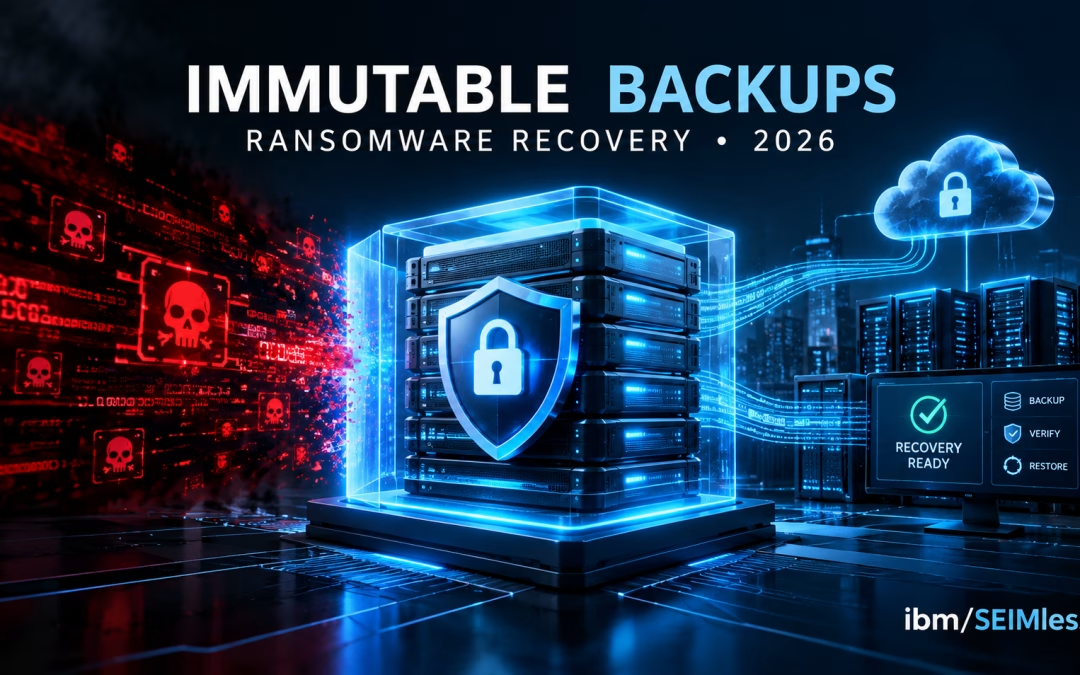
Immutable backups have become the control that separates a bad week from a business-ending ransomware event. Modern attackers no longer stop at encrypting production servers. They hunt for backup consoles, delete snapshots and poison recovery points first, so that when the ransom note appears, the victim has nowhere left to turn.
The Verizon 2026 Data Breach Investigations Report finds ransomware in 48% of all breaches, with 31% of breaches starting from an exploited software vulnerability. A year earlier, Verizon found ransomware in 44% of breaches and 88% of breaches at small and midsize businesses. For leaders in financial services, healthcare and insurance, the question is no longer whether you will be hit, but whether you can restore clean data quickly and prove it to regulators.
This guide covers why attackers target backups, the 3-2-1-1-0 rule, cloud immutability controls, 2026 regulatory expectations and a recovery-readiness checklist you can use this quarter.
| What are immutable backups? Immutable backups are copies of data written in a write-once, read-many (WORM) state that cannot be changed, encrypted or deleted by anyone, including administrators, until a set retention period expires. Paired with isolation and tested restores, they give organizations a trusted, clean recovery point after ransomware or destructive attacks. |
| KEY TAKEAWAYS
■ Ransomware operators deliberately target backups, so any copy reachable with stolen admin credentials is not a true recovery point.
■ The 3-2-1-1-0 rule adds one immutable or offline copy and zero restore errors to the classic 3-2-1 rule.
■ Immutability protects data, but isolated recovery environments, phishing-resistant MFA and restore testing determine how fast you recover.
■ NYDFS Part 500, HIPAA, FFIEC guidance and SEC disclosure rules all expect protected, tested backups.
■ Quantum-resistant encryption protects long-retention backups against “harvest now, decrypt later” risk. |
Why Attackers Target Backups First
Ransomware is an extortion business, and backups are the biggest threat to its revenue. If a victim can restore, it does not need to pay. The CISA #StopRansomware Guide warns that “many ransomware variants attempt to find and subsequently delete or encrypt accessible backups.”
Recovery capability is paying off. Verizon’s 2025 report found 64% of ransomware victims did not pay, and the 2026 edition reports that share rose to 69%.
The modern attack chain against recovery
- Initial access through a stolen credential or an unpatched edge device.
- Privilege escalation to domain admin or cloud root.
- Reconnaissance of backup servers, hypervisor snapshots and cloud storage accounts.
- Destruction of recovery points by deleting snapshots or shortening retention.
- Data theft and encryption of production, followed by double extortion.
We documented this pattern in our analysis of how Interlock ransomware exploited a Cisco FMC zero-day for root access. In the joint #StopRansomware advisory on Interlock, CISA and the FBI recommend ensuring “all backup data is encrypted, immutable (i.e., cannot be altered or deleted), and covers the entire organization’s data infrastructure.”
What the 2025 FBI data shows
The FBI IC3 2025 Internet Crime Report logged $20.877 billion in reported losses, 3,611 ransomware complaints and 63 new ransomware variants, led by Akira and Qilin. Critical manufacturing, healthcare and government facilities were most affected. The FBI notes ransomware losses exclude “lost business, time, wages, files, or equipment,” so downtime is usually the largest cost, as our coverage of the Asahi cyberattack and nationwide shortages shows.
The 3-2-1-1-0 Rule for Immutable Backups
CISA’s backup guidance for businesses describes the 3-2-1 rule: three copies of important files, on two types of storage media, with one copy off-site. It was designed for hardware failure and disasters, not adversaries holding admin credentials. The industry has extended it:
- 3 copies of your data, including production.
- 2 different media or platforms, such as on-premises disk and cloud object storage.
- 1 copy off-site, in a separate facility or cloud region.
- 1 copy immutable or offline, meaning WORM-locked, logically air-gapped or disconnected.
- 0 errors after automated restore verification.
Those last two numbers turn ordinary copies into immutable backups you can bet the business on. CISA also advises ensuring you can “roll back data at least seven days if needed,” which demands adequate retention.
How Immutability Works: WORM, Object Lock and Immutable Vaults
Immutability must be enforced by the storage platform, not by backup software’s good intentions.
AWS
Amazon S3 Object Lock uses a WORM model. In compliance mode, no user, including root, can delete a protected object until retention expires; governance mode can be bypassed by privileged users. The AWS Backup logically air-gapped vault stores backups locked by default and shareable to a separate recovery account. Our Amazon Web Services team can help design these controls.
Microsoft Azure
Immutable storage for Azure Blob Storage supports time-based retention and legal holds, and locked policies meet SEC Rule 17a-4(f). The Azure Backup immutable vault blocks deletion of recovery points and retention reductions and can be locked irreversibly. See our Microsoft Azure services and our post on Azure as an enterprise cloud built for security.
Google Cloud
Google’s ransomware best practices for Backup and DR recommend vaults with enforced minimum retention, a hub-and-spoke project model separating backups from production, and separated admin roles. Explore our Google Cloud services.
A caution on “immutable” marketing
CISA cautions that immutable storage “does not meet compliance criteria for certain regulations and misconfiguration can impose significant cost.” Bypassable governance locks and short retention create false confidence. NIST SP 800-209 offers guidance for hardening the storage layer itself.
Isolated Recovery Environments and Air-Gapped Vaults
Immutability protects data from deletion, but it does not give you a clean place to restore. If identity, hypervisors and the network are still compromised, restoring simply re-infects the business.
An isolated recovery environment adds a separate control plane with its own credentials, network isolation from production, and a staging area where restored systems are scanned before release. CISA’s Interlock advisory calls for copies “in a physically separate, segmented, and secure location,” and its guide recommends “golden images” of critical systems for rapid rebuilds.
Traditional backup vs. immutable backups vs. isolated recovery vault
| Capability |
Traditional backup |
Immutable backups |
Isolated recovery vault |
| Protects against hardware failure |
Yes |
Yes |
Yes |
| Resists deletion by a compromised admin |
No |
Yes, during retention |
Yes, plus separate credentials |
| Resists encryption by ransomware |
Rarely |
Yes |
Yes |
| Separate identity and control plane |
No |
Usually not |
Yes |
| Clean staging for malware scanning |
No |
No |
Yes |
| Recovery speed after ransomware |
Slow and uncertain |
Moderate |
Fastest trusted restore |
| Cost and complexity |
Low |
Moderate |
Higher |
| Best fit |
Non-critical data |
Most enterprise workloads |
Tier-0 and regulated systems |
Most organizations need a tiered design: immutable backups for broad coverage and an isolated vault for identity, core banking, EHR and claims platforms. Our private and hybrid cloud services support recovery across environments, and our IBM i high availability service replicates IBM i workloads in real time to a secure off-site data center.
RPO, RTO and Proving Recovery with Restore Testing
Recovery point objective (RPO) is how much data you can afford to lose; recovery time objective (RTO) is how long a service can be down. Business owners, not IT alone, should set both.
The NIST Cybersecurity Framework 2.0 makes testing explicit. Subcategory PR.DS-11 states “Backups of data are created, protected, maintained, and tested,” and the Recover function requires that backup integrity be “verified before using them for restoration” (RC.RP-03), per the CSF 2.0 core document. NIST’s practice guides SP 1800-25 and SP 1800-26 address protecting against and responding to ransomware, while NIST SP 800-34 Rev. 1 remains the contingency planning reference.
A practical restore-testing cadence
- Daily: automated verification that jobs completed and recovery points are readable.
- Monthly: file and database restores for a rotating sample of critical applications.
- Quarterly: full application restores into an isolated environment, timed against RTO.
- Annually: an exercise simulating total loss of identity and production, with executives involved.
Protecting Backup Consoles, Identities and Keys
Most backup compromises are identity compromises. An attacker signed in to your backup console or cloud account can shorten retention or delete vaults before immutability takes effect.
- Phishing-resistant MFA on every backup, hypervisor and cloud admin account; CISA calls phishing-resistant MFA “the gold standard for MFA.”
- Separate identities for backup administration, outside the production domain.
- Multi-person approval for destructive actions such as deleting vaults.
- Continuous monitoring for anomalous logins and mass deletions.
Our endpoint detection and response services and the Exodus ARIA ADR platform, which unifies SIEM, UEBA, NTA, EDR, threat intelligence, IDS and SOAR with 24/7 monitoring, help surface attacker activity before it reaches backups. See also our guide to choosing an endpoint detection system.
Encrypting Backups for Today and the Quantum Era
Backups concentrate your most sensitive data, making them targets for theft as well as destruction. CISA recommends “offline, encrypted backups of critical data,” and HHS states that when ePHI is encrypted by ransomware, a breach has occurred unless a risk assessment shows low probability of compromise.
Long-retention backups carry a future risk too: data stolen today could be decrypted once cryptographically relevant quantum computers arrive. NIST finalized FIPS 203 (ML-KEM) for post-quantum key establishment, and CISA’s Post-Quantum Cryptography Initiative urges organizations to plan migration now. ibm/SEIMless delivers quantum resistant encryption for data at rest through Exodus QRN, detailed in Exodus QRN Data at Rest and our post on harvest now, decrypt later.
Regulations and Cyber Insurance: What Examiners Expect in 2026
NYDFS 23 NYCRR Part 500
Under New York’s Part 500 cybersecurity regulation, Section 500.16 (see the text at Cornell’s Legal Information Institute) requires backups “adequately protected from unauthorized alterations or destruction” and at least annual testing of the ability to restore from them. On November 1, 2025, expanded MFA and asset inventory requirements took effect, including recovery objectives for each asset.
HIPAA contingency plan
45 CFR 164.308(a)(7) requires a data backup plan maintaining “retrievable exact copies” of ePHI, a disaster recovery plan and emergency mode operations, with testing as an addressable specification. In April 2026, HHS OCR settled four ransomware investigations totaling $1,165,000.
FFIEC and SEC
Financial institutions are examined against the FFIEC Business Continuity Management booklet. Public companies must file Form 8-K Item 1.05 within four business days of determining an incident is material, per the SEC compliance guide. Fast, verifiable recovery simplifies that assessment.
Cyber insurance
The NAIC notes insurers “increasingly mandate robust cybersecurity controls and may impose limits on ransom coverage,” and the GAO reports insurers have tightened terms. Documented immutable backups, MFA and restore tests strengthen your underwriting position.
Recovery-Readiness Checklist for Immutable Backups
- Inventory critical applications with owners and approved RPO and RTO.
- Keep at least one copy of each critical dataset in immutable backups using compliance-mode or locked policies.
- Place tier-0 systems, including identity, in an isolated recovery vault with separate credentials.
- Set retention long enough to reach a clean point before attacker dwell time.
- Enforce phishing-resistant MFA and multi-person approval on backup and cloud admin accounts.
- Encrypt backups, manage keys separately and plan quantum-resistant protection for long-retention data.
- Maintain golden images to rebuild systems quickly.
- Automate restore verification and target zero errors.
- Run quarterly full restores into an isolated environment, timed against RTO.
- Map controls to NYDFS 500.16, HIPAA 164.308(a)(7), FFIEC and SEC workflows.
Budget alone does not deliver this, as we discussed in lessons from the UNFI breach, and resilience means avoiding single points of failure, a theme in how CIOs are rethinking cloud strategy after CrowdStrike.
How ibm/SEIMless Helps
For more than 20 years, ibm/SEIMless has been a vendor-agnostic technology partner. Our backup and recovery services, powered by Exodus-Data, include on-site, off-site, cloud and hybrid options, AES 256-bit encryption with key management, continuous data protection, restore validation and near-instant local and remote virtual disaster recovery. We pair them with multi-cloud expertise, managed detection and quantum-resistant encryption. Browse all ibm/SEIMless services.
Frequently Asked Questions
What is the difference between immutable backups and air-gapped backups?
Immutable backups cannot be modified or deleted until their retention period ends, enforced by WORM or object lock controls. Air-gapped backups are isolated from production networks, physically or logically, so attackers cannot reach them. The strongest designs combine both: immutable copies in an isolated vault with separate credentials, protecting against deletion, encryption and misuse of stolen administrator accounts.
Can ransomware encrypt or delete immutable backups?
Properly configured immutable backups in compliance mode or under locked policies cannot be altered or deleted during retention, even by administrators. Risk remains if immutability uses a bypassable governance mode, retention is too short, or attackers change policies before data is written. Protect backup consoles with phishing-resistant MFA and multi-person approval, and monitor for configuration changes.
What is the 3-2-1-1-0 backup rule?
The 3-2-1-1-0 rule means keeping three copies of data on two different media, with one copy off-site, one copy immutable or offline, and zero errors after restore verification. It extends the 3-2-1 rule that CISA recommends with protections built for ransomware, where attackers actively seek out and destroy accessible backups before encrypting production.
How often should we test backup restores?
Automate daily verification that backups completed and are readable, run monthly sample restores, and perform quarterly full-application restores into an isolated environment timed against your RTO. NYDFS Part 500 requires testing restoration from backups at least annually, and NIST CSF 2.0 expects backup integrity to be verified before use. Frequent testing builds real confidence.
Do regulations require immutable backups?
Most regulations do not name immutability, but they require outcomes it supports. NYDFS 500.16 requires backups protected from unauthorized alteration or destruction. HIPAA requires retrievable exact copies of ePHI and disaster recovery procedures. FFIEC examiners review recovery strategies and testing. Immutable backups are among the most practical ways to demonstrate these protections to auditors and examiners.
Why should backups use quantum-resistant encryption?
Backups often hold years of sensitive financial, health and customer data. Adversaries can steal encrypted copies today and attempt to decrypt them once quantum computers mature, a risk known as harvest now, decrypt later. Applying quantum-resistant encryption to long-retention data at rest reduces that exposure and aligns with NIST’s post-quantum standards and CISA’s migration guidance.
Talk to ibm/SEIMless About Ransomware-Ready Immutable Backups
Your backups are a promise to customers, patients and employees that the business will be there tomorrow. If you are not certain your recovery points are immutable, isolated and tested, find out before an attacker does. ibm/SEIMless and Exodus QRN can assess your backup and disaster recovery posture, map it to NYDFS, HIPAA, FFIEC and SEC expectations, and design recovery across on-premises, private cloud, AWS, Azure and Google Cloud.
by hannahadmin | Sep 26, 2026 | blog, cybersecurity
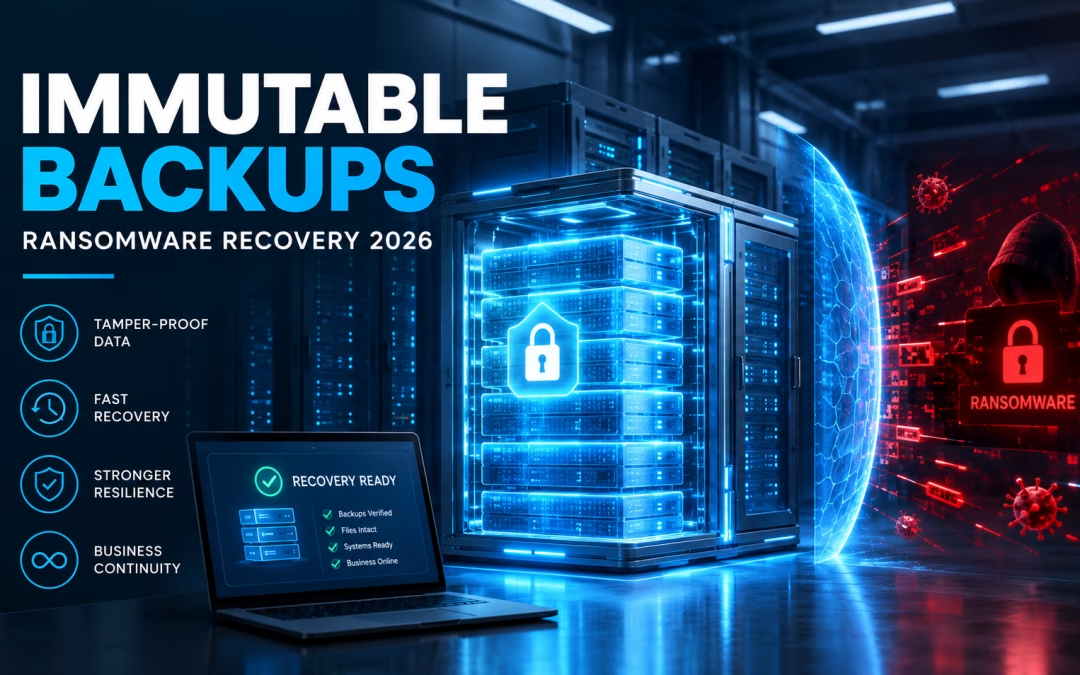
Immutable backups have become the control that separates a bad week from a business-ending ransomware event. Modern attackers no longer stop at encrypting production servers. They hunt for backup consoles, delete snapshots and poison recovery points first, so that when the ransom note appears, the victim has nowhere left to turn.
The Verizon 2026 Data Breach Investigations Report finds ransomware in 48% of all breaches, with 31% of breaches starting from an exploited software vulnerability. A year earlier, Verizon found ransomware in 44% of breaches and 88% of breaches at small and midsize businesses. For leaders in financial services, healthcare and insurance, the question is no longer whether you will be hit, but whether you can restore clean data quickly and prove it to regulators.
This guide covers why attackers target backups, the 3-2-1-1-0 rule, cloud immutability controls, 2026 regulatory expectations and a recovery-readiness checklist you can use this quarter.
| What are immutable backups? Immutable backups are copies of data written in a write-once, read-many (WORM) state that cannot be changed, encrypted or deleted by anyone, including administrators, until a set retention period expires. Paired with isolation and tested restores, they give organizations a trusted, clean recovery point after ransomware or destructive attacks. |
Why Attackers Target Backups First
Ransomware is an extortion business, and backups are the biggest threat to its revenue. If a victim can restore, it does not need to pay. The CISA #StopRansomware Guide warns that “many ransomware variants attempt to find and subsequently delete or encrypt accessible backups.”
Recovery capability is paying off. Verizon’s 2025 report found 64% of ransomware victims did not pay, and the 2026 edition reports that share rose to 69%.
The modern attack chain against recovery
- Initial access through a stolen credential or an unpatched edge device.
- Privilege escalation to domain admin or cloud root.
- Reconnaissance of backup servers, hypervisor snapshots and cloud storage accounts.
- Destruction of recovery points by deleting snapshots or shortening retention.
- Data theft and encryption of production, followed by double extortion.
We documented this pattern in our analysis of how Interlock ransomware exploited a Cisco FMC zero-day for root access. In the joint #StopRansomware advisory on Interlock, CISA and the FBI recommend ensuring “all backup data is encrypted, immutable (i.e., cannot be altered or deleted), and covers the entire organization’s data infrastructure.”
What the 2025 FBI data shows
The FBI IC3 2025 Internet Crime Report logged $20.877 billion in reported losses, 3,611 ransomware complaints and 63 new ransomware variants, led by Akira and Qilin. Critical manufacturing, healthcare and government facilities were most affected. The FBI notes ransomware losses exclude “lost business, time, wages, files, or equipment,” so downtime is usually the largest cost, as our coverage of the Asahi cyberattack and nationwide shortages shows.
The 3-2-1-1-0 Rule for Immutable Backups
CISA’s backup guidance for businesses describes the 3-2-1 rule: three copies of important files, on two types of storage media, with one copy off-site. It was designed for hardware failure and disasters, not adversaries holding admin credentials. The industry has extended it:
- 3 copies of your data, including production.
- 2 different media or platforms, such as on-premises disk and cloud object storage.
- 1 copy off-site, in a separate facility or cloud region.
- 1 copy immutable or offline, meaning WORM-locked, logically air-gapped or disconnected.
- 0 errors after automated restore verification.
Those last two numbers turn ordinary copies into immutable backups you can bet the business on. CISA also advises ensuring you can “roll back data at least seven days if needed,” which demands adequate retention.
How Immutability Works: WORM, Object Lock and Immutable Vaults
Immutability must be enforced by the storage platform, not by backup software’s good intentions.
AWS
Amazon S3 Object Lock uses a WORM model. In compliance mode, no user, including root, can delete a protected object until retention expires; governance mode can be bypassed by privileged users. The AWS Backup logically air-gapped vault stores backups locked by default and shareable to a separate recovery account. Our Amazon Web Services team can help design these controls.
Microsoft Azure
Immutable storage for Azure Blob Storage supports time-based retention and legal holds, and locked policies meet SEC Rule 17a-4(f). The Azure Backup immutable vault blocks deletion of recovery points and retention reductions and can be locked irreversibly. See our Microsoft Azure services and our post on Azure as an enterprise cloud built for security.
Google Cloud
Google’s ransomware best practices for Backup and DR recommend vaults with enforced minimum retention, a hub-and-spoke project model separating backups from production, and separated admin roles. Explore our Google Cloud services.
A caution on “immutable” marketing
CISA cautions that immutable storage “does not meet compliance criteria for certain regulations and misconfiguration can impose significant cost.” Bypassable governance locks and short retention create false confidence. NIST SP 800-209 offers guidance for hardening the storage layer itself.
Isolated Recovery Environments and Air-Gapped Vaults
Immutability protects data from deletion, but it does not give you a clean place to restore. If identity, hypervisors and the network are still compromised, restoring simply re-infects the business.
An isolated recovery environment adds a separate control plane with its own credentials, network isolation from production, and a staging area where restored systems are scanned before release. CISA’s Interlock advisory calls for copies “in a physically separate, segmented, and secure location,” and its guide recommends “golden images” of critical systems for rapid rebuilds.
Traditional backup vs. immutable backups vs. isolated recovery vault
| Capability |
Traditional backup |
Immutable backups |
Isolated recovery vault |
| Protects against hardware failure |
Yes |
Yes |
Yes |
| Resists deletion by a compromised admin |
No |
Yes, during retention |
Yes, plus separate credentials |
| Resists encryption by ransomware |
Rarely |
Yes |
Yes |
| Separate identity and control plane |
No |
Usually not |
Yes |
| Clean staging for malware scanning |
No |
No |
Yes |
| Recovery speed after ransomware |
Slow and uncertain |
Moderate |
Fastest trusted restore |
| Cost and complexity |
Low |
Moderate |
Higher |
| Best fit |
Non-critical data |
Most enterprise workloads |
Tier-0 and regulated systems |
Most organizations need a tiered design: immutable backups for broad coverage and an isolated vault for identity, core banking, EHR and claims platforms. Our private and hybrid cloud services support recovery across environments, and our IBM i high availability service replicates IBM i workloads in real time to a secure off-site data center.
RPO, RTO and Proving Recovery with Restore Testing
Recovery point objective (RPO) is how much data you can afford to lose; recovery time objective (RTO) is how long a service can be down. Business owners, not IT alone, should set both.
The NIST Cybersecurity Framework 2.0 makes testing explicit. Subcategory PR.DS-11 states “Backups of data are created, protected, maintained, and tested,” and the Recover function requires that backup integrity be “verified before using them for restoration” (RC.RP-03), per the CSF 2.0 core document. NIST’s practice guides SP 1800-25 and SP 1800-26 address protecting against and responding to ransomware, while NIST SP 800-34 Rev. 1 remains the contingency planning reference.
A practical restore-testing cadence
- Daily: automated verification that jobs completed and recovery points are readable.
- Monthly: file and database restores for a rotating sample of critical applications.
- Quarterly: full application restores into an isolated environment, timed against RTO.
- Annually: an exercise simulating total loss of identity and production, with executives involved.
Protecting Backup Consoles, Identities and Keys
Most backup compromises are identity compromises. An attacker signed in to your backup console or cloud account can shorten retention or delete vaults before immutability takes effect.
- Phishing-resistant MFA on every backup, hypervisor and cloud admin account; CISA calls phishing-resistant MFA “the gold standard for MFA.”
- Separate identities for backup administration, outside the production domain.
- Multi-person approval for destructive actions such as deleting vaults.
- Continuous monitoring for anomalous logins and mass deletions.
Our endpoint detection and response services and the Exodus ARIA ADR platform, which unifies SIEM, UEBA, NTA, EDR, threat intelligence, IDS and SOAR with 24/7 monitoring, help surface attacker activity before it reaches backups. See also our guide to choosing an endpoint detection system.
Encrypting Backups for Today and the Quantum Era
Backups concentrate your most sensitive data, making them targets for theft as well as destruction. CISA recommends “offline, encrypted backups of critical data,” and HHS states that when ePHI is encrypted by ransomware, a breach has occurred unless a risk assessment shows low probability of compromise.
Long-retention backups carry a future risk too: data stolen today could be decrypted once cryptographically relevant quantum computers arrive. NIST finalized FIPS 203 (ML-KEM) for post-quantum key establishment, and CISA’s Post-Quantum Cryptography Initiative urges organizations to plan migration now. ibm/SEIMless delivers quantum resistant encryption for data at rest through Exodus QRN, detailed in Exodus QRN Data at Rest and our post on harvest now, decrypt later.
Regulations and Cyber Insurance: What Examiners Expect in 2026
NYDFS 23 NYCRR Part 500
Under New York’s Part 500 cybersecurity regulation, Section 500.16 (see the text at Cornell’s Legal Information Institute) requires backups “adequately protected from unauthorized alterations or destruction” and at least annual testing of the ability to restore from them. On November 1, 2025, expanded MFA and asset inventory requirements took effect, including recovery objectives for each asset.
HIPAA contingency plan
45 CFR 164.308(a)(7) requires a data backup plan maintaining “retrievable exact copies” of ePHI, a disaster recovery plan and emergency mode operations, with testing as an addressable specification. In April 2026, HHS OCR settled four ransomware investigations totaling $1,165,000.
FFIEC and SEC
Financial institutions are examined against the FFIEC Business Continuity Management booklet. Public companies must file Form 8-K Item 1.05 within four business days of determining an incident is material, per the SEC compliance guide. Fast, verifiable recovery simplifies that assessment.
Cyber insurance
The NAIC notes insurers “increasingly mandate robust cybersecurity controls and may impose limits on ransom coverage,” and the GAO reports insurers have tightened terms. Documented immutable backups, MFA and restore tests strengthen your underwriting position.
Recovery-Readiness Checklist for Immutable Backups
- Inventory critical applications with owners and approved RPO and RTO.
- Keep at least one copy of each critical dataset in immutable backups using compliance-mode or locked policies.
- Place tier-0 systems, including identity, in an isolated recovery vault with separate credentials.
- Set retention long enough to reach a clean point before attacker dwell time.
- Enforce phishing-resistant MFA and multi-person approval on backup and cloud admin accounts.
- Encrypt backups, manage keys separately and plan quantum-resistant protection for long-retention data.
- Maintain golden images to rebuild systems quickly.
- Automate restore verification and target zero errors.
- Run quarterly full restores into an isolated environment, timed against RTO.
- Map controls to NYDFS 500.16, HIPAA 164.308(a)(7), FFIEC and SEC workflows.
Budget alone does not deliver this, as we discussed in lessons from the UNFI breach, and resilience means avoiding single points of failure, a theme in how CIOs are rethinking cloud strategy after CrowdStrike.
How ibm/SEIMless Helps
For more than 20 years, ibm/SEIMless has been a vendor-agnostic technology partner. Our backup and recovery services, powered by Exodus-Data, include on-site, off-site, cloud and hybrid options, AES 256-bit encryption with key management, continuous data protection, restore validation and near-instant local and remote virtual disaster recovery. We pair them with multi-cloud expertise, managed detection and quantum-resistant encryption. Browse all ibm/SEIMless services.
Frequently Asked Questions
What is the difference between immutable backups and air-gapped backups?
Immutable backups cannot be modified or deleted until their retention period ends, enforced by WORM or object lock controls. Air-gapped backups are isolated from production networks, physically or logically, so attackers cannot reach them. The strongest designs combine both: immutable copies in an isolated vault with separate credentials, protecting against deletion, encryption and misuse of stolen administrator accounts.
Can ransomware encrypt or delete immutable backups?
Properly configured immutable backups in compliance mode or under locked policies cannot be altered or deleted during retention, even by administrators. Risk remains if immutability uses a bypassable governance mode, retention is too short, or attackers change policies before data is written. Protect backup consoles with phishing-resistant MFA and multi-person approval, and monitor for configuration changes.
What is the 3-2-1-1-0 backup rule?
The 3-2-1-1-0 rule means keeping three copies of data on two different media, with one copy off-site, one copy immutable or offline, and zero errors after restore verification. It extends the 3-2-1 rule that CISA recommends with protections built for ransomware, where attackers actively seek out and destroy accessible backups before encrypting production.
How often should we test backup restores?
Automate daily verification that backups completed and are readable, run monthly sample restores, and perform quarterly full-application restores into an isolated environment timed against your RTO. NYDFS Part 500 requires testing restoration from backups at least annually, and NIST CSF 2.0 expects backup integrity to be verified before use. Frequent testing builds real confidence.
Do regulations require immutable backups?
Most regulations do not name immutability, but they require outcomes it supports. NYDFS 500.16 requires backups protected from unauthorized alteration or destruction. HIPAA requires retrievable exact copies of ePHI and disaster recovery procedures. FFIEC examiners review recovery strategies and testing. Immutable backups are among the most practical ways to demonstrate these protections to auditors and examiners.
Why should backups use quantum-resistant encryption?
Backups often hold years of sensitive financial, health and customer data. Adversaries can steal encrypted copies today and attempt to decrypt them once quantum computers mature, a risk known as harvest now, decrypt later. Applying quantum-resistant encryption to long-retention data at rest reduces that exposure and aligns with NIST’s post-quantum standards and CISA’s migration guidance.
Talk to ibm/SEIMless About Ransomware-Ready Immutable Backups
Your backups are a promise to customers, patients and employees that the business will be there tomorrow. If you are not certain your recovery points are immutable, isolated and tested, find out before an attacker does. ibm/SEIMless and Exodus QRN can assess your backup and disaster recovery posture, map it to NYDFS, HIPAA, FFIEC and SEC expectations, and design recovery across on-premises, private cloud, AWS, Azure and Google Cloud.