by hannahadmin | Sep 29, 2026 | blog, Data Breach, Exodus QRN, PeopleSoft, Seimless, ShinyHunters, Threat News
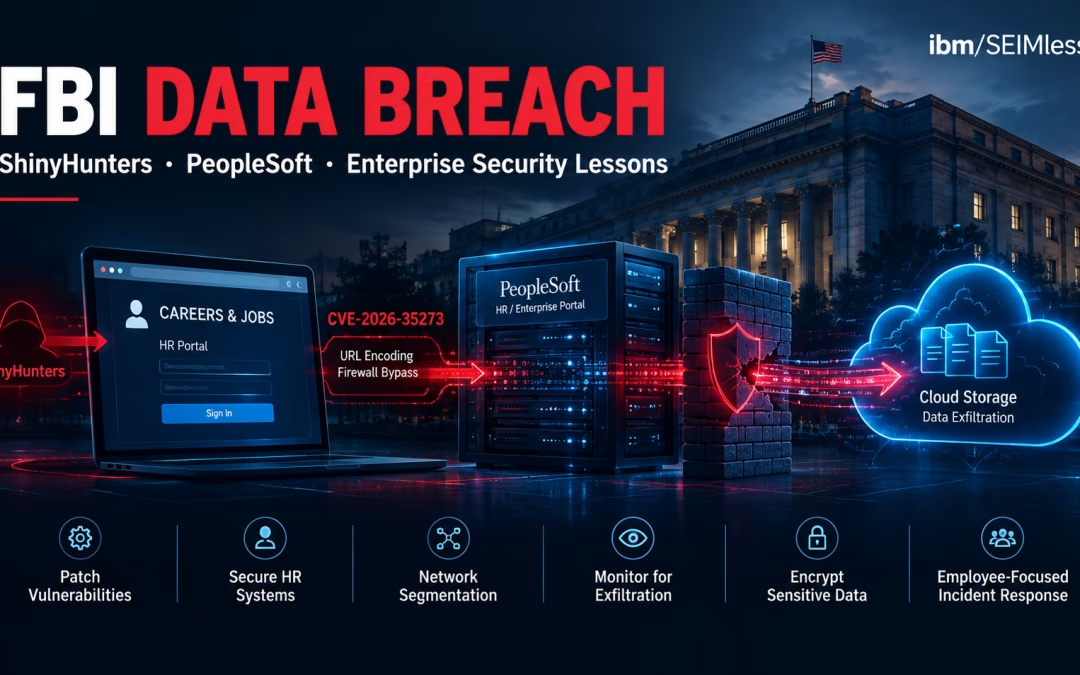
The FBI data breach disclosed in late September 2026 is not just another government headline. A criminal extortion crew walked through a public jobs portal, pivoted into cloud storage, and left the nation’s premier law-enforcement agency grappling with fallout that reaches into the homes of its own agents. If it can happen to the Bureau, the uncomfortable question for every CISO in financial services, healthcare, and insurance is simple: what does your HR system know, and who else can reach it?
Below, we break down what happened, how the attack worked, why experts call it a counterintelligence disaster, and the seven practical lessons your organization should act on this quarter.
| What happened in the FBI data breach?
In September 2026, the extortion group ShinyHunters claimed it stole 2–3 terabytes of personal data on FBI employees and job applicants by exploiting Oracle PeopleSoft behind the fbijobs.gov portal, then moving into FBI storage on AWS GovCloud. The FBI told staff it is assuming data on all employees was stolen. |
| Key takeaways
• Entry came through an internet-facing HR application, not an email or a password.
• Researchers link the intrusion to Oracle PeopleSoft flaw CVE-2026-35273 and a one-character trick that slipped past firewall rules.
• Stolen data reportedly includes home addresses, Social Security numbers, spouses, emergency contacts, and assignments in sensitive units.
• The group claims it is using the same flaw against Fortune 500 companies, so private enterprises are in scope.
• Enterprises should patch the code, not just block the string, and treat HR platforms as crown-jewel systems. |
FBI Data Breach Timeline: From a Jobs Portal to Agency-Wide Fallout
The sequence unfolded over roughly one week, but it began months earlier in a very different sector.
| Date (2026) |
Event |
| May 15 |
The FBI’s Internet Crime Complaint Center publishes PSA I-051526-PSA, describing ShinyHunters as a group “specializing in large-scale data breaches and extortion.” |
| May 27 – June 9 |
ShinyHunters exploits a zero-day in Oracle PeopleSoft, mostly against universities, according to Google Threat Intelligence. SecurityWeek reports Google notified more than 100 organizations. |
| June |
Oracle issues an out-of-band Security Alert for CVE-2026-35273. CISA adds the flaw to its Known Exploited Vulnerabilities catalog. |
| September 22 |
ShinyHunters claims it breached the FBI and defaces the jobs site. TechCrunch, CyberScoop, and Reuters via U.S. News report the claims; fbijobs.gov goes offline. |
| September 23 |
The FBI confirms it is investigating, as CBS News and The Record report. The group shares 5,000 sample records with reporters. |
| September 25 |
Google publishes details of a renewed PeopleSoft mass-exploitation campaign. The FBI emails staff that it is “operating under the assumption that the hackers have stolen data on all FBI employees.” |
| September 28 |
The FBI reportedly declares an internal “cyber security incident”. ShinyHunters tells Nextgov/FCW it never intended to publish the data. |
Notably, the attackers did not demand money. Their stated demand was that the FBI take down the May advisory, which the group called false. The group later described the episode as “a marketing campaign,” but it has not said whether the records were deleted. This is also not the Bureau’s first incident of the year: Federal News Network notes that in March 2026 the FBI disclosed suspicious activity on an internal system holding surveillance data.
How the Attack Worked: PeopleSoft, a One-Character Bypass, and AWS GovCloud
According to ASIS Security Management, an FBI spokesperson told 404 Media that the group used a PeopleSoft vulnerability for initial access, then reached AWS GovCloud servers and downloaded 2–3 terabytes. BleepingComputer reports the group claimed access to HR, criminal justice, and medical services, while Vectra AI’s analysis links the intrusion to CVE-2026-35273 in the portal at apply.fbijobs.gov.
Google’s research explains the mechanics. The flaw sits in PeopleSoft’s Environment Management Hub (PSEMHUB) and allows Java deserialization, which means an attacker can send crafted data that the server turns into running code. Rapid7 confirmed active exploitation in June. Many organizations answered the alert with a web application firewall (WAF) rule blocking requests to “/PSEMHUB/”. In September, attackers simply wrote the path as “/%50SEMHUB/”. The “%50” is the URL-encoded letter “P”. The firewall compared the raw text and saw no match. PeopleSoft decoded it and processed the request normally.
From there, Google observed web shells, a backdoor called SIDEEYE, Neo-reGeorg tunneling, and MeshCentral remote-management agents across higher education, technology, healthcare, transportation, and government.
The virtual-patch illusion
We call this failure mode the virtual-patch illusion: the confidence created when a firewall or IPS rule blocks the known shape of an exploit while the vulnerable code stays live behind it. A virtual patch buys time. It is not a fix. Attackers only need one encoding, casing, or path variation the rule’s author did not anticipate. Google’s guidance is blunt: apply Oracle’s patch, because WAF rules are not a substitute.
This matches the wider trend. The Verizon 2026 Data Breach Investigations Report found vulnerability exploitation has overtaken stolen credentials as the top initial access method, and that only 26% of CISA known-exploited vulnerabilities were fully remediated, with a median patch time of 43 days. We covered the same shift in network edge security in 2026.
Why the FBI Data Breach Is a Counterintelligence Problem, Not Just a Privacy One
In Lawfare, Justin Sherman called the incident “a counterintelligence disaster.” The group’s sample reportedly included home addresses, phone numbers, dates of birth, spouse details, and job descriptions touching human intelligence, telecom intercept, and clandestine work. GovInfoSecurity and Engadget describe the scale of what the group says it holds.
CNN reports the stolen records cover people in counterintelligence units focused on China and Russia. Security expert Andrew Brandt told The Record that “the bigger worry is ShinyHunters selling the data to other criminal or nation-state groups.” That creates four distinct risks:
- Profiling and recruitment. Foreign services can identify who handles what, then look for financial or personal pressure points.
- Combined with older leaks, the data could help expose undercover personnel.
- Physical safety. Home addresses enable doxing, swatting, and harassment — tactics the FBI’s own PSA attributes to ShinyHunters.
- Precision phishing. Real spouses, emergency contacts, and office assignments make social engineering far more convincing.
History shows the risk is real. The 2015 OPM background-investigation breach exposed records on 21.5 million people and still shapes clearance policy a decade later. CNN also recalls a 2018 case in which a drug cartel used a hacker to track an FBI official in Mexico City. Adversaries treat this data as an intelligence asset, which is why the Justice Department now restricts bulk sensitive-data transfers under its Data Security Program.
The Fallout Inside the Bureau: Assume Total Compromise
The FBI’s decision to assume every employee is affected is the correct posture when you cannot yet scope the loss. NIST SP 800-61 Rev. 3 (April 2025) encourages exactly this kind of risk-based decision-making under uncertainty. The cyber, security, and victim services divisions are all involved, according to Fox News and CNN reporting.
But reporting also shows the human cost of weak communication. Agents worry about family safety while they travel. One former agent told CNN, “Management is lost. They’re not providing any clear advice.” When official guidance lags, rumor fills the gap, and rumor is exactly what social engineers exploit.
The lesson from the FBI data breach for enterprises: your breach playbook needs an employee track, not just a regulator and customer track. Staff need to know what was taken, what to watch for, and how to freeze credit using the FTC’s credit freeze guidance and IdentityTheft.gov.
Your HR System Is an Intelligence Target Too
It is tempting to file the FBI data breach under “government problem.” That would be a mistake. BleepingComputer reports ShinyHunters says it is now exploiting the same flaw against Fortune 500 companies. PeopleSoft, Workday, SAP SuccessFactors, and similar platforms run payroll and recruiting for banks, hospital systems, and insurers across America, and they hold the same categories of data the attackers took from the Bureau.
- Financial services: Staff in wire operations, treasury, and trading become targets for coercion and business email compromise. NYDFS Part 500 now requires universal MFA and asset inventories, both of which apply to HR platforms.
- Healthcare: Workforce records often sit beside occupational health data. Large incidents land on the public HHS breach portal.
- Insurance: Claims adjusters and SIU investigators, like FBI agents, deal with people who have motives to find them.
Third parties raise the stakes, as the FBI data breach shows with a commercial HR product at its center. Verizon found third-party involvement jumped 60% year-on-year to nearly half of all breaches. Our analysis of the Ericsson service-provider breach and of dozens of breaches linked to a single threat actor shows how one flaw in a shared platform cascades across many victims.
Seven Lessons from the FBI Data Breach for Enterprise Security Leaders
1. Patch the code, then keep the virtual patch
Treat WAF rules as a bridge, never the destination. Track every item on CISA’s KEV list to closure. Our KEV coverage explains how to prioritize.
2. Normalize before you match
Ask your firewall vendor whether rules inspect decoded, canonicalized requests. The Exodus NxtGen Firewall and Zero Trust Content Security are built around inspecting what the application actually receives.
3. Classify HR platforms as crown jewels
Map HR, payroll, and applicant systems as high-impact under NIST SP 800-53 and your NIST Cybersecurity Framework 2.0 profile. Remove public exposure of admin components like PSEMHUB entirely.
4. Break the path from app to cloud storage
The attackers moved from one web server to terabytes in cloud storage. The CISA Zero Trust Maturity Model calls for segmentation and least-privilege access so one compromised host cannot reach everything. Our AWS cloud services and private and hybrid cloud designs apply those controls.
5. Watch for exfiltration, not just intrusion
Terabytes do not leave quietly. Behavioral analytics such as Exodus Aria ADR and endpoint detection and response flag unusual archive creation, tunneling, and outbound volume.
6. Encrypt data at rest with keys attackers cannot reach
If stolen files are encrypted and the keys live elsewhere, a copy is far less valuable. That is the job of Exodus QRN Data at Rest, Exodus Transparent Encryption, and Exodus Key Management.
7. Build an employee-first breach playbook
Pre-write staff notices, safety reporting channels, and identity-protection steps, and rehearse them. Write CISA Secure by Design expectations into vendor contracts so your software suppliers own their share of the risk.
Where Quantum-Resistant Networking Fits
This FBI data breach did not involve broken encryption. But it illustrates the core logic behind harvest now, decrypt later: identity data has a very long shelf life. An agent’s Social Security number, birth date, and family ties will be just as useful to an adversary in 2036 as they are today.
Any sensitive dataset copied now in encrypted form, whether from a cloud bucket or a network tap, may become readable once quantum computers mature. That is why Exodus QRN and Exodus QRN Data in Motion pair segmentation with quantum-resistant protection for data traveling between offices, data centers, and clouds. Good hygiene stops today’s breach. Quantum-resistant design keeps tomorrow’s decryption from turning old theft into new damage.
How ibm/SEIMless Helps Protect Employee and Customer Data
For more than 20 years, ibm/SEIMless has stayed vendor-agnostic, which lets us see where popular platforms fall short. Today we combine that perspective with our full services portfolio to help medium and enterprise organizations:
- Find internet-exposed applications like HR portals and close unpatched KEV items.
- Segment application tiers from cloud storage and sensitive data stores.
- Detect exfiltration early through managed Security as a Service.
- Recover fast with immutable backup and recovery.
- Future-proof sensitive data against quantum decryption with the Exodus QRN suite.
For related reading, see why big security budgets still fail, how attackers abuse hiring workflows, what the AT&T breach settlement means, and our shadow AI playbook.
Frequently Asked Questions About the FBI Data Breach
Who was behind the FBI data breach?
The extortion group ShinyHunters claimed responsibility in September 2026. The FBI confirmed it is investigating the group’s claims about the fbijobs.gov portal and has told staff to assume all employee data was taken.
What data was stolen?
Reported data includes names, home addresses, phone numbers, dates of birth, Social Security numbers, spouse and emergency-contact details, field office assignments, and job descriptions for sensitive roles, plus applicant records.
How did hackers get into the FBI’s systems?
Reporting and research indicate they exploited Oracle PeopleSoft (CVE-2026-35273) behind the jobs portal, using a URL-encoding trick to bypass firewall rules, then moved into FBI storage on AWS GovCloud.
Did ShinyHunters demand a ransom?
No financial ransom was reported. The group demanded the FBI remove its May 15, 2026 public service announcement, and later said it did not intend to publish the data.
Is my organization at risk from the same PeopleSoft flaw?
If you run PeopleSoft PeopleTools 8.61 or 8.62 without Oracle’s June 2026 fix, yes. Apply the patch, remove or disable PSEMHUB, check logs for encoded variants of the path, and rotate credentials reachable from that server.
What should companies learn from the FBI data breach?
Patch vulnerable code instead of relying on firewall rules, treat HR systems as crown jewels, segment applications from cloud storage, monitor for bulk exfiltration, encrypt data at rest, and prepare an employee-focused response plan.
Contact Us | Our Blog | Our Services | See Previous Post….
by hannahadmin | Sep 28, 2026 | Microsoft Cloud & Managed IT, Seimless
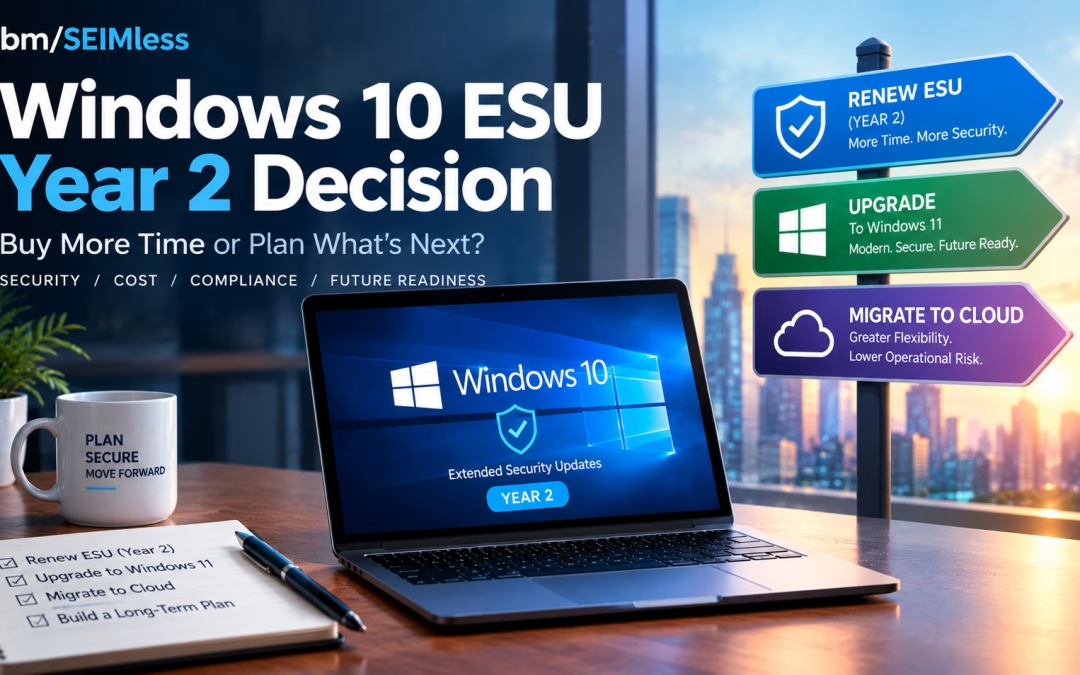
Windows 10 ESU coverage for Year 1 ends on October 13, 2026, and every business still running Windows 10 has less than three weeks to decide what happens next. After that Patch Tuesday, the next Windows 10 security fix goes only to devices licensed for Year 2, which costs twice as much as Year 1.
For IT and security leaders in financial services, healthcare and insurance, this is not a routine renewal. This guide covers the verified dates and prices, the regulatory stakes, a decision matrix and a 30-60-90 day plan.
| What is Windows 10 ESU? Windows 10 ESU (Extended Security Updates) is Microsoft’s paid, time-limited program that delivers critical and important security patches to Windows 10, version 22H2 devices after official support ended on October 14, 2025. It includes no new features or general support, is sold one year at a time, and ends completely on October 10, 2028. |
| KEY TAKEAWAYS
■ Windows 10 ESU Year 1 ends October 13, 2026; Year 2 runs to October 12, 2027 and Year 3 to October 10, 2028.
■ Commercial pricing starts at $61 per device and doubles each year, and later years are cumulative, so late enrollees pay for missed years.
■ Windows 10 in Windows 365 and Azure Virtual Desktop receives extended security updates at no extra cost, and Windows 365 Enterprise can also cover the physical Windows 10 PC used to connect.
■ Unsupported operating systems create documented risk under HIPAA, PCI DSS, NYDFS Part 500 and the FTC Safeguards Rule, and CISA lists end-of-life software as a “bad practice.”
■ ESU buys time, not a strategy. Use the next 90 days to retire Windows 10 for good. |
Windows 10 ESU Dates and Pricing: The Verified Facts
Microsoft’s Windows 10 ESU program documentation and its Lifecycle FAQ for Extended Security Updates set out the timeline. Windows 10 reached end of support on October 14, 2025. ESU can extend security patches for up to three years, one year at a time.
| ESU Period |
Coverage Ends |
Commercial Price per Device |
| Year 1 |
October 13, 2026 |
$61 |
| Year 2 |
October 12, 2027 |
$122 |
| Year 3 |
October 10, 2028 |
$244 |
Three details matter most for budgeting:
- Pricing is cumulative. Microsoft states that if you purchase in Year 2, you must also pay for Year 1. A device that skipped Year 1 costs $183 to cover through October 2027.
- Cloud-managed discount. When Microsoft first published commercial pricing in its post on when to use Windows 10 Extended Security Updates, it announced a reduced Year 1 price of $45 per device for organizations using cloud-based update management through Microsoft Intune or Windows Autopatch. Confirm current terms with your licensing partner.
- Only version 22H2 qualifies. Devices must run Windows 10, version 22H2 with the required servicing and licensing preparation updates, according to Microsoft’s guide to enabling Windows 10 Extended Security Updates.
How Year 2 Activation Works
Paying for Year 2 is not enough on its own. Microsoft’s enablement guide lists a separate activation ID for each ESU year, applied with the Multiple Activation Key (MAK). Plan Year 2 activation now through Intune, a script or the Volume Activation Management Tool, or devices will stop receiving patches after October 13.
Consumer Windows 10 ESU Is a Different Program
Microsoft’s consumer Windows 10 Extended Security Updates page offers enrollment at no cost when you sync PC settings, by redeeming 1,000 Microsoft Rewards points, or with a one-time $30 payment. Consumer coverage runs to October 12, 2027. It is intended for personal devices, not managed fleets that hold regulated data.
The Zero-Cost Path: Windows 10 ESU Through Windows 365 and Azure Virtual Desktop
Many organizations overlook this part of the Windows 10 ESU program. Microsoft provides extended security updates at no additional charge to Windows 10 virtual machines in Windows 365, Azure Virtual Desktop and other Azure-hosted platforms.
Windows 365 Covers the Endpoint Too
According to Microsoft’s guide to ESU deployment scenarios for Windows 365, a physical Windows 10 device can receive ESU entitlement when its user holds an active Windows 365 Enterprise license with an assigned Cloud PC and signs in with the same Microsoft Entra ID account. Windows 365 Flex Dedicated users must sign in at least once every 22 days to stay eligible.
An aging laptop becomes a secure access device while work happens on a managed Cloud PC. Microsoft’s Windows 365 Enterprise pricing page lists its entry configuration (2 vCPU, 4 GB RAM, 64 GB storage) at $28 per user per month at the time of writing. That compares with $122 or more per device for Year 2 ESU alone. Microsoft’s instructions to enable ESU for clients accessing cloud and virtual machines explain the required policy settings.
Azure Virtual Desktop Covers the Session Hosts
Azure Virtual Desktop supports Windows 11 and Windows 10 Enterprise multi-session, which lets many users share one virtual machine. Microsoft’s Azure Virtual Desktop ESU guidance confirms that personal and pooled Windows 10 session hosts receive ESU automatically. That guidance does not extend the same free coverage to the physical PCs that connect to AVD, so plan those endpoints separately.
Microsoft offers no central report of which endpoints claimed ESU, so keep your own inventory.
The Upgrade Path: Windows 11 Hardware Reality
Upgrading in place is the cleanest long-term answer when hardware qualifies. Microsoft’s Windows 11 system requirements include:
- A 1 GHz or faster processor with two or more cores that appears on Microsoft’s approved CPU list
- 4 GB of RAM and 64 GB of storage
- UEFI firmware with Secure Boot capability
- Trusted Platform Module (TPM) version 2.0
- DirectX 12 compatible graphics with a WDDM 2.0 driver
TPM is often disabled in firmware, so use Microsoft’s guide to enabling TPM 2.0 on your PC before writing off a device. Machines that fail on CPU generally need replacement.
Microsoft 365 Apps Are Also Frozen on Windows 10
Microsoft’s note on Windows 10 end of support and Microsoft 365 Apps says Microsoft 365 Apps get security updates on Windows 10 until October 10, 2028, but stay on Version 2608 with no further feature or Copilot updates. Microsoft does not consider it a supported configuration.
Compliance Risk of Running an Unsupported Operating System
Regulators rarely name Windows 10, but they expect you to know which systems are out of support and to manage the risk. Skipping Windows 10 ESU without a replacement plan leaves a visible gap.
CISA Calls End-of-Life Software a Bad Practice
CISA’s list of cybersecurity bad practices states that using unsupported or end-of-life software in service of critical infrastructure “is dangerous and significantly elevates risk.” In 2026 CISA went further for federal agencies with BOD 26-02 on end-of-support edge devices, which sets deadlines to inventory and remove unsupported devices. Private companies are not bound by the directive, but it shows where the standard of care is heading.
The CISA Known Exploited Vulnerabilities catalog and the NIST National Vulnerability Database regularly list Windows vulnerabilities. Our analysis of Microsoft’s patch release covering 138 vulnerabilities shows how quickly critical flaws accumulate.
Healthcare: HIPAA
HHS Office for Civil Rights addressed this directly in its cybersecurity newsletter on legacy systems. It expects covered entities to assess risks from systems the manufacturer no longer supports and apply compensating controls such as access restrictions and audit logging. The HHS Security Rule guidance library provides risk analysis tools to document your decision.
Payments: PCI DSS
PCI DSS v4.x, most recently revised as PCI DSS v4.0.1, requires critical and high-severity security patches to be installed within one month of release (Requirement 6.3.3). It also requires an annual review of hardware and software technologies, with a senior-management-approved plan for technologies whose vendors have announced end of life (Requirement 12.3.4). A Windows 10 device without ESU in the cardholder data environment will struggle to meet either requirement.
Financial Services: NYDFS and the FTC Safeguards Rule
Amended NYDFS Part 500 cybersecurity requirements required covered entities, from November 1, 2025, to maintain an asset inventory that records each asset’s support expiration date. Non-bank financial institutions under the FTC Safeguards Rule must run a written information security program based on risk assessment. NIST’s Guide to Enterprise Patch Management Planning (SP 800-40 Rev. 4) is a solid reference for either framework.
Cyber Insurance
The NAIC cybersecurity insurance overview notes that cyber policies are highly customized. Review your application answers about patching and unsupported systems with your broker before October 13, because an inaccurate answer can complicate a claim.
Windows 10 ESU Decision Matrix
Most organizations will use a mix. Use this matrix to sort your fleet.
| Option |
Best For |
2026-27 Cost Signal |
Compliance Posture |
Main Trade-off |
| Pay for Year 2 Windows 10 ESU |
Specialized devices, line-of-business apps not yet certified on Windows 11, short-term holdouts |
$122 per device, plus $61 if Year 1 was skipped |
Patched, but still an OS with no feature support |
Cost doubles again in Year 3; only delays the move |
| Upgrade to Windows 11 in place |
TPM 2.0 devices on the approved CPU list |
Labor and testing only |
Fully supported |
Needs app compatibility testing and user change management |
| Replace hardware with Windows 11 PCs |
Devices that fail CPU or TPM checks |
Capital refresh |
Fully supported |
Budget and supply lead time |
| Windows 365 Cloud PCs |
Hybrid and remote staff, contractors, seasonal workers |
Per-user monthly subscription |
Cloud PC and qualifying endpoint receive ESU at no extra cost |
Needs reliable connectivity and identity setup |
| Azure Virtual Desktop |
Large pooled workloads, call centers, regulated apps |
Azure consumption, reduced by multi-session |
Windows 10 session hosts get free ESU; endpoints need their own plan |
More design and management effort |
| Do nothing |
Nobody |
Breach and audit costs |
Unsupported OS |
Not defensible to regulators or insurers |
A 30-60-90 Day Plan for Your Windows 10 ESU Decision
Days 1–30: Stabilize Before October 13
- Inventory every Windows 10 device: version, ESU status, TPM, CPU, owner and data sensitivity.
- Buy and stage Year 2 licenses for devices that cannot move by October 13.
- Tag devices as upgrade, replace, virtualize or retire.
- Run endpoint detection and response on every Windows 10 system as a compensating control.
- Brief compliance, auditors and your cyber insurance broker on the plan.
Days 31–60: Pilot and Prove
- Upgrade a pilot group of Windows 11-eligible devices and test line-of-business applications.
- Stand up a Windows 365 or Azure Virtual Desktop pilot for one department, such as a branch or remote team.
- Apply zero trust content security policies so access depends on identity and device health, not network location.
- Order replacement hardware for devices that fail Windows 11 requirements.
Days 61–90: Scale and Retire
- Roll out Windows 11 upgrades and Cloud PCs in waves, with clear user communications.
- Move file shares and team content to Microsoft SharePoint so data follows users rather than devices.
- Securely wipe and dispose of retired devices, and update your asset register with support expiration dates.
- Set a firm date to end Windows 10 ESU purchases, ideally before Year 3 pricing arrives.
How ibm/SEIMless Helps You Retire Windows 10
After more than 20 years as a vendor-agnostic partner, ibm/SEIMless starts with your fleet and your regulators, not a product quota. For the Windows 10 transition, we bring together:
For teams stretched thin, our managed IT services approach can carry the inventory, licensing, migration and ongoing patching so your people can focus on customers and patients.
Frequently Asked Questions
When does Windows 10 ESU Year 1 end?
Windows 10 ESU Year 1 ends on October 13, 2026, which is also that month’s Patch Tuesday. According to Microsoft’s Lifecycle FAQ, Year 2 coverage runs until October 12, 2027, and Year 3 ends October 10, 2028. Devices without an activated Year 2 license will not receive Windows 10 security updates released after October 13, 2026.
How much does Windows 10 ESU Year 2 cost for businesses?
Microsoft prices commercial Windows 10 ESU at $61 per device for Year 1, doubling each year to $122 for Year 2 and $244 for Year 3. Purchases are cumulative, so an organization enrolling for the first time in Year 2 must also pay for Year 1. Buy through Microsoft Volume Licensing or a licensing partner.
Is Windows 10 ESU free with Windows 365 or Azure Virtual Desktop?
Yes. Windows 10 virtual machines in Windows 365 and Azure Virtual Desktop receive extended security updates at no extra cost. Windows 365 Enterprise can also extend ESU to the physical Windows 10 device a licensed user signs in from. Microsoft’s AVD guidance does not extend free coverage to physical PCs connecting to AVD, so plan those separately.
Can my Windows 10 PCs upgrade to Windows 11?
Only if they meet Microsoft’s minimum requirements: an approved 64-bit processor with at least two cores, 4 GB of RAM, 64 GB of storage, UEFI with Secure Boot, TPM 2.0 and DirectX 12 graphics. TPM is sometimes disabled in firmware, so check with tpm.msc before replacing hardware. Devices with unsupported CPUs usually need replacing.
Is running Windows 10 without ESU a HIPAA or PCI DSS violation?
Neither rule bans a specific operating system, but both expect documented risk management. HHS guidance on legacy systems requires risk assessment and compensating controls. PCI DSS requires critical patches within one month and a plan for end-of-life technology. An unpatched Windows 10 device holding regulated data is very difficult to defend in an audit.
Should we pay for ESU or move to Desktop-as-a-Service?
Pay for ESU only for devices that truly cannot move before October 13, such as those running applications still being tested on Windows 11. For hybrid, remote and seasonal staff, Desktop-as-a-Service often costs less over time, removes the ESU bill and centralizes security. Most organizations use a mix of upgrade, replacement and DaaS.
Talk to ibm/SEIMless About Your Windows 10 ESU Decision
October 13, 2026 is close, but you still have time to make a deliberate, defensible choice. ibm/SEIMless can inventory your Windows 10 fleet, model Year 2 ESU against Windows 11 and Desktop-as-a-Service costs, and deliver the migration with security built in.
Let’s protect your people, your data and your bottom line before the next Patch Tuesday passes you by.

by hannahadmin | Sep 25, 2026 | cybersecurity, Seimless, telecom
POTS line replacement is no longer a someday project. In 2026 the Federal Communications Commission made it faster and simpler for carriers to stop selling, and then stop providing, copper-based phone service. AT&T and Verizon are already filing to shut down copper in specific wire centers, and many businesses will get the notice before they have a plan.
The desk phone is the easy part. The hard part is the analog lines nobody remembers: the fire alarm dialer, the elevator emergency phone, the garage call box, the burglar panel, the fax line, and the PRI feeding an aging PBX. Those lines protect people. This guide explains what changed and how to plan a POTS line replacement that keeps every life-safety connection working.
| What is POTS line replacement? POTS line replacement is the process of moving analog “plain old telephone service” copper lines to digital alternatives, such as managed POTS-in-a-box devices, dual-path cellular communicators, SIP trunks, or cloud telephony, while keeping fire alarms, elevator phones, fax, and 911 calling working and code compliant. |
| KEY TAKEAWAYS
■ The FCC’s March 2026 order lets carriers grandfather copper voice without a filing and speeds discontinuance approvals.
■ AT&T plans to exit most of its copper footprint outside California by the end of 2029, and Verizon has filed to retire copper in parts of New York.
■ Fire alarm, elevator, and emergency call box lines need a code-reviewed POTS replacement, not a generic VoIP adapter.
■ Kari’s Law and RAY BAUM’S Act 911 rules apply to any new phone system you install.
■ Start with an inventory; audits often find unused copper lines you still pay for. |
Why the Copper Retirement Accelerated in 2026
In July 2025 the FCC’s July 2025 fact sheet on reducing barriers to network improvements proposed eliminating network change filings and consolidating the “adequate replacement” tests for discontinuing legacy voice.
On March 26, 2026, the Commission adopted them. The FCC fact sheet for the Network and Services Modernization Order and the final rule published in the Federal Register (FCC 26-19, WC Docket Nos. 25-208 and 25-209) describe the changes, effective May 20, 2026, with certain sections delayed.
What the new FCC order changes
- Blanket grandfathering. Carriers received blanket Section 214 authority to grandfather legacy voice, data below 25/3 Mbps, and VoIP provisioned over copper. You may be unable to add copper lines long before existing ones shut off.
- Faster discontinuance. Technology-transition discontinuance applications now qualify for a 31-day automatic grant for all carriers, not just smaller ones.
- Five “adequate replacement” categories. Facilities-based VoIP, mobile wireless of at least 5/1 Mbps, voice funded by modernized high-cost programs, the carrier’s own alternative voice service, or a widely available third-party voice service, each with 911 access.
- 911 coordination. Carriers discontinuing services that support 911 traffic must give 911 authorities 90 days’ notice and coordinate before filing.
- No new alarm-compatibility mandate. The order declined to add new codec requirements for legacy alarm devices, noting that compatibility obligations from the 2016 technology transitions rules had already sunset.
See the FCC’s Report and Order, FCC 26-19 and the procedures in 47 CFR 63.71.
That last bullet matters most: keeping your alarm panel talking to its monitoring center is now your responsibility, not the phone company’s.
AT&T and Verizon Landline Sunset Timelines
According to Broadband Breakfast’s report on AT&T’s January 2026 FCC approval, the FCC approved AT&T’s request to discontinue copper services in another 25% of its wire centers, bringing approvals to more than 30% of its copper footprint outside California across 18 states, with discontinuation starting November 15, 2026. AT&T spends roughly $6 billion a year maintaining about 4,600 copper wire centers and targets retiring most copper outside California by the end of 2029.
WWNY-TV reported in September 2026 that Verizon has asked the FCC for approval to phase out copper landlines in parts of northern New York, with a decision expected by the end of November 2026. Verizon told the station it will not discontinue a customer’s copper voice service where a suitable replacement is not yet available.
Why remaining POTS lines keep getting more expensive
In 2019 the FCC’s unbundling and resale forbearance order (FCC 19-72) relieved price-cap incumbents of obligations to unbundle analog voice-grade copper loops and offer avoided-cost resale. That removed a wholesale pricing floor competitive providers relied on, and per-line POTS pricing has tended to climb as the copper base shrinks. For organizations with many analog lines, waiting often costs more than a planned POTS line replacement.
Which Business Lines Are at Risk?
Map every line to the device and the people it protects before choosing technology.
| Line type |
Why it matters |
Special considerations |
| Fire alarm communicator (DACT) |
Sends alarms to a supervising station |
NFPA 72 and local fire marshal approval |
| Elevator emergency phone |
Trapped passengers call for help |
ASME A17.1 and ADA two-way communication rules |
| Emergency call box / area of refuge |
Direct help line for people in danger |
Must reach a staffed location, often 24/7 |
| Burglar/intrusion alarm |
Signals the monitoring center |
Panel protocol compatibility with IP or cellular |
| Fax |
Regulated document exchange |
Analog fax can fail over compressed VoIP |
| PRI / T1 trunks |
Main voice capacity |
Migration to SIP trunks or cloud voice |
If you are unsure what a line does, trace and test it before disconnecting.
POTS Line Replacement for Life-Safety Systems
A poorly planned POTS line replacement can put people in danger here. Treat each line as its own project, with the authority having jurisdiction (AHJ) involved early.
Fire alarm panels and NFPA 72
The 2025 edition of NFPA 72, the National Fire Alarm and Signaling Code, governs how alarm signals reach a supervising station, though your fire marshal may enforce an earlier edition.
The Minnesota State Fire Marshal’s guidance on fire alarm transmission signals explains that traditional DACT systems relied on two POTS lines, that newer NFPA 72 editions are more performance-based, and that a DACT can pair one phone line with a secondary path that is not a second phone line, such as cellular, radio, or IP. It also cautions that VoIP is not recommended for transmitting fire alarm signals because compression can corrupt the data.
Practical steps:
- Confirm the NFPA 72 edition and local amendments your AHJ enforces.
- Ask your fire alarm contractor whether the panel supports an IP or cellular communicator directly.
- Consider a listed dual-path communicator (for example, cellular plus IP) rather than a generic analog adapter.
- Document supervision, battery standby, and signal testing, and get written AHJ sign-off before cutting copper.
Elevator emergency phones
The U.S. Access Board’s guide to ADA elevator requirements notes that ASME A17.1 requires a two-way means of emergency communication in elevator cars, activated by a push button, with a visual signal acknowledging the call. Replacements must work during power loss and reach a staffed location, so involve your elevator contractor and inspector.
Emergency call boxes and burglar alarms
Confirm your monitoring center supports the replacement path, then test end to end, including a simulated power outage. The FCC’s guidance on modernizing networks is a good checklist for questioning carriers.
Backup power
Copper lines are powered from the central office; digital services are not. The FCC’s technology transitions overview explains that providers of non-copper voice must offer customers backup power options, a requirement rooted in the FCC’s rules on ensuring continuity of 911 communications. For life-safety lines, size batteries to each system’s code-required standby time.
911 Compliance: Kari’s Law and RAY BAUM’S Act
Replacing trunks or a PBX triggers federal 911 obligations, summarized on the FCC’s page on multi-line telephone system 911 requirements with rule text in 47 CFR 9.16.
- Direct dialing. Users must be able to dial 911 without a prefix such as “9.”
- On-site notification. Where technically feasible, the system must alert a central location, such as a front desk or security, when someone calls 911.
- Dispatchable location. Calls must convey a street address plus details such as floor or room. Fixed devices were required to comply by January 6, 2021, and non-fixed and off-premises devices by January 6, 2022.
See the FCC’s dispatchable location page and 911.gov’s Kari’s Law and RAY BAUM’S Act overview. As 911 centers move to IP-based Next Generation 911, accurate location data matters even more.
Comparing POTS Line Replacement Options
Most enterprises mix POTS line replacement options by line purpose.
| Option |
Best for |
Strengths |
Watch-outs |
| Managed POTS-in-a-box |
Fire alarms, elevators, call boxes, legacy analog devices |
Keeps analog interface; cellular with optional wired failover; remote monitoring; battery backup |
Confirm listings and AHJ acceptance; monthly service fee |
| Dual-path alarm communicator |
Fire and intrusion panels |
Designed for alarm signaling; supervised paths |
Panel-specific; requires alarm contractor |
| SIP trunking |
Replacing PRI/T1 to an existing IP-capable PBX |
Lower cost per call path; scales easily; supports DID |
Needs quality broadband, SBC, and 911 location configuration |
| Cloud telephony (UCaaS) |
Desk phones, softphones, remote workers |
No on-site PBX; built-in mobility and collaboration |
Plan for power and internet outages; configure dispatchable location |
| Premises-based IP PBX |
Sites needing local control or survivability |
Local call processing; integration flexibility |
Hardware lifecycle and maintenance |
| Cloud fax (fax-to-email) |
Regulated document exchange |
Eliminates fax lines and machines |
Review retention and security requirements |
For voice, ibm/SEIMless supports every model: POTS, PRI, TDM, and SIP services, cloud-based telephony, and premises-based telephony. If you are weighing platforms, our guide to choosing the right unified communications solution and our overview of Microsoft 365 and Teams voice can help.
Resilience: Don’t Trade One Single Point of Failure for Another
Copper often kept working in power outages. Digital replacements depend on power, broadband, and cellular networks, which fail too. The FCC’s report on the February 22, 2024 AT&T wireless outage found that the event blocked more than 92 million calls, including about 25,000 calls to 911. We covered a related incident in our post on the AT&T 911 outage that disrupted emergency services across three states.
Build resilience into your POTS line replacement:
Your POTS Line Replacement Roadmap
A practical POTS line replacement sequence for CIOs and facilities leaders:
Step 1: Inventory and audit
Match every circuit ID on carrier invoices to a location and device. Our single, accurate view of telecom assets and expenses approach helps you find them.
Step 2: Classify by risk
Group lines as life-safety, regulated, business-critical, or disposable.
Step 3: Watch carrier notices
Assign someone to read every carrier notice, and see the Massachusetts consumer guide to the copper-to-fiber transition for what those notices should include.
Step 4: Select and pilot
Match each class to an option above and pilot at one site, including power-failure tests.
Step 5: Migrate voice and fax
Move PRIs to SIP or cloud voice, update or retire PBX installations, and shift fax to Fax2Mail cloud faxing. Verify 911 settings on every endpoint.
Step 6: Document and decommission
Record AHJ approvals, test results, and new circuit IDs, then cancel old copper so billing stops.
Multi-site organizations can lean on our managed telecom services in New York to run this program end to end.
Frequently Asked Questions
Are POTS lines being discontinued in 2026?
Not everywhere at once, but the pace is accelerating. The FCC’s March 2026 order lets carriers grandfather copper voice without a filing and streamlines discontinuance approvals. AT&T received approval covering more than 30% of its copper footprint outside California, with discontinuations beginning November 15, 2026, and Verizon has filed to retire copper in parts of New York. Expect notices by location rather than a single national shutdown date.
What is the best POTS line replacement for a fire alarm panel?
Usually a listed dual-path communicator or a managed POTS replacement device designed for alarm signaling, using cellular plus a second path such as IP. The right choice depends on the NFPA 72 edition your jurisdiction enforces, your panel model, and your monitoring center. Always involve your fire alarm contractor and get written approval from the local fire marshal before disconnecting the copper line.
Can I just plug my alarm or elevator phone into a VoIP line?
It is risky. Standard VoIP compresses audio, which can corrupt alarm tones and modem signals, and the Minnesota State Fire Marshal specifically advises against VoIP for fire alarm transmission. Elevator phones also need to work during power loss and reach a staffed location. Use equipment built and supported for these life-safety uses, and test it end to end.
What happens if I ignore my carrier’s copper retirement notice?
Once the discontinuance takes effect, the line can stop working. For a fire alarm, that could mean the monitoring center never receives an alarm and your building falls out of compliance. For an elevator, a trapped passenger may not reach help. Ignoring a notice also leaves you with less time to buy equipment, schedule contractors, and secure AHJ approvals.
Do Kari’s Law and RAY BAUM’S Act apply to my new phone system?
Yes, if it is a multi-line telephone system or VoIP service installed or configured under current rules. Users must dial 911 directly without a prefix, a central on-site contact should be notified when 911 is called where feasible, and the call must send a dispatchable location such as street address, floor, and room. Build these settings into every SIP, cloud, or PBX migration.
How much does POTS line replacement cost?
Costs depend on the number of lines, device types, and required approvals. Managed POTS replacement typically carries a monthly per-line fee plus hardware and installation, while SIP trunking and cloud voice are priced per call path or user. Many organizations offset costs by auditing invoices and cancelling unused copper lines, which can fund part of the migration.
Talk to ibm/SEIMless About Your POTS Line Replacement
For more than 20 years, ibm/SEIMless has helped financial, healthcare, and insurance organizations manage communications services without vendor bias. We will inventory your copper, coordinate with your alarm and elevator contractors, and move you to the right mix of managed POTS, SIP, cloud telephony, and resilient wireless.
Your people depend on those lines. Let’s make sure they keep working.
by hannahadmin | Sep 22, 2026 | Compliance, Network Security, Seimless
Over the weekend of September 20, 2026, Amazon shut Meta’s new Muse personal AI agent out of Amazon.com. Shoppers who asked Muse to buy something got a blunt message: continued access by an unauthorized AI agent violates Amazon’s Conditions of Use. Headlines framed it as a retail turf war. For security leaders, it is something bigger: the first high-profile, consumer-scale collision over AI agent traffic — and a preview of decisions every enterprise will have to make about the autonomous software now knocking on its digital front door.
This post breaks down what happened, why the courts won’t settle it for you, what the numbers say, and how financial services, healthcare, and insurance organizations can build an AI agent traffic policy that is enforced at the network — not just written in a terms-of-service page.
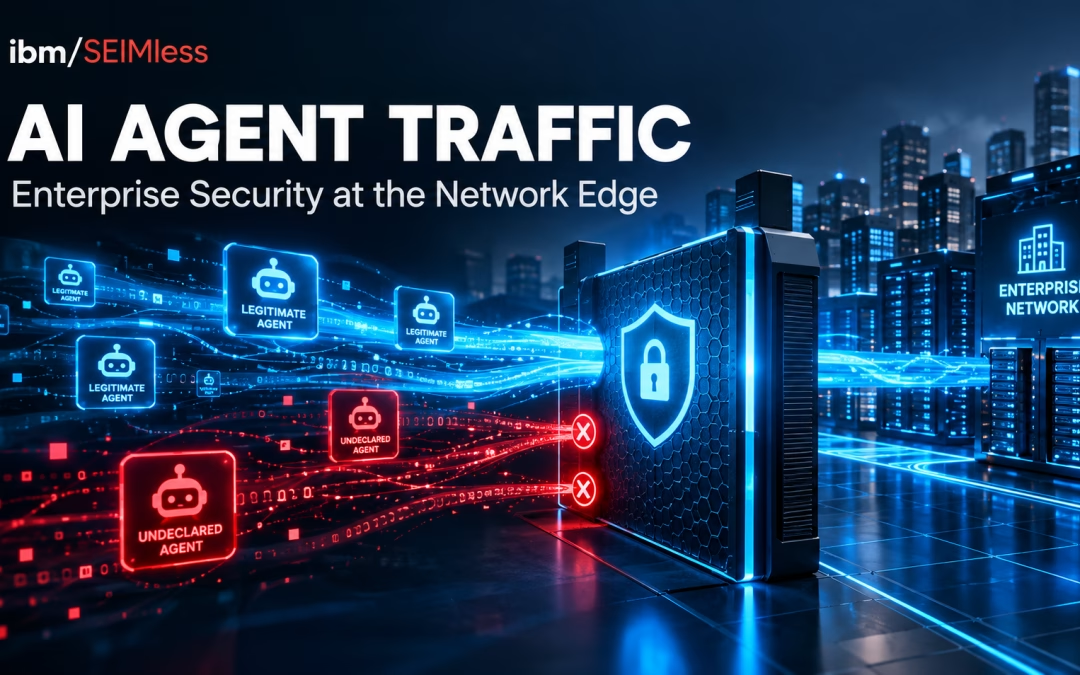
What is AI agent traffic? AI agent traffic is network and web activity generated by autonomous AI software acting on a person’s or organization’s behalf — logging in, browsing, filling forms, calling APIs, and completing transactions. Unlike classic crawlers, AI agents often use real user credentials and mimic human browsing, which makes them hard to tell apart from people or attackers unless they identify themselves cryptographically.
What Happened: Amazon vs. Meta’s Muse, in Brief
Meta introduced Muse in September 2026 as a personal agent that “takes action”: it can open browsers, fill forms, send email with approval, and make purchases through Stripe Link. TechCrunch covered the debut on September 8. Within two weeks, GeekWire reported that Amazon had blocked it after first asking Meta to remove Amazon from the experience voluntarily.
Amazon’s stated objections are the ones security teams should notice:
- No self-identification. Amazon says Muse accessed the store without identifying itself as an agent or reaching any prior agreement.
- Credential custody. Amazon says the agent captures and stores customer credentials and, when instructed, can reach order history and other account data.
- Amazon’s position, as reported by TechCrunch, is that third-party apps that buy on a customer’s behalf “should operate openly.”
Meta’s side matters too. The company says Muse cannot see users’ passwords or payment methods; credentials sit in secure storage and are used for authentication without being exposed to the model. Meta also describes a dedicated secure VM, a separate “Sentinel” agent that approves internet-bound actions, and audit trails. Forbes and Bloomberg framed the standoff around commerce, and the money is real: Amazon’s advertising business depends on humans seeing sponsored placements, while Oppenheimer’s Jason Helfstein estimates Meta would need about 115 million subscribers at $20 a month to reach $28 billion in AI revenue — a target he doubts it will hit.
Both companies can be partly right. That is exactly the problem: when an AI agent shows up, the receiving system usually cannot verify either company’s claims in real time.
Why AI Agent Traffic Is a Security Story, Not Just a Retail Feud
Strip away the brands and you have three questions every CISO will face this year:
- Who is this? Is the session a human, a declared agent, a scraper, or an attacker using a stolen session token?
- On whose authority? Did the account holder actually delegate this action, and within what limits?
- Who holds the keys? Where do the credentials live, and what happens when that third-party vault is breached?
We call this the undeclared agent problem: software that uses a legitimate person’s identity but never announces that software, not a person, is at the keyboard. Undeclared AI agent traffic looks almost identical to account takeover (ATO). The same signals that flag fraud — a new device, headless browser fingerprints, machine-speed navigation — also flag helpful agents. Block too much and you break customer experience; block too little and you give attackers the perfect disguise.
We explored the inside-the-enterprise version of this in The Hidden Risk of AI-to-AI “Blind Agent Transfer”. The Muse episode is the outside-in version: agents arriving from someone else’s platform, carrying your customers’ credentials.
The Legal Backdrop: Why the Courts Won’t Manage AI Agent Traffic for You
Amazon has been here before. It sued Perplexity over the Comet browser’s shopping agent and won a preliminary injunction in March 2026. On August 4, 2026, the Ninth Circuit vacated that injunction. As Cooley’s analysis summarizes, the court held that when an agent’s communications route through the user’s own computer, it is the user — not the AI developer — who “accesses” the site under the Computer Fraud and Abuse Act.
The ruling builds on the Supreme Court’s narrowing of the CFAA in Van Buren v. United States (2021). It also left doors open: contract and tort claims survive, and agents that act more autonomously or talk directly to target servers could still face liability.
The practical takeaway for enterprises is simple. Anti-hacking law is a slow, uncertain backstop for AI agent traffic. Your terms of service state a policy. Your network and identity controls enforce it. Amazon didn’t wait for a court — it enforced at the edge.
AI Agent Traffic by the Numbers
The scale is no longer theoretical. The 2026 Thales (Imperva) Bad Bot Report, released April 29, 2026, found:
| Metric |
Figure |
Why it matters |
| Share of all web traffic that is automated |
Over 53% |
Humans are now the minority on the web |
| Growth in AI-driven bot attacks, year over year |
12.5x |
Attackers are adopting agents faster than defenders |
| Bot attacks aimed at APIs |
27% |
Agents skip the web page and go straight to the data |
| Share of bot attacks hitting financial services |
24% |
Banking is the top target |
| Account takeover incidents targeting financial services |
46% |
Credential-carrying traffic is the core risk |
Federal data tells the same story. The FBI’s 2025 IC3 Annual Report logged $20.877 billion in reported losses, including 22,364 AI-related complaints totaling $893.3 million. The FBI also issued a November 2025 account takeover fraud alert citing more than 5,100 complaints and over $262 million in losses in less than a year. When legitimate AI agent traffic and ATO traffic look the same, both numbers get harder to manage.
Two Directions of Risk: Inbound Agents and Outbound Agents
Inbound: agents at your front door
If you run a banking portal, a patient portal, a claims system, or a B2B ordering site, agents like Muse are coming whether you invite them or not. Customers will ask their assistant to “pay my premium,” “download my lab results,” or “dispute that charge.” Every one of those sessions is AI agent traffic using a real customer’s credentials.
Financial services has seen this movie. Screen scraping by data aggregators was supposed to give way to secure APIs under the CFPB’s Personal Financial Data Rights rule (Section 1033). That rule is now enjoined while the Bureau reconsiders it. In the meantime, agents are reviving the old pattern — credential-based access through the front end — at far larger scale.
Outbound: agents carrying your keys
The quieter risk is inside your own walls. An employee who connects a personal agent to a corporate mailbox, a SaaS admin console, or a vendor portal has just placed company credentials in a third-party vault you never assessed. That is shadow AI with a credit card attached. We have already seen attackers go after exactly these stores — see our coverage of a Python backdoor stealing browser and cloud credentials and fake résumés used for credential theft. A centralized agent credential store is an even richer target.
How to Identify AI Agent Traffic: From User-Agent Strings to Cryptographic Proof
User-agent strings and IP allowlists were never proof of identity; they are a label anyone can copy. The industry is moving toward cryptographic proof:
The direction is clear: AI agent traffic should declare itself, prove its operator, and carry a scoped, revocable delegation from a human who authenticated strongly.
A 7-Step AI Agent Traffic Governance Framework
- Decide your policy in writing. Allow declared agents, allow them only through an API, or block them. Choose per system: a public catalog and a wire-transfer page deserve different answers.
- Inventory where agents already touch you. Use web logs, WAF data, and endpoint detection to find headless browsers, automation frameworks, and agent-hosting IP ranges.
- Offer a front door. Give legitimate agents an authenticated API with OAuth-style scoped tokens, so they have no reason to scrape your UI.
- Require proof, not labels. Favor signed requests (RFC 9421 / Web Bot Auth) and verified operator keys over user-agent strings.
- Bind agents to scope and step-up. Agents may read a balance; moving money, changing a payee, or releasing records requires human step-up authentication.
- Govern outbound agents. Ban unmanaged agents from holding corporate credentials; route approved ones through enterprise identity and Security as a Service
- Log for accountability. Record agent identity, delegating user, scope, and action in tamper-evident logs, mapped to the NIST AI Risk Management Framework, the OWASP GenAI Security Project, and MITRE ATLAS threat techniques.
Why the Network Layer Is Where AI Agent Traffic Gets Decided
Amazon’s block worked because it happened before the agent reached the storefront. That is the lesson: policy that isn’t enforced in the traffic path is only a suggestion. This is the core idea behind NIST SP 800-207 zero trust architecture — and our own primer, What Is Zero Trust? — where every request is evaluated on identity and context, every time.
At ibm/SEIMless, we build that enforcement into the network itself through the Exodus portfolio:
There is also a quantum dimension. Agent identity is built on digital signatures and key exchange. Sessions recorded today can be decrypted later — the harvest now, decrypt later threat — and long-lived agent keys will need to move to NIST’s post-quantum standards such as FIPS 203 (ML-KEM). We covered that convergence in Agentic AI Security Meets Q-Day, and the federal deadlines in our Executive Order 14412 guide. The Exodus Quantum Resistant Network is designed so the trust you build for AI agent traffic today still holds after Q-Day.
What AI Agent Traffic Means for Financial Services, Healthcare, and Insurance
Financial services. Banks carry the heaviest share of bot and ATO attacks. The NYDFS Part 500 cybersecurity regulation now requires MFA for any individual accessing information systems — so an agent riding a customer or employee session must not become a quiet MFA bypass. Public companies should also weigh material agent-driven incidents against the SEC’s cybersecurity disclosure rules.
Healthcare. Patients will send agents to fetch records and book visits. The HIPAA Security Rule still requires access controls, audit controls, and person-or-entity authentication — obligations that apply no matter who, or what, is clicking.
Insurance. Quote, claims, and policy-change flows are prime targets for agent automation and for fraud hiding inside it. Scoped APIs and step-up rules for payout changes should come first.
Across all three, the network is where your answers become real. Solutions like SD-WAN alone don’t inspect identity — which is why we argued that SD-WAN is not ready for next-generation attacks and why network edge security is now the front line.
The Bigger Picture: Build Trust, Not Just Walls
AI agents will serve people well — in accessibility, in saved time, in better decisions. The goal is not to fear them. It is to make sure every agent that touches your business is honest about what it is, limited in what it can do, and accountable for what it did. Organizations that build that trust now will welcome the agent economy on their own terms. Those that don’t will be forced to choose between blocking customers and trusting strangers. As we noted when asking whether SaaS is dead, agents are becoming the new interface. Your security architecture has to be ready to meet them.
Frequently Asked Questions About AI Agent Traffic
Why did Amazon block Meta’s Muse AI agent?
Amazon says Muse accessed its store without identifying itself or reaching an agreement, and that it captured and stored customer credentials. Amazon displayed a notice that continued access by an unauthorized AI agent violates its Conditions of Use. Meta says Muse cannot see users’ passwords or payment methods.
Is it illegal for an AI agent to use a website on my behalf?
Not necessarily under federal anti-hacking law. In August 2026 the Ninth Circuit held that when an agent routes through the user’s computer, the user — not the AI developer — accesses the site under the CFAA. Contract and terms-of-service claims can still apply. This is not legal advice; consult counsel for your situation.
How can a company tell AI agent traffic from human traffic?
Behavioral signals like headless browsers and machine-speed navigation help, but they are unreliable. The stronger approach is cryptographic: signed HTTP requests (RFC 9421 and Web Bot Auth), verified operator keys, and scoped tokens issued through an authenticated API.
Should enterprises block all AI agents?
Usually no. Blanket blocking frustrates customers and pushes agents toward disguise. A better policy allows declared, verified agents through a scoped API, requires human step-up for high-risk actions, and blocks undeclared automation.
What is the risk of employees using personal AI agents at work?
Personal agents may store corporate credentials in third-party systems your security team has never assessed. That creates shadow AI exposure, weakens MFA, and concentrates keys in a vault that attackers will target.
How does quantum computing affect AI agent security?
Agent identity depends on signatures and key exchange that today use RSA and elliptic-curve cryptography, which large quantum computers are expected to break. Recorded sessions can be decrypted later, so long-lived agent keys and sessions should move to post-quantum cryptography and quantum-resistant networking.
Contact us | Our Blog | Our Services | See Previous Post….
by hannahadmin | Sep 18, 2026 | Compliance, Exodus QRN, PQC, Quantum Security, Seimless
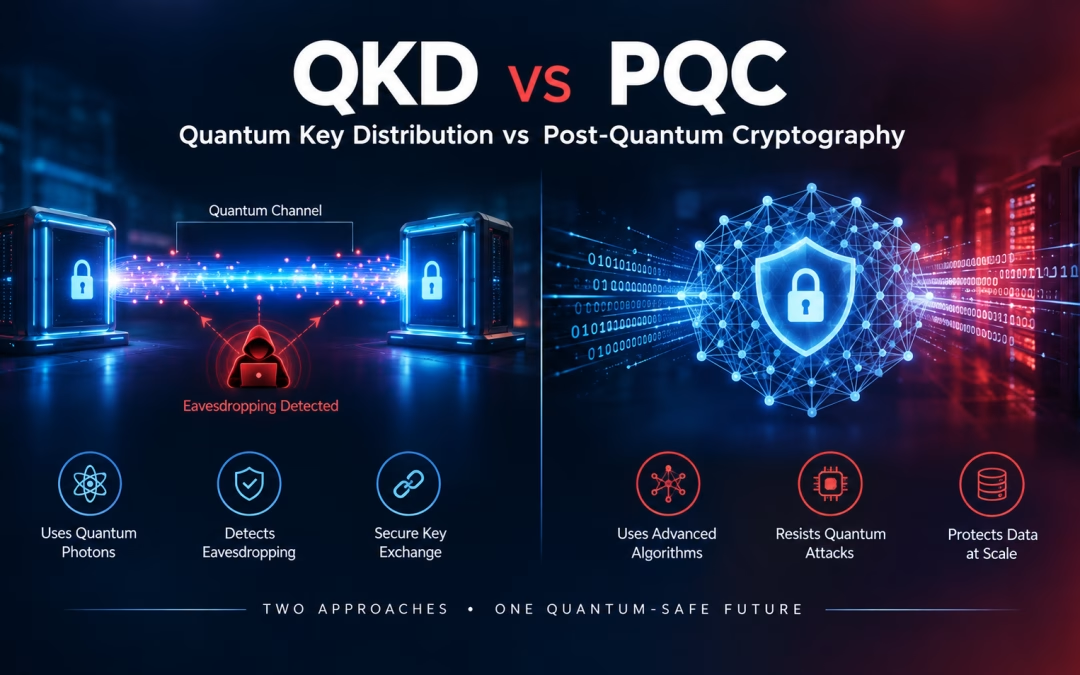
Every quantum-security conversation eventually reaches the same fork in the road: QKD vs PQC. Do you protect your network with quantum physics — quantum key distribution over dedicated fiber — or with new mathematics, the post-quantum cryptography algorithms NIST standardized in 2024? For years, vendors on both sides blurred the answer. In 2026, the U.S. government stopped blurring it. The National Security Agency, the Pentagon, and the Office of Management and Budget have all chosen post-quantum cryptography as the foundation of the federal migration, and the Pentagon has formally barred QKD as a security mechanism for its systems.
That doesn’t make quantum networking a dead end. The same White House that set the PQC deadlines is funding quantum networks for sensing, timing, and distributed computing. For CIOs and CISOs in financial services, healthcare, insurance, and the defense supply chain, the practical question is not which camp wins. It is what to build first, what to buy with confidence, and what to hold as an option. This guide answers the QKD vs PQC question the way regulators now expect you to answer it.
Quick answer — QKD vs PQC: Quantum key distribution (QKD) uses the physics of single photons to share encryption keys over a dedicated optical link and detect eavesdropping. Post-quantum cryptography (PQC) uses new math problems — such as NIST’s ML-KEM and ML-DSA — that run in software and hardware on existing networks and resist attack by quantum computers. U.S. policy treats PQC as the required foundation. QKD, where it is used at all, is a supplementary layer on specific links and never a substitute for PQC authentication.
QKD vs PQC in Plain Terms: Two Very Different Answers to Q-Day
Both technologies exist because of one threat. A cryptographically relevant quantum computer running Shor’s algorithm would break RSA and elliptic-curve cryptography, the public-key math that protects nearly every VPN, TLS session, and digital signature in use today. Adversaries already collect encrypted traffic to decrypt later, the harvest now, decrypt later strategy that makes this a present-day risk.
How quantum key distribution works
QKD sends key material encoded in the quantum states of photons. Because measuring a quantum state disturbs it, an eavesdropper on the line introduces detectable errors. The two endpoints compare samples, discard compromised bits, and keep a shared secret. The idea is elegant: security rests on physics rather than on an assumption that a math problem is hard. As the U.S. Department of Energy explains in its primer on quantum networks, these systems rely on superposition, no-cloning, and entanglement.
How post-quantum cryptography works
PQC replaces vulnerable algorithms with ones built on problems that neither classical nor quantum computers are known to solve efficiently. In August 2024, NIST finalized its first three PQC standards: FIPS 203 (ML-KEM) for key establishment, and FIPS 204 (ML-DSA) and FIPS 205 (SLH-DSA) for digital signatures. In March 2025, NIST selected HQC as a backup key-establishment algorithm based on different math. PQC is software and firmware. It runs over the fiber, MPLS, broadband, and wireless links you already own.
What the NSA Says About QKD — and Why It Matters to Every Buyer
The clearest statement in the QKD vs PQC debate comes from the NSA. Its public guidance on quantum key distribution and quantum cryptography says the agency does not recommend QKD for National Security Systems and does not anticipate certifying or approving QKD security products unless its limitations are overcome. The NSA lists five of them:
- A partial solution. QKD produces keys but does not authenticate who is on the other end. You still need classical or post-quantum signatures to prevent a man-in-the-middle.
- Special-purpose hardware. QKD requires dedicated fiber or free-space optical equipment. It cannot be delivered as a software update or a network service.
- Cost and insider risk. Distance limits force “trusted relays,” secured facilities where keys exist in the clear and insiders become part of the threat model.
- Hard to validate. Real-world security depends on engineering, not theory. Hardware flaws can open side channels the physics never anticipated.
- Denial of service. The same sensitivity that detects eavesdropping lets an attacker disrupt the link simply by disturbing it.
The NSA concludes that post-quantum cryptography is the more cost-effective and easily maintained solution. For regulated enterprises, that statement matters beyond defense. Banking, healthcare, and insurance examiners anchor their expectations to NIST and NSA guidance, so a security architecture that cannot be mapped to those references is harder to defend in an audit.
The Pentagon Drew a Hard Line on QKD vs PQC
Defense leadership has gone further than advice. A November 18, 2025 DoD CIO memorandum, Preparing for Migration to Post Quantum Cryptography, states that components shall not use quantum confidentiality technologies — naming QKD, solutions that combine QKD with other key establishment, and quantum communications or networking — as a means of achieving confidentiality, authentication, or key distribution.
The Department of War then made the position permanent in its Post-Quantum Cryptography Strategy, announced in a June 23, 2026 release. The strategy repeats that QKD and quantum networking will not be used to achieve security, and adds a line every vendor should read twice: solutions that lack PQC authentication — migrating confidentiality only — will not be considered fully PQC. Its deadlines are blunt. All systems must support PQC by December 31, 2030 or be phased out, and all systems must use PQC by December 31, 2031. DefenseScoop reported that the strategy describes insecure communications in a quantum era as an “existential threat” to military operations.
If you sell to the defense industrial base, this is not an abstract debate. QKD does not count toward your PQC obligations, and a QKD-first architecture could be one you have to re-engineer.
OMB M-26-15 and Executive Order 14412: The Civilian Clock Is Running
On the civilian side, Executive Order 14412, signed June 22, 2026, set the federal PQC calendar we analyzed in our Executive Order 14412 deadline guide. Two days later, OMB issued Memorandum M-26-15, Execution of the Migration to Post-Quantum Cryptography. It gives agencies 120 days — roughly October 22, 2026 — to submit PQC migration plans, calls for TLS 1.3 support by January 2, 2030, and targets completion of prioritized migrations by December 31, 2030.
Notice what the memo does not contain: any reference to quantum key distribution. The execution guidance is built entirely on NIST’s lattice-based and hash-based algorithms. The joint CISA, NSA, and NIST quantum-readiness factsheet takes the same path, focusing on inventory, vendor engagement, and PQC roadmaps. For federal contractors and the regulated industries that follow federal guidance, the QKD vs PQC decision has effectively been made for the compliance baseline.
Quantum Networking Isn’t Dead — Washington Is Funding It for Other Jobs
Here is the nuance most QKD vs PQC articles miss. The companion order, Executive Order 14413, Ushering in the Next Frontier of Quantum Innovation, directs agencies to prioritize research, testing, and evaluation of quantum sensing and quantum networking. Commerce is tasked with quantum-network-enhanced timing, Energy with networking for distributed quantum computing, and NASA with space applications.
The National Science Foundation describes the same direction in its June 2026 feature on quantum networks: linked sensors, GPS-free positioning, and pooled quantum processors, supported by regional test beds and quantum repeater research. So the federal message is consistent once you see it clearly. Quantum networks are a strategic technology for measurement and computation. For protecting data today, the government’s answer is post-quantum cryptography.
As FedTech Magazine’s 2026 federal QKD guide summarizes, CISA remains focused on the PQC migration and the DoD CIO’s post-quantum director has said QKD “does not meet our security requirements.” Infrastructure — dedicated links, endpoint hardware, and repeaters — remains the core obstacle for dispersed networks.
QKD vs PQC Side by Side: An Enterprise Comparison
| Factor |
Quantum Key Distribution (QKD) |
Post-Quantum Cryptography (PQC) |
| Security basis |
Physics of photons; security depends heavily on hardware engineering |
Math problems believed hard for quantum and classical computers |
| Authentication |
None on its own — needs signatures |
Built in (ML-DSA, SLH-DSA) |
| Infrastructure |
Dedicated fiber or free-space optics; trusted relays over distance |
Runs on existing networks, devices, and clouds |
| Standards status |
Not approved for NSS; barred as a security mechanism in DoD |
NIST FIPS 203, 204, 205 final; HQC in progress |
| Compliance credit |
Does not satisfy federal PQC mandates |
Required under EO 14412, M-26-15, and DoW strategy |
| Scale and cost |
Point-to-point; high cost per link |
Scales like software; cost driven by inventory and upgrades |
| Best fit today |
Research, specialized dedicated links, defense-in-depth where policy allows |
Every enterprise WAN, data center, cloud, and endpoint |
PQC has real costs too. Keys and signatures are larger — an ML-KEM-768 encapsulation key is 1,184 bytes versus 32 bytes for X25519 — which affects handshakes, constrained devices, and certificate chains. That is why crypto-agility, not a one-time swap, is the goal. Our certificate lifecycle management guide covers the operational side.
Where QKD Can Still Add Value — Honestly Scoped
The QKD vs PQC framing implies a winner-takes-all choice. It isn’t. Outside the Department of War’s systems and National Security Systems, an organization may choose to add physics-based key exchange as an extra layer — for example, between two owned data centers linked by dark fiber or wavelength services. Used this way, QKD is defense-in-depth on top of PQC, never a replacement for it.
Ask three questions before spending on it:
- Is PQC authentication already in place on this link? If not, fix that first. Keys without authenticated endpoints are an open door.
- Who controls the trusted nodes? Any relay where keys exist in the clear becomes a crown-jewel facility.
- What happens during an outage? If an attacker can force the link down, your failover path must be PQC-protected, not legacy RSA.
A PQC-First Roadmap for Financial, Healthcare, and Insurance Networks
For most enterprises, resolving QKD vs PQC comes down to sequencing. We recommend a five-step path aligned with the federal timeline and our post-quantum cryptography migration playbook:
- Inventory your cryptography. Identify every protocol, certificate, key, and library — including in medical devices, branch appliances, and third-party SaaS.
- Protect data in transit first. Harvest-now attacks target traffic, so start with quantum-resistant tunnels for data in motion across your WAN and SD-WAN, and plan the exit from legacy links through MPLS replacement.
- Centralize key management. Crypto-agility depends on knowing where keys live and rotating them on demand. Exodus Key Management provides centralized generation, distribution, storage, and rotation.
- Secure stored data. Long-retention records — loan files, patient histories, claims — need protection for data at rest and database-level transparent encryption.
- Evaluate QKD last, and only where policy permits. Treat it as an optional layer on specific dedicated links once PQC coverage is proven.
How Exodus QRN Resolves the QKD vs PQC Dilemma
ibm/SEIMless spent two decades as a vendor-agnostic integrator before becoming an OEM, and that history shapes how Exodus QRN approaches quantum security. The platform is built around crypto-agility — the memory, compute, and flexibility to add post-quantum algorithms as standards mature — with quantum random number generation for high-quality key entropy and centralized encryption and policy management across physical, virtual, and cloud environments.
Where a client has the dedicated optical infrastructure and a policy environment that allows it, quantum key distribution can be layered in. But our design principle mirrors federal guidance: post-quantum cryptography carries the compliance and authentication load, and nothing depends on QKD alone. Paired with the Exodus NxtGen Firewall and zero-trust content security, Exodus QRN protects today’s traffic while keeping your options open for tomorrow’s quantum networks. You can read more about the architecture in our Exodus QRN infrastructure overview.
We believe security is ultimately about people: patients whose records must stay private for decades, families whose savings depend on trusted banking rails, and teams who deserve infrastructure that won’t be obsolete before it is paid off. Choosing well now protects all of them.
QKD vs PQC: Frequently Asked Questions
What is the main difference in QKD vs PQC?
QKD uses the physics of photons to share keys over dedicated optical links. PQC uses new mathematical algorithms, standardized by NIST, that run on existing networks and devices and resist quantum attacks.
Does the NSA approve quantum key distribution?
No. The NSA does not recommend QKD for National Security Systems and does not anticipate certifying QKD security products unless its limitations — authentication, hardware, trusted relays, validation, and denial of service — are resolved.
Can the Department of War or its contractors use QKD for security?
Not as a security mechanism. The DoD CIO’s November 2025 memo and the 2026 DoW PQC Strategy state that QKD and quantum networking will not be used to achieve confidentiality, authentication, or key distribution.
Does QKD satisfy Executive Order 14412 or OMB M-26-15?
No. The federal migration is built on NIST PQC algorithms. OMB M-26-15 does not mention QKD, and agency migration plans are due about 120 days after June 24, 2026.
Is quantum key distribution completely obsolete?
No. Executive Order 14413 prioritizes quantum networking for sensing, timing, and distributed computing. Where policy allows, QKD can add defense-in-depth on dedicated links, but only on top of PQC.
Where should an enterprise start with post-quantum security?
Start with a cryptographic inventory, then protect data in transit with quantum-resistant networking, centralize key management, and secure long-retention data at rest. Evaluate QKD only after PQC coverage is in place.
Contact Us | Our Blog | Our Services | See Previous Post…
Related reading: The Impact of Quantum Computing on IPsec · IBM and Cisco’s Quantum Networking Partnership · Why Quantum-Resistant Networking Is a Business Necessity · All ibm/SEIMless insights
by hannahadmin | Sep 17, 2026 | blog, Quantum Security, Seimless, telecom, Zero Trust
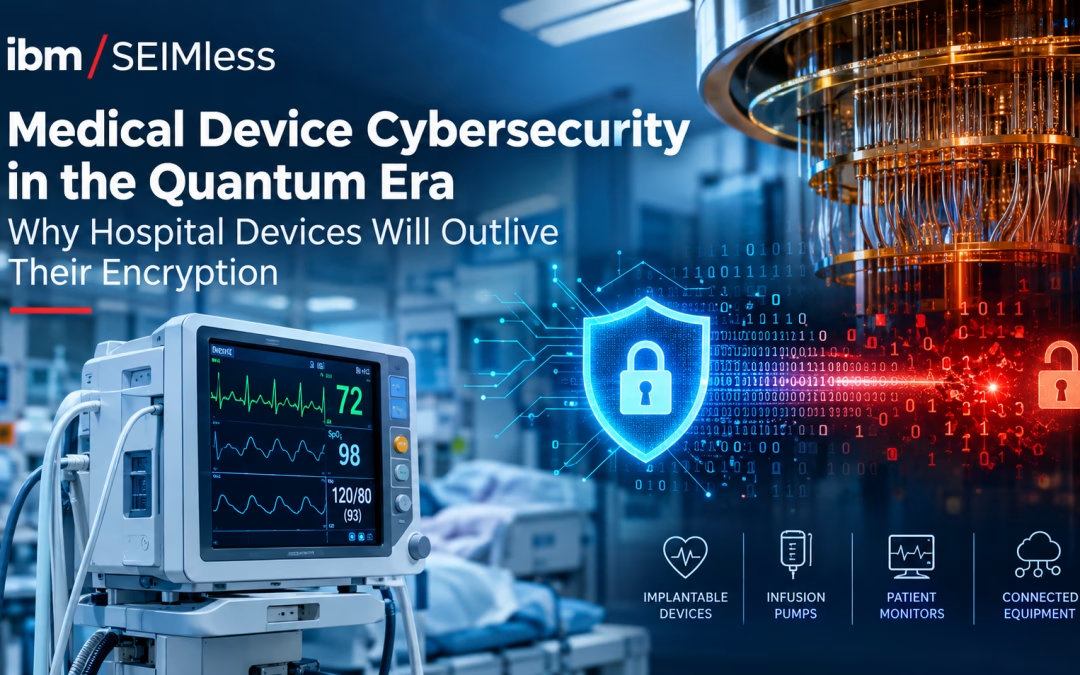
Medical device cybersecurity has always been a race between patching and exposure. Now it has a second clock. The infusion pump, patient monitor, or imaging system a hospital buys this year may still be in clinical use in the late 2030s. By then, the RSA and elliptic-curve cryptography protecting it is scheduled to be retired. Healthcare leaders who plan only for today’s threats are buying devices that will fall short of tomorrow’s standards before they are fully paid off.
This guide explains the gap, what regulators already require, and how hospitals and manufacturers can close it. It starts from a simple belief we hold at ibm/SEIMless: protecting patient data is protecting people.
What is medical device cybersecurity? Medical device cybersecurity is the practice of protecting connected clinical devices, and the patient data and care they support, from unauthorized access, tampering, and disruption across the device’s full lifecycle, from design through retirement.
What is the cryptographic lifespan gap? The cryptographic lifespan gap is the number of years a device stays in clinical service after the encryption it relies on has been deprecated. For most connected devices bought in 2026, that gap is already more than zero.
Why Medical Device Cybersecurity Now Has a Quantum Deadline
In August 2024, NIST published its first three post-quantum standards: FIPS 203 (ML-KEM), FIPS 204 (ML-DSA), and FIPS 205 (SLH-DSA). In March 2025 it selected HQC as a backup encryption algorithm. Its draft transition plan, NIST IR 8547, proposes deprecating quantum-vulnerable algorithms after 2030 and disallowing them after 2035.
Federal policy has since set dates. Executive Order 14412, signed June 22, 2026, gives federal systems until December 31, 2030 to adopt post-quantum key establishment. We covered those milestones in our Executive Order 14412 deadline guide. The NSA’s CNSA 2.0 FAQ goes further on firmware. It urges signing systems to move first, because the code that checks a signature is often hard to update once a product ships.
That last point is the heart of the medical device cybersecurity problem. Enterprise laptops are replaced every few years. Clinical equipment is not.
The Cryptographic Lifespan Gap, Explained
Here is the arithmetic. A connected device bought in 2026 and kept for 10 to 15 years stays in service until 2036–2041. If the 2030 and 2035 dates in NIST’s draft hold, that device will spend years running cryptography that federal standards no longer accept.
| Device purchased |
Likely retirement |
Years past 2030 deprecation |
Years past 2035 disallowance |
| 2020 |
2030–2035 |
0–5 |
0 |
| 2026 |
2036–2041 |
6–11 |
1–6 |
| 2029 |
2039–2044 |
9–14 |
4–9 |
These ranges are illustrative, not a prediction for any single product. The pattern is the point: the later a hospital waits to demand post-quantum readiness, the wider the gap it signs up for.
An FDA-commissioned white paper from MITRE, Managing Legacy Medical Device Cybersecurity Risks, makes the same point. It warns that devices being purchased today can already meet the definition of a legacy device. It also notes a mismatch between how long hospitals keep equipment and how long manufacturers support it.
Why patient data makes “harvest now, decrypt later” worse
Attackers do not need a quantum computer today to benefit from one later. They can record encrypted traffic now and decrypt it once the math breaks. We explain the tactic in Harvest Now, Decrypt Later, and the underlying math in Shor’s algorithm explained.
Health data is an ideal target. A credit card can be canceled. A diagnosis, a genetic result, or a psychiatric history cannot. Data that stays sensitive for a patient’s lifetime needs protection that lasts just as long.
What the FDA Already Requires for Medical Device Cybersecurity
The FDA has steadily raised the bar. Since March 29, 2023, section 524B of the FD&C Act has required makers of “cyber devices” to include cybersecurity information in premarket submissions. The FDA’s cybersecurity FAQ defines a cyber device as one that includes sponsor-validated software, can connect to the internet, and could be vulnerable to cyber threats.
Manufacturers must now:
- Submit a plan to monitor, identify, and address postmarket vulnerabilities.
- Provide a software bill of materials (SBOM) covering commercial, open-source, and off-the-shelf components.
- Make updates and patches available to the device and related systems.
The FDA’s premarket guidance, Cybersecurity in Medical Devices: Quality Management System Considerations and Content of Premarket Submissions, was updated on February 3, 2026 to align with the new Quality Management System Regulation. It lists cryptography among its recommended security controls. It also names secure and timely updatability and patchability as a core security objective. The agency’s postmarket guidance adds that networked devices need continual maintenance for their entire life.
Where the rules stop
None of these documents sets a date for post-quantum algorithms in medical devices. And as the GAO noted in GAO-24-106683, the 524B requirements do not reach back to devices already on the market before March 2023 unless a maker files a new submission. That leaves the installed base, which is most of what hospitals actually run, outside the new rules.
The Legacy Fleet Hospitals Already Own
Healthcare delivery organizations inherit the gap whether they planned for it or not. The FBI warned in a 2022 private industry notification that unpatched and outdated medical devices give attackers openings into hospital networks. The Health Sector Coordinating Council’s Managing Legacy Technology Security (HIC-MaLTS) guide describes the same shared burden between makers and providers.
The risk is not theoretical. In January 2025, the FDA issued a safety communication on certain Contec and Epsimed patient monitors. It pointed to CISA advisory ICSMA-25-030-01, which described hidden functionality and patient data being sent outside the care environment. The FDA’s advice was to cut the monitors off from the internet.
When the fix for a device is “disconnect it,” the network becomes the only control left. That is exactly where post-quantum protection can be added without waiting for firmware.
The stakes are high. An analysis of 2025 OCR data counted 710 large healthcare breaches exposing more than 61.5 million people’s records. Every one is listed on the HHS OCR breach portal. We saw the downstream damage in the Change Healthcare hack.
Why Post-Quantum Cryptography Is Hard on Medical Devices
If swapping algorithms were easy, the gap would close on its own. Four constraints make it hard.
1. Bigger keys and signatures
Post-quantum keys and signatures are much larger than the ones they replace. Per the FIPS 203 and 204 parameter sets:
| Function |
Classical (today) |
Post-quantum (NIST) |
| Key exchange public key |
X25519: 32 bytes |
ML-KEM-768: 1,184 bytes |
| Digital signature |
ECDSA P-256: about 64 bytes |
ML-DSA-65: 3,309 bytes |
On a battery-powered wearable or a low-memory controller, those extra bytes cost power, bandwidth, and storage.
2. Firmware roots of trust
Many devices verify updates with a key burned into hardware. If that check only understands RSA or ECDSA, no software update can teach it a new algorithm. This is why CNSA 2.0 favors the stateful hash-based signatures in NIST SP 800-208 (LMS and XMSS) for firmware signing now.
3. Validation and re-submission
Changing cryptography can mean new testing under the Cryptographic Module Validation Program and, for some changes, a new FDA submission. Our look at certificate lifecycle management and the FIPS 140-2 sunset covers why validation queues matter.
4. Protocols built for another era
Clinical networks still carry older protocols, flat VLANs, and vendor remote-access tunnels. We examined similar weak points in quantum computing’s impact on IPsec and why SD-WAN is not ready for next-generation attacks.
Regulatory Pressure Beyond the FDA
Medical device cybersecurity sits inside a wider compliance picture for providers:
A Medical Device Cybersecurity Roadmap for Hospitals
Hospitals cannot rewrite vendor firmware. They can control what surrounds it. A practical sequence:
- Inventory every connected device and its cryptography. Record the protocol, algorithm, certificate, and end-of-support date. A cryptographic bill of materials (CBOM) turns this into a living record.
- Score each device by its lifespan gap. Rank devices by planned retirement date, data sensitivity, and whether their cryptography can be updated.
- Segment clinical networks. Put devices in tightly scoped zones with zero trust policies, so a compromised monitor cannot reach the EHR.
- Wrap device traffic in quantum-resistant tunnels. Protect the paths between clinical zones, data centers, clouds, and remote sites so recorded traffic stays safe.
- Centralize key management. Rotate and govern keys in one place, rather than on thousands of endpoints.
- Watch device behavior. Flag devices that suddenly talk to unknown destinations, as in the Contec case.
- Protect the data at rest. Encrypt and back up the imaging archives and clinical data that devices feed.
- Write post-quantum language into contracts. Make readiness a buying requirement, not a wish.
Six questions to ask every device manufacturer
- Which algorithms does the device use for key exchange, signing, and storage today?
- Can those algorithms be changed by a field update, or are they fixed in hardware?
- What is your published roadmap for ML-KEM, ML-DSA, or LMS/XMSS support?
- Will you provide a CBOM alongside the SBOM?
- What is the end-of-support date, and what happens to security updates after it?
- Does the device support hybrid classical plus post-quantum modes during the transition?
What Manufacturers Should Build Into the Next Submission
For device makers, medical device cybersecurity is now a design decision with a long tail. The strongest submissions will show:
- Crypto-agility by design. Algorithms isolated behind interfaces so they can be swapped without a hardware change.
- Quantum-safe roots of trust. LMS or XMSS firmware signing, with ML-DSA as validated modules fit the device.
- Hybrid key exchange. Classical plus ML-KEM during the transition, so security never drops below today’s level.
- Honest lifecycle dates. End-of-support timelines that match how long hospitals actually keep equipment.
- A CBOM next to the SBOM. Buyers increasingly need to see cryptography, not just components.
How ibm/SEIMless Helps Close the Medical Device Cybersecurity Gap
Our view is simple: the fastest way to protect devices you cannot change is to protect the network around them. That is the thinking behind our Exodus QRN quantum-resistant networking suite.
Because this protection runs at the network layer, it does not depend on a device maker shipping new firmware. Hospitals can start with their highest-risk paths this quarter, then extend coverage as budgets allow. For the full migration picture, see our post-quantum cryptography migration playbook and network edge security in 2026. For AI-driven clinical workflows, our analysis of blind agent transfer applies to healthcare just as much as finance.
Medical Device Cybersecurity FAQ
What is medical device cybersecurity?
Medical device cybersecurity is the protection of connected clinical devices, and the patient data and care they support, from unauthorized access, tampering, and disruption across the device’s full lifecycle, from design through retirement.
Does the FDA require post-quantum cryptography in medical devices?
Not by a specific date. Section 524B requires cybersecurity information, an SBOM, and a vulnerability plan for cyber devices, and FDA guidance recommends strong, updatable cryptography. It does not yet set a deadline for post-quantum algorithms.
What is the cryptographic lifespan gap?
It is the number of years a device stays in clinical use after the encryption it relies on has been deprecated. A device bought in 2026 and kept 10 to 15 years may run six or more years past NIST’s proposed 2030 deprecation date.
Can hospitals protect legacy medical devices that cannot be updated?
Yes, with compensating controls. Segmentation, zero trust policies, behavior monitoring, and quantum-resistant encryption of network paths protect device traffic without changing device firmware.
Why is health data a target for harvest-now, decrypt-later attacks?
Health information stays sensitive for a patient’s lifetime. Attackers can record encrypted traffic today and decrypt it once quantum computers can break RSA and elliptic-curve cryptography.
What should hospitals ask device manufacturers about quantum readiness?
Ask which algorithms the device uses, whether they can be updated in the field, the vendor’s roadmap for ML-KEM, ML-DSA, or LMS/XMSS, whether a CBOM is available, and the end-of-support date.
Protect Patients Before Q-Day Arrives
Every connected device in your hospital carries a patient’s trust. ibm/SEIMless and Exodus QRN help healthcare, financial, and insurance organizations close the medical device cybersecurity gap at the network layer, without waiting on firmware. Let’s map your highest-risk device paths together.
Contact Us | Our Blog | Our Services | See Previous Post