by hannahadmin | Nov 12, 2026 | AI Security, blog, cybersecurity, Cybersecurity Awareness Month 2026
Third-party risk management stopped being a paperwork exercise on October 30, 2026, when Abrigo took its Sageworks lending platform offline at about 11:25 a.m. Eastern after spotting irregular activity in its environment. Banks and credit unions that rely on Sageworks to analyze loans, store loan documents and take borrower applications online discovered that a decision made inside someone else’s data center had become their outage. This article uses the Sageworks shutdown to show what third-party risk management has to prove in 2026, what U.S. regulators expect, and how to design your network so that a vendor going dark does not stop you from serving customers.
Definition: Third-party risk management (TPRM) is the discipline of identifying, assessing, contracting for, monitoring and exiting relationships with vendors that touch your systems, data or customers, so that a vendor’s failure does not become your own outage, breach or regulatory finding.
What Happened at Sageworks: The Facts So Far
According to BleepingComputer, Abrigo began emergency maintenance on October 30 and took Sageworks offline to investigate suspicious activity it had detected earlier that day. The outage ran through the weekend. Abrigo serves more than 2,400 community banks and credit unions, and Sageworks is the product lenders use to process applications, analyze borrower finances and monitor portfolios.
Three services were hit: Sageworks Analyst, the Sageworks API that banks’ other systems use to exchange data, and Online Portal Now, where borrowers complete applications. American Banker reported that most of the platform returned Monday morning, November 2, while borrower-facing features stayed down into Tuesday. The same report says Abrigo confirmed the activity was a data security incident involving unauthorized access, which it said had been contained, but did not say whether any data was taken. It was the third security incident involving Abrigo in about 14 months; the first two exposed business contact information tied to a Salesforce database.
Sageworks holds the documents behind commercial and small-business loans, including borrowers’ tax returns and financial statements, so the stakes go beyond downtime. eSecurity Planet cautioned that a precautionary shutdown should not be mistaken for proof of a breach, and listed what institutions should verify after recovery: which services are truly restored, whether data integrity checks are finished, and which applications were handled during the outage. Some researchers also advised customers to rotate their Sageworks API keys, per BleepingComputer. The eSecurity Planet weekly roundup and an SC Media brief place it among the week’s vendor-driven disruptions.
Third-Party Risk Management Starts With the Vendor Kill-Switch Gap
Abrigo’s choice to disable the platform was a defensible security decision; cautious providers shut down while they investigate. But it exposes what we call the vendor kill-switch gap: the distance between the moment a vendor decides to take a system offline and the moment your institution can keep serving customers without it.
Most third-party risk management programs measure the vendor: its SOC report, its financial strength, its security questionnaire. Far fewer measure the gap on your side of the contract. How long until your lending team knows? What do borrowers do in the meantime? Which of your own systems call the vendor’s API, and what happens to them when it stops answering? A strong vendor assessment lowers the odds of a kill-switch event; only your own architecture and runbooks narrow the gap when one happens anyway.
Four outages, four causes, one dependency
Public status-page records, aggregated by services such as IsDown and Pingoru, show that Sageworks users have faced several disruptions in a little over two years, each with a different trigger.
| Date |
Trigger |
Effect on Abrigo users |
Gap exposed |
| July 19, 2024 |
CrowdStrike global outage |
Many Abrigo applications unavailable; Sageworks Analyst and API reported restored later that day |
Dependency on a vendor’s vendor |
| October 20, 2025 |
Amazon Web Services global outage |
Sageworks unavailable from 8:51 a.m. ET, including borrower portal pages; core Analyst back by late morning, some features until AWS recovered |
Cloud concentration |
| September 21, 2026 |
Identity service (AbrigoID) inaccessible |
New logins blocked across several products, including Sageworks Analyst and API |
Shared authentication |
| October 30, 2026 |
Vendor-initiated security shutdown |
Analyst, API and borrower portal offline; most services back November 2 |
No customer-side fallback |
The lesson is not that Abrigo is unusually fragile. Every critical vendor sits on a stack of its own dependencies, and any layer can fail, so modern third-party risk management has to reach fourth parties: the cloud, identity and security tooling your vendor depends on. Our look at blind agent transfer in financial services makes a related point about hidden hand-offs that remove accountability.
What Regulators Expect From Third-Party Risk Management
U.S. financial regulators have been consistent: outsourcing a function does not outsource responsibility. Four pieces of guidance frame what examiners will ask after an event like Sageworks.
Interagency guidance on third-party relationships (June 2023)
The Federal Reserve, FDIC and OCC issued final interagency guidance on June 6, 2023, published as Federal Reserve SR 23-4, OCC Bulletin 2023-17 and FDIC FIL-29-2023. It replaced each agency’s earlier guidance and covers the full life cycle of a relationship: planning, due diligence and selection, contract negotiation, ongoing monitoring and termination. It also recognizes that a smaller bank may have limited negotiating leverage, which raises the value of compensating controls on your side.
The 36-hour and four-hour rules
Under the joint computer-security incident notification rule (86 FR 66424, OCC Bulletin 2021-55, FDIC FIL-74-2021), a bank must notify its primary federal regulator as soon as possible and no later than 36 hours after determining that a notification incident has occurred. A bank service provider must notify affected bank customers as soon as possible when it determines that an incident has caused, or is reasonably likely to cause, a material disruption of covered services for four or more hours. Whether a vendor meets the rule’s definition of a bank service provider is a question for counsel; the operational point is universal: your contract should name who is called, how fast, and by what channel. Credit unions follow a separate 72-hour rule in NCUA’s Part 748, which American Banker notes also reaches unauthorized access to sensitive data.
Operational resilience and business continuity
The interagency Sound Practices to Strengthen Operational Resilience (SR 20-24) and the FFIEC Business Continuity Management booklet expect institutions to map critical operations to the providers they depend on and test recovery against severe but plausible scenarios. A vendor shutdown is one. NIST SP 800-34 remains the reference for contingency planning.
New York, securities and insurance overlays
The New York Department of Financial Services issued an industry letter on October 21, 2025 clarifying expectations under 23 NYCRR Part 500: covered entities cannot delegate compliance to a provider, should assess and monitor providers across the relationship, should write baseline protections into contracts, and should fold third-party risk into incident response and continuity planning. Broker-dealers face service-provider oversight duties under the SEC’s amended Regulation S-P, insurers under the NAIC Insurance Data Security Model Law, and non-bank lenders under the FTC Safeguards Rule. Healthcare organizations should treat their vendors as business associates under the HIPAA Security Rule.
For frameworks that translate these expectations into controls, see NIST SP 800-161 Rev. 1 on cybersecurity supply chain risk management, the supply chain outcomes in the NIST Cybersecurity Framework 2.0, and the vendor-related goals in CISA’s Cross-Sector Cybersecurity Performance Goals.
The Kill-Switch Test: Five Questions Every Institution Should Answer
Use these five third-party risk management questions as a tabletop for any vendor your business could not run without for three days. If you cannot answer one with evidence, you have found your next project.
- Will we know within the hour? Do you subscribe to the vendor’s status page, and do named staff, not a shared inbox, receive its incident notices? Does the contract set a notification clock and require two or more contacts on your side?
- Can we still serve the customer? If the borrower portal is down, is there an approved alternate intake channel, and can staff say whether an application was received?
- What does the vendor hold, and what can reach it? Inventory the documents, credentials and API keys that live on the vendor side or connect to it. Can you rotate every credential in a day without breaking production?
- Can we prove what happened to our data? Do you keep your own logs of what moved to and from the vendor, and reconcile records after restoration?
- Can we leave? Is there a documented exit plan with data export formats, a secondary provider or manual process, and termination steps that disable access?
Question four echoes our post on the VMware ESX zero-day: when the only record of an event is written by the system involved in it, independent logging on your side becomes your evidence.
Third-Party Risk Management by Lifecycle Stage
The interagency guidance organizes the work into five stages. This table turns each stage of third-party risk management into evidence an examiner, auditor or board member can request.
| Stage |
What to do |
Evidence to keep |
| Planning |
Tier vendors by criticality; map which customer-facing services depend on each |
Dependency map; recovery time objective per service |
| Due diligence |
Review security reports, incident history, fourth-party dependencies and recovery testing |
Dated assessment; list of the vendor’s critical subcontractors |
| Contract |
Set notification timelines and contacts, audit rights, recovery objectives, data return and exit assistance |
Signed terms; escalation matrix |
| Ongoing monitoring |
Track status pages, incident history and control changes; rehearse failure |
Quarterly review notes; tabletop results |
| Termination |
Export data, revoke credentials and API keys, confirm deletion |
Access-removal log; deletion certificate |
One pattern worth noting: Abrigo’s third incident in 14 months is exactly the kind of history that belongs in the due diligence and monitoring stages. A single event rarely disqualifies a vendor; a pattern should change how often you test and what you ask for at renewal.
Design for the Day the Vendor Goes Dark
Third-party risk management contracts and questionnaires set expectations; architecture decides outcomes. The following design choices shorten the kill-switch gap without claiming to prevent a vendor’s own incident.
Give each vendor its own zone
In practice, third-party risk management means treating every critical vendor connection as a partner zone with a dedicated egress path, allowlisted destinations and service accounts scoped to the minimum data. A segmented connection limits what a compromised credential can reach and makes a clean cut-off possible. This is the application-centric thinking we described in Secure Applications Anywhere, and it is where a modern next-generation firewall and zero trust content security controls earn their keep.
Make credential rotation boring
The advice to rotate Sageworks API keys only works if rotation is rehearsed. Keep an inventory of which keys connect which systems, use short-lived tokens where the vendor allows them, and protect keys with centralized custody. Our post on SD-WAN encryption keys explains why key location matters, and Exodus Key Management is the service family to look at for key custody.
Encrypt data in motion and at rest, under your control
If loan documents and tax returns travel to a vendor, the protection you apply before they leave is what still holds if the vendor’s environment is accessed. Review data in motion and data at rest protections, and plan for the long horizon: multi-year-sensitive documents are prime harvest-now-decrypt-later targets, which is why we track quantum computing and encryption.
Watch the connection, not just the vendor
Baselining traffic volume, timing and destinations between your network and each vendor lets you spot odd behavior before the vendor tells you anything. Detection and response services such as Exodus Aria ADR and endpoint coverage through EDR support that visibility; our help desk impersonation analysis shows how fast trust in one channel becomes broad access.
Keep your own copy and your own path
Hold a recoverable copy of critical records outside the vendor, and keep a network path that does not depend on one carrier or cloud. Backup and recovery, immutable backups, a private or hybrid cloud and a resilient SD-WAN design all shrink how much one provider’s bad day becomes yours. Orphaned circuits complicate every incident, which is why our telecom expense management guide pairs audit discipline with security.
An honest note: we have no inside knowledge of how the Sageworks incident began, and nothing here claims any product would have prevented it. The goal is narrower: limit what a vendor connection can reach, and shorten the time it takes to operate without it.
Sector Lens: Banks, Credit Unions, Insurers and Healthcare
- Community banks and credit unions: run the kill-switch test on lending, core and payment vendors, and confirm your workflow can meet the 36-hour (bank) or 72-hour (credit union) clock from a vendor’s first notice.
- Insurers: map claims, underwriting and document platforms to state data security laws modeled on the NAIC law, and ask vendors for fourth-party lists.
- Healthcare: treat revenue-cycle, imaging and cloud EHR vendors as critical and test downtime procedures. Our end-of-support edge devices post covers a related exposure inside your own perimeter.
A 30-Day Third-Party Risk Management Plan
| Week |
Action |
Output |
| 1 |
List every vendor whose three-day outage would stop a customer-facing process; assign an owner and an emergency contact to each |
Critical vendor register |
| 2 |
Run the five-question kill-switch test on your top three vendors as a two-hour tabletop |
Gap list ranked by customer impact |
| 3 |
Inventory and rehearse rotation of vendor API keys and service accounts; confirm alternate customer intake channels |
Rotation runbook; fallback procedure |
| 4 |
Review contract notice clauses and renewal dates; brief the board or risk committee on residual exposure |
One-page board summary; renewal asks |
What We Still Don’t Know
Several facts remain unclear from public reporting: how the unauthorized access occurred, whether any customer data was taken, how many institutions were affected, and exactly when borrower-facing features fully returned. Abrigo told American Banker the incident was contained but has not said whether data left its environment. Until that is clarified, third-party risk management teams should request written confirmation of scope, integrity checks and indicators of compromise, and document your own timeline. Facts here reflect public reporting through November 12, 2026 and may change.
Frequently Asked Questions About Third-Party Risk Management
What is third-party risk management?
Third-party risk management is the process of identifying, assessing, contracting for, monitoring and exiting vendor relationships. In U.S. banking it follows the five-stage life cycle in the 2023 interagency guidance.
What happened to Abrigo Sageworks?
Abrigo disabled Sageworks on October 30, 2026 after detecting irregular activity. Most services returned November 2. Abrigo later confirmed a contained data security incident involving unauthorized access.
Does a vendor shutdown mean a data breach?
Not by itself. Here unauthorized access was confirmed, but reporting has not said whether data was taken, so ask for evidence rather than assuming.
What incident-notification rules apply to banks and vendors?
Banks must notify their primary federal regulator within 36 hours of determining a notification incident occurred. Bank service providers must notify affected banks as soon as possible after an incident causing or likely to cause a material disruption of four or more hours. Credit unions follow NCUA’s 72-hour rule.
Which contract terms matter most?
Notification clocks with named contacts, audit rights, subcontractor disclosure, recovery objectives, data return and deletion, and termination assistance.
How can network architecture reduce vendor-outage risk?
Strong third-party risk management segments each vendor connection, scopes and rotates credentials, encrypt data under keys you control, monitor vendor traffic for anomalies, and keep recoverable copies and alternate paths. These steps limit reach and speed recovery; they do not prevent a vendor’s own incident.
Is Your Next Vendor Shutdown Already Scheduled?
ibm/SEIMless Communications Technologies, Inc. and Exodus QRN, Inc. help financial services, healthcare and insurance organizations pair third-party risk management with networks that keep serving customers when a provider cannot. Let’s map your critical vendors and run your first kill-switch test together.
Get StartedContact Us
Call: 646-546-5245
Email: in**@**********ss.com
Address: One Liberty Plaza, New York, NY 10006
Sources and Further Reading
by hannahadmin | Nov 11, 2026 | blog, Cloud Security, Network Security, Seimless, Zero Trust
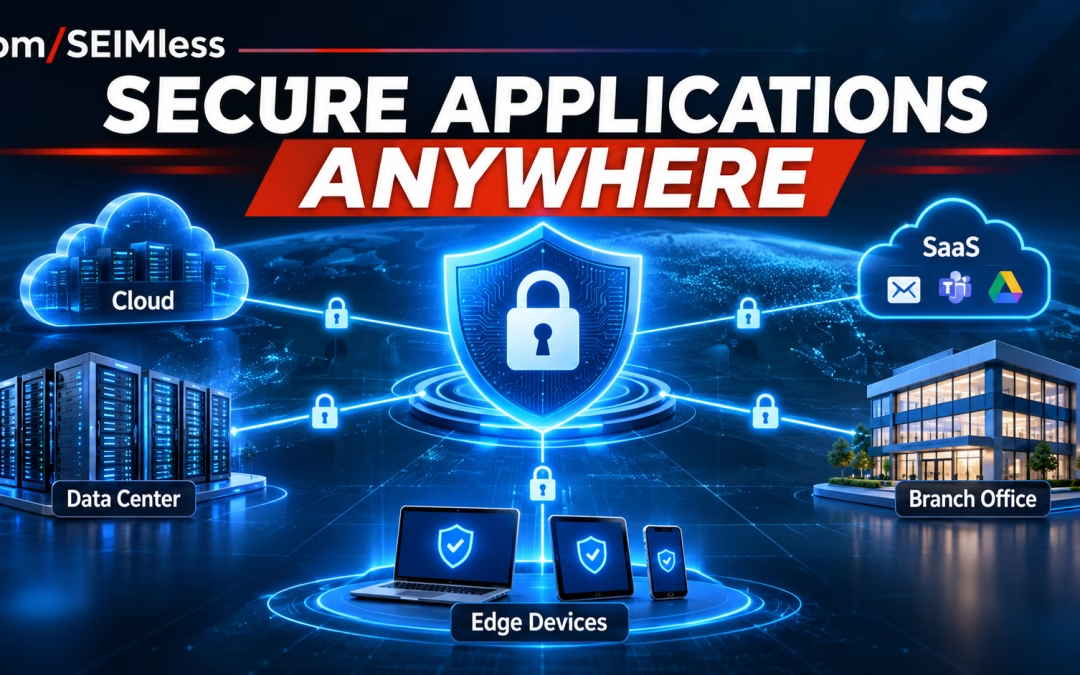
Your applications no longer live in one place, so your protection cannot either. A customer portal may run in a public cloud, its database in a colocation cage, its identity provider in SaaS, and its users in forty cities. To secure applications anywhere, a security team needs more than a long list of tools. It needs one policy that follows each application into every environment it touches. This guide explains how to build that, what federal guidance says about it, and how ibm/SEIMless approaches it through the Exodus Quantum Resistant Networking portfolio.
Quick definition
To secure applications anywhere means every application gets the same identity verification, access policy, traffic inspection, encryption and audit logging regardless of where it runs: data center, public cloud, SaaS, branch or edge. Protection attaches to the application, not to the environment hosting it.
Key takeaways
- Exploiting vulnerabilities is now the top way breaches start, at 31% of initial access in Verizon’s 2026 report, and web applications remain among the most targeted assets.
- The real risk is the protection-parity gap: the same application is defended differently in each environment it runs in.
- NSA, NIST and OMB guidance all point to one model: verify every request, enforce policy at the application layer, and keep that policy identical across locations.
- “One platform” only counts if a single policy change reaches every environment and produces a single audit trail.
- Encryption choices made now should survive the post-quantum transition.
- Anyone who wants to secure applications anywhere should begin with an application inventory, not a product purchase.
Why “anywhere” is now the default
A decade ago, “where does this app run?” had a one-word answer. Today the honest answer is “it depends on the component.” Front ends sit behind content delivery networks, services run in containers across two clouds, legacy systems stay on premises, and employees reach everything from home networks and personal devices. Every hop is a place where policy can be missing or different. Teams that want to secure applications anywhere have to accept this first.
Attackers have noticed. Verizon’s 2026 Data Breach Investigations Report found that exploitation of vulnerabilities rose to 31% of initial access, up from 20% a year earlier, overtaking credential abuse at 13%. Coverage of the report points to web applications, VPNs and remote access infrastructure as the most commonly exploited asset categories. CISA’s Known Exploited Vulnerabilities catalog adds new entries almost weekly, and our own analysis of a record 1,413-patch Tuesday shows why patching alone cannot keep pace.
The cost of falling behind is concrete. IBM’s 2026 Cost of a Data Breach Report puts the average U.S. breach at $11.5 million, and the average time to identify and contain a breach rose to 247 days. The longer an attacker lives inside a poorly watched environment, the more that number grows.
The protection-parity gap: why the same app is safer in one place than another
Here is the pattern we see in enterprise reviews. A team hardens an application in its primary cloud with a web application firewall, strict identity rules and full logging. Months later, a disaster-recovery copy launches in a second environment. The firewall is a different product with a different rule language. Logging goes to a different console. Nobody rewrote the access rules because nobody owned them. Same application, different protection.
We call this the protection-parity gap: the measurable difference between the security controls an application receives in its best-protected environment and its least-protected one. Attackers do not need to beat your strongest control. They look for the environment with the weakest one, so any plan to secure applications anywhere has to measure this gap first.
The gap is not an exotic edge case. OWASP’s Top 10:2025 keeps broken access control in first place and moved security misconfiguration from fifth to second. Both are parity problems. They happen when rules differ, drift or go missing between one deployment and the next.
Where parity usually breaks
| Control |
What differs by environment |
What an attacker gains |
| Identity and access |
Separate directories, local accounts, inconsistent MFA on legacy apps |
Stolen credentials work in the weakest place |
| Traffic inspection |
Different firewall and WAF engines, different signature timing |
An exploit blocked in one cloud passes in another |
| Segmentation |
Security groups, VLANs and mesh policies written separately |
Easy lateral movement after one foothold |
| Encryption |
Different TLS versions, cipher suites and key custody |
Weak links where traffic crosses environments |
| Logging and detection |
Different formats, retention and alerting |
Longer dwell time, weaker forensics |
| Recovery |
Backups configured per environment, not per application |
Ransomware reaches the copy you rely on |
What federal guidance says about securing applications everywhere
You do not have to invent this model. U.S. standards bodies have described it in detail, and their guidance is a useful yardstick for any vendor pitch.
NSA: the application and workload pillar
The NSA’s cybersecurity information sheet, Advancing Zero Trust Maturity Throughout the Application and Workload Pillar, lists five capabilities: application inventory, secure software development and integration, software risk management, resource authorization and integration, and continuous monitoring. It names inventory as the first step because you cannot protect what you have not identified. The agency’s full zero trust guidance series pairs this pillar with network, data and visibility pillars, which is the right way to think about it: application security is a team sport. It is a sound blueprint for anyone who needs to secure applications anywhere.
NIST: policy that ignores location
NIST SP 800-207A addresses cloud-native applications across multi-cloud and on-premises environments directly. It calls for identity-based policies, in addition to network parameters, enforced by gateways, proxies and service identities irrespective of where an application runs. It builds on SP 800-207, the foundational zero trust architecture document, and on the hands-on examples in the NCCoE’s zero trust implementation project.
OMB and CISA: treat every application as internet-facing
The White House’s federal zero trust strategy, OMB M-22-09, asks agencies to treat applications as internet-connected and test them rigorously. CISA’s Zero Trust Maturity Model gives a staged path, and its Cloud Security Technical Reference Architecture explains how shared responsibility changes across cloud service models. Private companies are not bound by these documents, but regulators and auditors increasingly use them as the benchmark.
What “one platform” must actually do
“One platform” is the most overused phrase in security marketing. Reduce it to testable requirements. A platform that lets you secure applications anywhere should pass all seven of these checks.
- One policy, many enforcement points. You write an access rule once. It takes effect in the data center, the cloud and the branch without being retyped.
- Identity at the center. Decisions use user, device and workload identity, not just IP addresses, consistent with NIST SP 800-207A.
- Inspection that travels. Threat prevention and content security apply to traffic wherever the application sits.
- Segmentation by application. Micro-segments follow workloads, so a breach in one place does not become a breach everywhere.
- Encryption you control. Consistent protection for data in motion and at rest, with key management that does not depend on a single cloud provider.
- One audit trail. A single, tamper-resistant record of who reached what. Our post on the VMware ESX audit-logging zero-day explains why a system should never be the only witness to its own actions.
- Recovery that matches protection. Backups that attackers cannot alter, defined per application, as covered in our guide to immutable backups.
If you want to secure applications anywhere with confidence, use a simple vendor test: ask for a live demonstration of changing one access policy and watching it apply in two environments at once. If the demo requires two consoles, you have found the parity gap in the vendor’s own product.
How ibm/SEIMless helps you secure applications anywhere
ibm/SEIMless has spent more than 20 years as a vendor-agnostic carrier, cloud and communications partner, which is why we saw early where SD-WAN and SASE leave gaps. Our Exodus portfolio takes the network-layer approach, because every application, whatever its environment, depends on the network path that reaches it.
Because our team is vendor agnostic, we start from your application inventory and your regulatory obligations, then recommend what fits. We do not start from a product we need to sell. Our goal is to help you secure applications anywhere without rebuilding them. Browse our full service catalog to see how the pieces connect.
Secure applications anywhere, and stay secure after Q-Day
Application traffic crosses networks you do not own. Anything an adversary records today can be decrypted later if it is protected by cryptography that quantum computers will break, the “harvest now, decrypt later” problem. Federal policy is already moving: Executive Order 14412 sets post-quantum migration deadlines for agencies and their supply chains, and NIST’s post-quantum cryptography project has published the standards behind it.
For application owners, the practical lesson is crypto-agility: keep an inventory of where each application uses TLS, VPNs and stored-data encryption, so algorithms can change without rebuilding the application. Our deep dives on the EO 14412 deadline clock and certificate lifecycle management show how to start.
Secure applications anywhere in regulated industries
Consistent protection is not only a security preference for regulated firms. It is a compliance one, and regulators expect the same controls in every place data is processed. That is why financial, healthcare and public-sector teams need to secure applications anywhere, not only in the primary site.
- Financial services. The FFIEC IT Examination Handbook expects examiners to see consistent controls over third-party and cloud-hosted systems, and the SEC cybersecurity disclosure rules require timely reporting of material incidents. Uneven protection makes both harder to defend.
- The HIPAA Security Rule requires access control, audit controls and transmission security for systems that handle electronic protected health information, in every location. For devices, read our analysis of medical device cybersecurity.
- Government and contractors. FedRAMP authorization and NIST SP 800-53 controls apply wherever federal data is processed.
- Carriers increasingly ask for evidence of MFA, segmentation and tested backups across all environments, not just the flagship one.
The NIST Cybersecurity Framework 2.0 gives a common vocabulary for reporting this to boards. Its new Govern function is a natural home for an application-protection standard that crosses environments.
Secure applications anywhere: a 90-day roadmap
Here is a practical sequence a security and network team can complete in one quarter.
Days 1–30: see everything
- Build an application inventory. For each app record where it runs, who reaches it, what data it handles and which controls apply in each location.
- Rank the top five by business impact and score each environment against the seven requirements above.
- Identify end-of-support systems; our Windows 10 ESU guide shows how to weigh the options.
Days 31–60: close the biggest gaps
Days 61–90: prove it
- Protect APIs deliberately. NIST’s SP 800-228 offers guidance for API protection in cloud-native systems, and our post on AI agent traffic explains why non-human callers change the picture.
- Run a tabletop exercise built on an incident with ransomware reaching a secondary environment. The FBI’s Internet Crime Complaint Center reports give realistic loss data for the scenario.
- Re-score the five priority applications. Your goal is a shrinking gap between best and worst environment, reported quarterly.
Frequently asked questions
What does it mean to secure applications anywhere?
It means every application receives the same identity checks, access policy, traffic inspection, encryption and logging wherever it runs. Protection follows the application instead of the environment.
Why is consistent protection across environments so hard?
Each environment has its own tools, policy language and log format. Rules get copied by hand and drift over time, so one application ends up defended differently in different places. We call that difference the protection-parity gap.
Is a single platform better than best-of-breed point tools?
It is better when it enforces one policy everywhere and produces one audit trail. A bundle of loosely connected products does not qualify. Ask for a live demo of one policy change taking effect in two environments.
How does zero trust apply to applications?
NSA’s application and workload pillar and NIST SP 800-207A describe per-request authentication and authorization using user, device and workload identity, with policy enforced regardless of location.
Does protecting applications anywhere include quantum-resistant encryption?
It should. Data that must stay confidential for years can be captured now and decrypted later. Executive Order 14412 and OMB M-26-15 are moving agencies and suppliers toward post-quantum cryptography, so choose platforms that support crypto-agility.
Where should an enterprise start?
Start with an application inventory. Then measure how protection differs by environment for your five most critical applications, and close the largest gaps first. That sequence is the fastest way to secure applications anywhere in practice.
Ready to secure applications anywhere?
Talk with an ibm/SEIMless architect about your applications, your environments and the gap between them. We will help you build a protection plan that follows every workload.
Get Started Contact Us
Call: 646-546-5245
Email: in**@**********ss.com
Visit: One Liberty Plaza, New York, NY 10006
Sources: Verizon 2026 DBIR; IBM Cost of a Data Breach Report 2026; OWASP Top 10:2025; NSA CSI (May 2024); NIST SP 800-207, 800-207A, 800-53, 800-218, 800-228; OMB M-22-09; CISA; Federal Register EO 14412. This article is informational and is not legal or compliance advice.

by hannahadmin | Nov 10, 2026 | Binance hack, blog, cybersecurity, Financial Services Security, Threat Intelligence
The Binance hack is now the largest cryptocurrency theft on record. On October 29, 2026, attackers drained roughly $6.3 billion in digital assets from the exchange’s hot wallets across ten or more blockchains, most of it in about twenty minutes. This post separates what is confirmed from what is still unknown, explains how the attack chain worked, and shows what banks, insurers, healthcare systems, and any enterprise that guards high-value signing keys should change in the next 30 days.
Definition: The Binance hack is the October 29, 2026 theft of about $6.3 billion in crypto assets from Binance’s hot wallets. The FBI attributes it to North Korea’s TraderTraitor group. Binance reports a months-long campaign that moved from a tampered installer and a fake job interview to a hijacked wallet signing service.
What happened in the Binance hack
Binance’s own preliminary incident summary, published November 3, 2026, places the final stage of the attack in the early hours of October 30 in its UTC+8 time zone. Blockchain analytics firms measured the same event in UTC, which is why you will see both October 29 and October 30 in coverage. Binance’s incident timeline says the investigation is ongoing and that some technical details are withheld.
The headline numbers vary by source, and the differences are explainable rather than contradictory:
Each firm values tokens at different moments and counts transfers differently, so treat these as a range, not a dispute. CNBC reported that Circle, Tether, and Ripple moved quickly to freeze funds tied to the theft, which is a large part of why recovery looks better here than in earlier heists.
How the Binance hack worked: a five-stage chain
According to Binance, the attackers did not smash through a perimeter in a single night. They spent months turning one trusted moment into the next. The table below summarizes the sequence Binance has disclosed.
| Stage |
When |
What Binance reports |
| 1. Supply chain foothold |
June 2026 |
An engineer on the wallet team searched for a popular AI coding tool and downloaded a tampered Homebrew installer. Binance replaced the device and rotated credentials, but role details and information about colleagues had already leaked. |
| 2. Social engineering |
September 2026 |
A second engineer was approached through a job platform by a fake project director, then put through fake HR and “CEO” interviews and asked to install an “assignment” repository. Installing it swapped a component of the pyenv tool for a malicious one. Endpoint tools did not detect the zero-day malware. |
| 3. Lateral movement |
October 20, 2026 |
Using the second engineer’s machine and an internal AI tool, attackers took over two more engineers’ devices and found a token with container deployment permissions. |
| 4. Signing access |
October 30, 01:15–03:56 (UTC+8) |
Attackers deployed a container with the stolen credentials and ran a malicious script against the signing operation. |
| 5. Theft |
October 30, from 04:05 (UTC+8) |
Five hot wallets sent 233.46 million XRP in four minutes. Transfers of about 970,500 SOL, 44.2 million OP, and 18,270 BTC followed, and the last unauthorized transfer finalized at 07:56. |
The Ethereum portion deserves its own paragraph. Binance says the attackers abused EIP-7702, a mechanism that lets an account delegate execution to a smart contract, to give an attacker-controlled contract partial control over affected hot wallets. They submitted 50 signed transactions to establish malicious delegations that kept working even after withdrawals were suspended. Because the wallets use multi-party computation, no single private key could revoke the delegations, so Binance needed a special procedure and cleared the delegation code at 08:10 (UTC+8).
The signing-path problem behind the Binance hack
Here is the idea we think matters most from the Binance hack for enterprise leaders. We call it the signing-path problem: modern security stacks protect keys and algorithms carefully, but attackers increasingly ignore both and take over the path that decides when a signature is produced. In this case, MPC wallets and strong cryptography did exactly what they were designed to do. The weakness sat in the developer laptops, the internal AI tool, the deployment token, and the container that could reach the signing service.
That framing explains three details in Binance’s account. Endpoint tools missed the malware because it arrived through a plausible, human-driven workflow. The AI tool became a lateral-movement bridge because it held broad access. And the signing service executed attacker requests because it trusted whoever reached it from the right place. If your organization approves wires, releases claims payments, signs firmware, issues certificates, or unlocks patient-data exports, you have a signing path too.
This is the same pattern we described in our analysis of help desk impersonation and certificate abuse, where a moment of human trust became a durable machine credential. It also echoes the key-custody lesson in our SD-WAN encryption keys post.
Who was behind it, and what attribution means
The FBI said on October 31 that North Korea was responsible and that it refers to this activity as “TraderTraitor.” The bureau, working with the U.S. Secret Service and IRS Criminal Investigation, has observed the actors converting stolen assets primarily into Ethereum, and it urged the industry to block transactions tied to the listed addresses. The same label appears in the FBI’s public service announcement on the $1.5 billion Bybit theft. BleepingComputer notes that TRM Labs and Chainalysis had already pointed to TraderTraitor before the FBI statement.
Two cautions belong here when you discuss the Binance hack. First, North Korean official Kim Yo Jong has denied involvement, and Binance cites the FBI finding without independently confirming it. Second, attribution does not change your defensive work. CISA and partners described TraderTraitor’s tradecraft in advisory AA22-108A: spearphishing, fake recruiting, and trojanized applications aimed at the people who hold access. CISA’s North Korea threat page and the Treasury’s OFAC sanctions program are the starting points for any compliance team that needs to screen exposure.
Where the money went
Recovery after the Binance hack tells a more hopeful story than prior heists. Elliptic verified $2.85 billion frozen or seized, about 44 percent of its estimate, almost all of it USDT and USDC. Its analysis also shows that 54 percent of the haul sat in stablecoins whose issuers can freeze tokens. By comparison, Elliptic says only around 3 percent was frozen after the Bybit theft.
The attackers then split funds across roughly 12,000 wallets and more than 40,000 transactions in under four days, according to Elliptic’s laundering analysis. Decrypt’s follow-up reports that about $3.1 billion remained in addresses linked to the theft, mostly ETH and Bitcoin, and that analysts expect cash-out through over-the-counter brokers over months, as happened after Bybit. Those balances will keep changing, so check current data before quoting any figure.
Customer impact, markets, and the policy debate
After the Binance hack, the exchange says it will absorb the loss, not its users. CNBC reported that by October 31 the exchange had restored backing for 90 percent of affected assets and was resuming phased withdrawals; Binance’s November 3 summary puts replenishment at 98 percent. Markets absorbed the shock better than many expected. Bitcoin fell as much as 5.7 percent in the first five days, according to CryptoQuant data cited by Cointelegraph, versus roughly 13.6 percent after Bybit.
The policy fight is just beginning. Industry groups have urged Congress to give the CFTC authority over crypto exchanges, and commentators note that regulators can only act after damage is done. Whether any bill would have stopped this attack is unclear, because the failure was operational. For financial institutions with crypto exposure, the relevant guidance already exists: NYDFS Part 500, the FFIEC IT Handbook, and the SEC cyber disclosure rules for public companies.
What we still don’t know
Responsible coverage of the Binance hack includes the gaps. Several questions remain open as of November 10, 2026:
- Root cause details. Binance’s report is preliminary and withholds technical specifics, including how the signing service accepted the attackers’ requests.
- Exact loss. The $6.34 billion to $6.43 billion range may shift as frozen assets are reconciled and prices move.
- Recovery of frozen funds. Frozen tokens had not been returned to Binance when we reviewed coverage, and legal paths for release are unsettled.
- Attribution confidence. The FBI statement is firm, but North Korea denies it and Binance has not independently verified it.
- Independent review. Binance says it will commission a third-party review. Its findings could change today’s picture.
What the Binance hack means for regulated enterprises
You do not need to run an exchange to inherit this risk. Banks authorize payments, insurers release claims, health systems export patient records, and all of them employ engineers who get recruiter messages. Three lessons carry across sectors.
1. Developer workstations are now Tier 0
If a laptop can reach a deployment pipeline that can reach a signing service, that laptop belongs in your highest-protection tier. Apply NIST SP 800-207 zero trust principles and CISA’s Zero Trust Maturity Model so that reachability never equals authorization.
2. AI tools inherit your most privileged access
An internal AI assistant that can read repositories, tokens, and chat history is a lateral-movement path. We covered the identity side of this in our post on blind agent transfer in financial services and the traffic side in AI agent traffic and enterprise security. Give every agent its own scoped, expiring credential.
3. Hiring is an attack surface
Fake recruiters and “coding assignments” are a repeatable technique. Treat unsolicited take-home repositories as untrusted code, run them only in disposable sandboxes, and brief engineers and HR together. CISA’s guidance on phishing-resistant MFA and Secure by Design supports the technical controls, while NIST SP 800-161 Rev. 1 covers supply chain risk management for installers and dependencies, and CISA’s SBOM resources help you track what you actually run.
A 30-day action plan after the Binance hack
Use this sequence to turn the Binance hack into concrete work for your own team.
| Window |
Action |
Outcome |
| Days 1–7 |
Map every system that can authorize a high-value action. List who and what can reach it, including pipelines, bots, and AI tools. |
A signing-path inventory |
| Days 1–7 |
Block unsigned installers on privileged workstations and require package-source allowlists for developer tools. |
Smaller supply chain exposure |
| Days 8–14 |
Move signing-adjacent access to phishing-resistant authentication and short-lived, scoped tokens. Remove standing container-deployment tokens. |
Stolen credentials lose value quickly |
| Days 8–14 |
Add out-of-band approval and velocity limits for transfers that break normal patterns. |
A tripwire before the burst |
| Days 15–21 |
Segment the signing environment from developer and corporate networks, and log every request to it. |
Contained blast radius |
| Days 22–30 |
Run a tabletop on “signing service abused, revocation slow.” Time how long it takes to revoke delegations, tokens, and certificates. |
A measured revocation time |
Align the program to NIST CSF 2.0 and the control families in NIST SP 800-53, and use NIST SP 800-63B to set authentication assurance. Healthcare teams can map the same controls to the HIPAA Security Rule, and consumer-data businesses to the FTC Safeguards Rule.
Where network and key-management design help
Being precise about what helps
Nothing public says a particular product would have stopped this attack, and we make no such claim. The Binance hack was not a quantum event either: no one is reported to have broken the cryptography. It does show why key custody and network design belong in the same conversation.
Connecting the Binance hack to the quantum roadmap
If you are tracking the longer horizon, see why quantum computing changes encryption planning, how Executive Order 14412 sets deadlines, and why certificate lifecycle management is the operational layer of crypto agility. For the seasonal framing, our Awareness Month playbook remains useful.
What comes next
Expect four developments after the Binance hack over the coming weeks. Binance’s independent review should clarify the signing-service weakness. Law enforcement and analytics firms will keep tracing the roughly $3 billion still moving. Lawmakers and regulators will debate whether exchange oversight, custody rules, or security standards fit the facts. And attackers will reuse the playbook against anyone who guards a valuable signing path, because it worked. The prior pattern is not comforting: TraderTraitor has been tied to Bybit in 2025 and to additional thefts earlier in 2026, according to BleepingComputer and The Record.
The right response is calm and specific. Inventory your signing paths, harden the people and tools that touch them, and rehearse revocation. For deeper federal context, see FBI IC3, the DOJ cybercrime section, FinCEN advisories, and GAO’s cybersecurity work.
Binance hack FAQ
How much was stolen in the Binance hack?
Binance puts the affected assets at about $6.34 billion. TRM Labs estimated $6.36 billion across ten blockchains and Elliptic $6.43 billion across eleven. The spread reflects different valuation timing and transfer counting.
Who was behind the Binance hack?
The FBI attributed it to North Korea’s TraderTraitor on October 31, 2026. North Korea denies involvement, and Binance cites the FBI finding without independently confirming it.
How did attackers get into Binance?
Binance describes a campaign that began with a tampered installer in June, continued with a fake job interview in September, and ended with abuse of an internal AI tool, stolen deployment credentials, and the wallet signing service.
Will Binance users lose money?
Binance says it will cover the losses, has set aside more than 100 percent of the affected value, and reports 98 percent of affected tokens replenished. Withdrawals resumed in phases from November 1, 2026.
Was the Binance hack a quantum attack?
No. Nothing public suggests the cryptography was broken. Attackers compromised people, machines, and the systems that authorize signatures, which is why signing-path controls matter.
What should banks, insurers, and healthcare organizations learn?
Treat the systems that authorize high-value actions as crown jewels. Isolate them from developer workstations, require phishing-resistant authentication and out-of-band approval, monitor unusual transfers, and rehearse containment.
Protect your signing paths before someone tests them
ibm/SEIMless helps carriers, MSPs, multinationals, and large enterprises in financial services, healthcare, and insurance design networks and key management that hold up under pressure. Talk with our team about a signing-path review.
Get Started Contact Us
Phone: 646-546-5245
Email: in**@**********ss.com
Address: One Liberty Plaza, New York, NY 10006
Sources and further reading
by hannahadmin | Nov 6, 2026 | blog, cybersecurity, identity verification, Quick Assist, Seimless
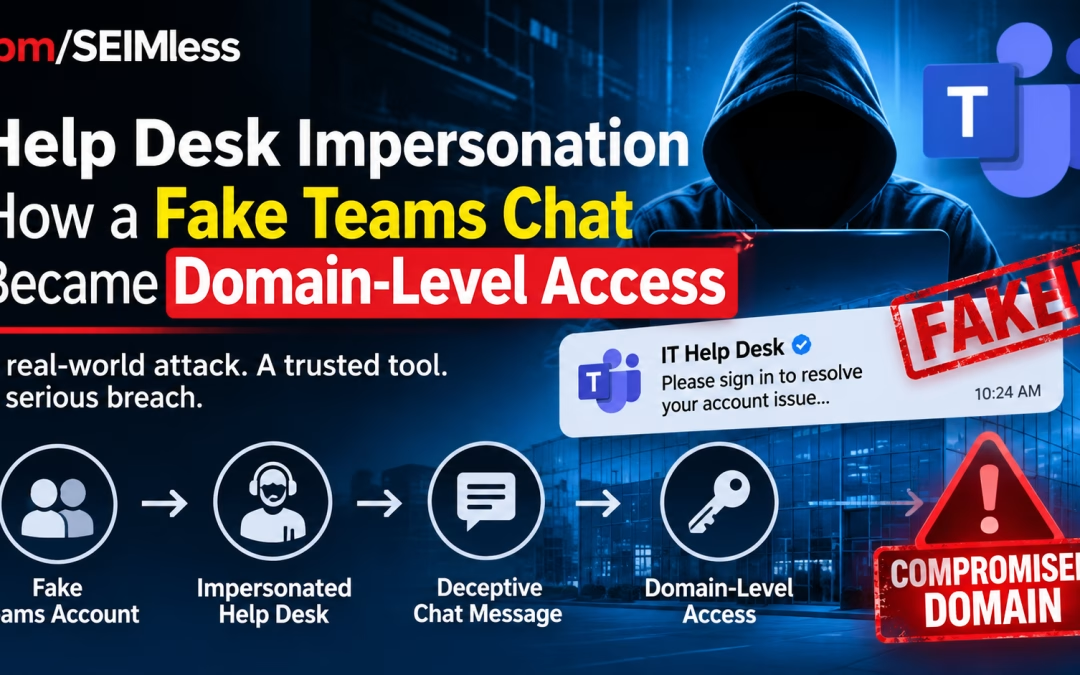
Help desk impersonation just graduated from a nuisance to a domain-level threat. On October 30, 2026, Microsoft published two investigations in which attackers posed as internal IT on Microsoft Teams, talked employees into opening Quick Assist, and then abused misconfigured Active Directory Certificate Services (AD CS) to obtain login certificates for privileged accounts. In one case the certificate was for a domain controller. The Hacker News summarized the findings on November 2: no Teams flaw was exploited, and there is no patch to install. The fix is process, identity design and network architecture, which is where regulated enterprises have the most to gain.
| What is help desk impersonation? Help desk impersonation is a social-engineering attack in which an outsider poses as an organization’s IT support, by chat, phone or email, to persuade an employee to grant remote access, read back a connection code or approve a sign-in. It is the mirror image of classic help desk fraud, where the attacker calls the real help desk pretending to be an employee. |
Key Takeaways
- Both intrusions began with a fake IT contact on Teams and a Quick Assist session, then pivoted to AD CS certificate abuse.
- Certificates for 11 privileged accounts were obtained across two waves in the first case, and a domain controller certificate in the second.
- The weaknesses (ESC1, ESC8, PetitPotam) were named in 2021. Help desk impersonation succeeds because of configuration debt, not a zero-day.
- One account excluded from automatic containment kept the first attack alive.
- Defense needs five layers: collaboration policy, verification process, AD CS hygiene, containment design and network controls.
What Microsoft Found: Help Desk Impersonation in Two Intrusions
Microsoft Security Research, in a report credited to Sagar Patil, Jesse Birch and Tal Tzhori, describes two human-operated intrusions that share an entry method. Attackers messaged and called employees on Teams from outside tenants with support-themed names. They persuaded each user to open Quick Assist, the remote-help tool built into Windows, and read back the connection code. That gave the attacker hands-on control of the workstation. From there they dropped an archive, unpacked it into a folder named to look like a Windows update, and ran it using a portable Python, Bun or Java runtime.
The second stage is what makes the report notable. AD CS issues the certificates that users and computers present when they sign in. A certificate from a poorly configured template lets its holder authenticate as the account it names, and Microsoft notes such a certificate keeps working after a password reset or after the first machine is wiped.
| Stage |
Case 1: ESC1 |
Case 2: ESC8 |
| Weakness |
Template lets the requester name the account the certificate represents |
NTLM authentication relayed to AD CS web enrollment |
| Technique |
Low-privileged user requests certificates for privileged accounts |
PetitPotam forces a domain controller to authenticate to the attacker, who relays it and requests a domain controller certificate |
| Scale |
Wave 1: 3 users, 1 workstation, 3 privileged certificates. About 90 minutes later, wave 2: 16 users, a second workstation, 8 more |
One certificate for the domain controller, used with Kerberos PKINIT to obtain a ticket-granting ticket |
| Follow-on |
DCSync against a domain controller within seconds; a renamed Rclone copy moved share data to an external SFTP server |
Defender raised ESC8 alerts; the customer isolated the workstation and Microsoft reported no further activity |
| Why it ended differently |
One privileged account was excluded from automatic response and stayed usable |
Isolating one workstation stopped the chain |
Why There Is No Patch for This Help Desk Impersonation Chain
Every link in the chain is legitimate functionality used in an unsafe way. Teams allows external contact. Quick Assist is a supported remote-help tool. AD CS issues certificates as designed. Researchers at SpecterOps named ESC1 through ESC8 in their Certified Pre-Owned research in 2021, and PetitPotam was disclosed the same year. Microsoft had already documented the Teams entry method in an April 2026 playbook, and press coverage counts this as the third time this year Microsoft has tied help desk impersonation to a serious outcome.
What is new is the combination. Defenders who treat Teams phishing as an endpoint problem and AD CS as an infrastructure problem will miss that the two form one attack path.
Trust Conversion: The Lesson Hidden in the Certificate
We call the pivot at the center of this report trust conversion: turning a moment of human trust (an employee believing a chat message) into a durable machine credential (a certificate that outlives the session). A stolen password can be reset. A remote session can be closed. A certificate that authenticates a privileged account keeps working until someone finds and revokes it, and revocation does not cancel Kerberos tickets already issued.
Microsoft’s own summary captures the containment problem: “partial identity containment can reduce attack activity while still leaving a viable privileged route.” In case one, Defender’s automatic attack disruption cut off the first three identities, yet the attacker obtained eight more certificates 90 minutes later and kept using the one account that had been excluded from automatic response. Speed of containment mattered less than completeness of containment.
How Common Is Help Desk Impersonation in 2026?
Common enough to treat as a baseline risk. National CIO Review reported that Arctic Wolf researchers reviewed more than 400 incidents of Teams external-chat social engineering, with attackers using display names such as “IT Support (Internal)” and “HelpDesk Manager.” SecureWorld summarized Ontinue research showing roughly 30% of monitored organizations saw at least one fake IT support attempt over Teams in the first half of 2026.
The broader numbers point the same way. The FBI’s 2025 Internet Crime Report put U.S. losses at $20.88 billion, up 26% from 2024. Verizon’s 2026 Data Breach Investigations Report analyzed more than 31,000 incidents and flags pretexting, including help desk impersonation, as a rising entry point for ransomware. And the joint FBI and CISA advisory on Scattered Spider, AA23-320A (updated July 29, 2025), recommends phishing-resistant MFA such as FIDO/WebAuthn or PKI-based authentication and allowlisting of remote access programs. Those are the same controls that shut the doors this Microsoft report walked through. Related reading: our FBI data breach analysis shows how stolen access gets monetized.
Layer 1: Close the Front Door in Teams and Quick Assist
Microsoft’s first recommendation is to confirm any unexpected support request through a known internal channel before sharing a screen or giving remote control, to restrict which outside Teams tenants can contact employees, and to allow only approved remote-support tools. In practice:
- Move Teams external access from open to an allow-list of trusted partner tenants. See Microsoft’s trusted organizations guidance.
- Block or restrict Quick Assist where your approved support tooling already covers the need, and publish the one tool your real help desk uses.
- Label external senders loudly. A display name containing “Internal” from an outside tenant is a red flag, not reassurance.
- Deploy EDR on every endpoint so unpacking an archive and running a portable runtime from Downloads is flagged, not ignored.
Layer 2: Fix the Human Process With Verification and Recovery Rules
Technology cannot stop an employee from believing a convincing message, so help desk impersonation defense starts with a rule that removes the decision: real IT never asks for a Quick Assist code over Teams from an outside account. Publish a call-back number, a ticket-number requirement and a one-click “report this chat” path.
Apply the same discipline to your own help desk. NIST’s final SP 800-63B-4 treats account recovery as part of authentication assurance and requires that a notification be sent when recovery occurs. The CISA guide to phishing-resistant MFA explains why FIDO-based methods resist relay and push-bombing, and CISA’s MFA page is a practical starting point for a rollout. A phishing-resistant login is only as strong as the reset path behind it, so privileged accounts should require stronger, documented proofing than a phone call.
Layer 3: Harden AD CS Before an Attacker Maps It
AD CS is a PKI that most organizations deployed years ago and rarely revisit. Microsoft’s recommendations are specific:
- Review certificate templates. Find templates that let requesters name the account or that too many users can enroll in, and remove unneeded enrollment rights.
- Harden web enrollment. Require HTTPS, enable Extended Protection for Authentication (EPA) and disable NTLM on those endpoints where possible. See Microsoft KB5005413. EPA is on by default for AD CS in Windows Server 2025, but Server 2022 and 2019 require manual enablement.
- Check your exposure. Microsoft Defender for Identity includes certificate posture checks that flag ESC1 and ESC8 exposure.
- Audit certificates. Turn on certificate auditing, revoke any bad certificate, and review active Kerberos tickets separately.
This is also the right moment to look at certificate hygiene more broadly. Our guide to certificate lifecycle management covers inventory and renewal, and NIST’s October 2026 transition report sets 2030 and 2035 milestones for retiring RSA and elliptic-curve cryptography. An internal CA you have not inventoried is a CA you cannot migrate. See our Executive Order 14412 briefing for the policy timeline.
Layer 4: Contain Without Blind Spots
Case one is a lesson in exclusions. Automatic response is powerful, but any account carved out of it becomes the attacker’s preferred route. Microsoft advises that every account excluded from automatic containment should have a manual response action assigned. Build that list now:
- Inventory every break-glass, service and executive account excluded from automated disruption, and name an owner and a runbook for each.
- Treat a certificate issued to a privileged account from an unusual workstation as an incident, not an informational alert.
- Alert on DCSync-style replication requests from non-domain-controller hosts.
- Keep logs somewhere an intruder cannot edit. Our VMware ESX audit-logging analysis explains why the system under attack cannot be the only witness.
Layer 5: Use the Network to Limit the Blast Radius
Identity controls will occasionally fail. The network decides how far a failure travels. A certificate authority and a domain controller are among the most valuable assets in a Windows environment, so they should sit in tightly restricted enclaves rather than on a flat network where any compromised workstation can reach them.
The same thinking applies at the edge. If you have not reviewed your perimeter lately, read our guides to end-of-support edge devices and SD-WAN encryption keys.
Sector Lens: Finance, Healthcare and Insurance
Regulators do not ask whether you were tricked by help desk impersonation. They ask whether your controls were reasonable. The NYDFS cybersecurity regulation requires multi-factor authentication and access controls for covered entities, and the FFIEC IT Handbook frames authentication and access management for banks. Healthcare organizations face the HIPAA Security Rule, and public companies must consider the SEC cyber disclosure rules if an incident is material. The NIST Cybersecurity Framework 2.0 gives a common language for the identity, detect and respond functions involved. Healthcare readers should also review our medical device cybersecurity analysis, because clinical networks often depend on the same Windows identity infrastructure.
A 30-Day Help Desk Impersonation Playbook
| Days |
Action |
Owner |
| 1–5 |
Switch Teams external access to an allow-list; restrict Quick Assist to approved use; publish the “real IT never asks” rule and a report path |
IT / Security |
| 3–10 |
Run certificate posture checks; list templates with enrollee-supplied identity or broad enrollment rights |
Identity / PKI |
| 7–14 |
Enable EPA and HTTPS on AD CS web enrollment; disable NTLM there where possible; turn on certificate auditing |
Identity / PKI |
| 10–18 |
Inventory accounts excluded from automatic containment; assign a manual response action to each |
SOC |
| 14–24 |
Move CAs and domain controllers into restricted network enclaves; limit enrollment and replication paths |
Network / Security |
| 20–28 |
Strengthen help desk verification and privileged-account recovery; add recovery notifications |
Service Desk / IAM |
| 25–30 |
Run a tabletop: fake Teams chat to certificate theft to DCSync; test whether revocation plus ticket review works |
CISO / SOC |
What We Still Do Not Know
Microsoft did not attribute the activity to a known group, did not give intrusion dates, and did not disclose how much credential data DCSync copied or how much data left in case one. Treat the report as a pattern of help desk impersonation, not a profile of a specific adversary. Also note that Microsoft’s four advanced hunting queries are described as starting points for investigation, not proof. For the latest risk-based prioritization approach to what to fix first, see our vulnerability management guide, and our Cybersecurity Awareness Month plan for a sprint format.
Frequently Asked Questions About Help Desk Impersonation
What is help desk impersonation?
It is a social-engineering attack in which an outsider poses as IT support to get an employee to grant remote access, share a connection code or approve a sign-in.
Was there a vulnerability in Microsoft Teams?
No. Microsoft’s October 30, 2026 report describes social engineering and insecure AD CS configuration. There is no patch to apply, so the response is policy, process and architecture.
What are ESC1 and ESC8?
They are AD CS weaknesses named in 2021. ESC1 lets a requester choose which account a certificate represents. ESC8 lets an attacker relay NTLM authentication to AD CS web enrollment and obtain a certificate with no password.
Does resetting a password stop certificate-based access?
Not by itself. A certificate from a weak template keeps working after a password reset, and revoking it does not cancel Kerberos tickets already issued. Review active tickets separately.
How can we stop employees from approving fake support sessions?
Restrict outside Teams tenants, allow only approved remote-support tools, and require verification of any unexpected request through a known internal channel before sharing a screen or code.
How can ibm/SEIMless help?
We help enterprises design segmentation, key management and detection around identity infrastructure. Call 646-546-5245 or email in**@**********ss.com to start with a short architecture review.
Stop Help Desk Impersonation Before the Next Fake Chat
ibm/SEIMless Communications Technologies, Inc. and Exodus QRN, Inc. help carriers, MSPs, multi-nationals and large enterprises in financial services, healthcare and insurance build networks that limit how far a stolen credential can travel.
Phone: 646-546-5245
Email: in**@**********ss.com
Address: One Liberty Plaza, New York, NY 10006

by hannahadmin | Nov 5, 2026 | blog, BOD 26-02, edge security, end of support, Network Security, Seimless, WAN, Zero Trust
Your most exposed hardware is probably your oldest. End-of-support edge devices, meaning the routers, firewalls, VPN concentrators and gateways that sit between the internet and your data, are the systems attackers reach first and vendors have stopped fixing. In February 2026 the Cybersecurity and Infrastructure Security Agency (CISA) turned that risk into a federal mandate, and the first hard removal deadline arrives in about three months. This guide explains what Binding Operational Directive 26-02 requires, who should treat it as their own deadline, and how to replace unsupported perimeter gear without breaking the network.
Definition: End-of-support edge devices are internet-facing network products, such as routers, firewalls, VPN gateways and load balancers, whose manufacturer has stopped issuing security patches. Every vulnerability discovered after that date stays permanently exploitable unless the device is upgraded or retired.
Key Takeaways
- CISA issued BOD 26-02 on February 5, 2026, ordering federal civilian agencies to inventory and remove end-of-support edge devices on a staged schedule.
- The twelve-month mark lands in early February 2027; the eighteen-month mark lands in early August 2027.
- The directive binds federal agencies, but CISA, the FBI and allied agencies encourage every organization to follow it.
- Unsupported perimeter gear is what we call the unpatchable perimeter: a boundary you cannot repair, only replace or wall off.
- A 90-day inventory, isolate and replace plan beats a last-minute refresh.
Why End-of-Support Edge Devices Became a Federal Priority
Edge products are attractive because they are reachable from the internet, run with high privilege, and often lack the endpoint monitoring that protects laptops and servers. CISA’s directive cites widespread exploitation campaigns by advanced threat actors against unsupported edge hardware as the reason for acting. The pattern is familiar. When a flaw appears in a product that no longer receives updates, the fix never ships, and the flaw becomes a standing invitation.
Recent history shows why this matters for the network layer in particular. In June 2026, CISA added a maximum-severity Ivanti Sentry flaw to its Known Exploited Vulnerabilities catalog, and BleepingComputer reported that attackers were already hitting exposed gateways within a day of the patch. In February, the agency issued Emergency Directive 26-03 after a CVSS 10.0 Cisco SD-WAN authentication bypass was exploited. Supported products at least have a patch path. Unsupported ones do not.
BOD 26-02 Timeline: What Is Due and When
The directive runs on a clock that started on February 5, 2026. CSO Online and Help Net Security summarize the stages. Calendar dates below are our projections from the issuance date.
| Milestone |
Approx. date |
What it requires |
| Immediately |
Feb 2026 |
Apply vendor-supported updates where doing so will not break mission-critical functions |
| 3 months |
May 2026 |
Inventory end-of-support edge devices and report findings |
| 12 months |
Feb 2027 |
Remove devices already past end of support and replace with supported equipment |
| 18 months |
Aug 2027 |
Remove all identified end-of-support edge devices |
CISA also maintains an end-of-support edge device list to help agencies identify affected models, as TechSpot noted. Read the directive itself for the exact wording before you commit dates to a contract.
Who Should Treat This as Their Own Deadline
Strictly, BOD 26-02 applies to Federal Civilian Executive Branch agencies and, according to the Center for Cybersecurity Policy, to contracts those agencies hold for managed network hardware. In practice the audience is wider.
- Federal contractors and managed service providers: if you operate network gear for an agency, you inherit the deadline. This pairs with the cryptographic obligations covered in our Executive Order 14412 analysis.
- Financial services and insurance: examiners expect an asset inventory and lifecycle management under NYDFS 23 NYCRR 500 and the FFIEC IT Handbook. An unsupported firewall is hard to defend in an exam.
- Healthcare: the proposed HIPAA Security Rule update emphasizes asset inventory and risk analysis, and unsupported gateways routinely front clinical systems. See our look at the cryptographic lifespan gap in medical devices.
- Cloud providers: FedRAMP notice 0014 makes its new vulnerability rules mandatory on December 7, 2026, and an edge device you cannot patch is a vulnerability you cannot close.
The Unpatchable Perimeter: Why Compensating Controls Are Not Enough
We use the phrase the unpatchable perimeter for the set of network boundary devices that can no longer be repaired. Its danger is not only the missing patch. It is the combination of three facts: the device is reachable, it is trusted, and nobody is watching it closely. Our post on SD-WAN encryption keys showed how control-plane compromise exposes tunnel keys, and our VMware ESX analysis showed how a compromised system can distort its own logs. An unsupported edge device can do both at once.
The Volt Typhoon advisory from CISA, NSA and the FBI described attackers living inside network infrastructure for long periods. Pre-positioned access is most valuable on gear that will never be patched. That is why compensating controls buy time rather than safety.
How to Find End-of-Support Edge Devices You Did Not Know You Had
You cannot retire what you cannot see. Most organizations discover that their written inventory misses branch routers, forgotten VPN appliances, and carrier-managed equipment. Build one list from several independent sources:
- Passive discovery: scan and fingerprint management interfaces, SNMP, and certificates exposed to the internet and to internal segments.
- Configuration backups and change tickets: every device with a saved config deserves a lifecycle date.
- Procurement and carrier billing: circuits and managed hardware often appear on invoices before they appear in a CMDB. Our telecom expense management guide explains how the contract, inventory and invoice reconcile.
- Vendor lifecycle pages: record last-date-of-support for every model and software train.
- External attack-surface view: compare what the internet sees against what you believe you run.
Tag each device with owner, location, software version, support-end date and business function. That is the same asset-tag discipline risk-based vulnerability management under BOD 26-04 depends on. If you cannot say what a device protects, you cannot rank its replacement.
What to Replace End-of-Support Edge Devices With
A like-for-like swap fixes the support problem but repeats the architecture. Use the refresh to reduce how many edge devices you operate at all.
Consolidate branch connectivity
A centrally managed SD-WAN with integrated security lets you retire a patchwork of branch routers and firewalls, with one console and one patch cadence. If legacy circuits are part of the refresh, review MPLS replacement options and the trade-offs between dark fiber and wavelength services.
Move remote access toward zero trust
Aging VPN concentrators are the classic unpatchable perimeter. Replacing broad network access with identity-aware, per-application access shrinks the attack surface. Our Zero Trust Content Security and Exodus NxtGen Firewall pages describe the layers we deploy. Align the design with NIST CSF 2.0 and NIST SP 800-53.
Write the support lifecycle into the contract
Ask every vendor for a minimum support period, the cost of extended support, and how end-of-sale is announced. Our IBM i modernization guide makes the same point for platforms: a support date is a budget date.
Compensating Controls While You Wait for Replacements
Some devices cannot be replaced by February. For those, document a time-boxed exception and apply layered controls. The Cybersecurity Awareness Month theme from CISA, Reduce, Replace, Recover, maps neatly here.
- Reduce exposure: remove internet-facing management interfaces, restrict administration to a dedicated management network, and block unneeded inbound services. Packet filtering at the edge can blunt entire bug classes.
- Increase visibility: forward logs off-device to an immutable store and alert on configuration change. Exodus Aria ADR adds anomaly detection and response.
- Protect the crypto: rotate keys and certificates, and keep them out of the device where possible. See Exodus Key Management and our guide to certificate lifecycle management.
- Prepare to recover: test restore of configurations and data against a backup and recovery plan, using the approach in our immutable backups guide.
- Monitor endpoints behind the edge: if the boundary falls, EDR limits what follows.
A 90-Day Plan to Retire End-of-Support Edge Devices
| Days |
Focus |
Output |
| 1–15 |
Discover |
Unified inventory with support-end dates and owners |
| 16–30 |
Triage |
Rank by internet exposure, privilege, and business impact; flag anything on the CISA list |
| 31–45 |
Isolate |
Management-plane lockdown, off-device logging, exception register for devices that must stay |
| 46–75 |
Replace |
Migrate highest-risk devices to supported, centrally managed platforms |
| 76–90 |
Prove |
Re-scan, confirm decommissioning, brief leadership and examiners |
Run replacement in waves, schedule cutovers around business cycles, and keep rollback ready. The goal on day 90 is not zero risk. It is a defensible record that every unsupported device is either gone or documented and compensated.
Why End-of-Support Hardware Is Also a Post-Quantum Problem
Old edge devices usually cannot run modern algorithms. NIST’s finalized post-quantum standards and the deprecation timeline in NIST IR 8547 mean today’s RSA and elliptic-curve tunnels will eventually need replacement. Traffic captured now can be decrypted later, the risk we describe in quantum computing and encryption. A device that cannot be patched today certainly cannot be upgraded to post-quantum key exchange tomorrow. Every edge refresh should ask whether the replacement supports crypto-agility, and whether data in motion and data at rest are protected independently of the box.
Questions to Ask Every Edge Vendor
- What is the guaranteed support period for this model and software train?
- How many days of notice do you give before end-of-sale and end-of-support?
- Can you provide a software bill of materials and your vulnerability disclosure policy?
- Is the management interface isolated from user traffic by design?
- Does the platform support post-quantum and hybrid key exchange on a published roadmap?
- How are secure-boot and image integrity verified, and how do you detect in-memory tampering?
Compare answers against NIST SP 800-40 Rev. 4 on enterprise patch management and the KEV catalog history of the vendor’s product line. A pattern of repeated KEV entries on one product family is a procurement signal. Also review how a breach at a trusted provider played out in our FBI data breach lessons, and how governance gaps appear in the AI safety culture analysis.
Frequently Asked Questions
What are end-of-support edge devices?
They are network perimeter products, such as routers, firewalls, VPN concentrators and gateways, that the manufacturer no longer patches. Every new vulnerability stays open permanently.
Does CISA BOD 26-02 apply to private companies?
It binds federal civilian agencies and, per policy analysts, their contracts for managed network hardware. CISA and allied agencies encourage all organizations to follow the guidance, and regulators increasingly expect the same lifecycle discipline.
What are the BOD 26-02 deadlines?
Issued February 5, 2026: inventory at about three months, removal of devices already past end of support at twelve months (about February 2027), and removal of all identified devices at eighteen months (about August 2027).
How do I find end-of-support devices on my network?
Combine passive discovery, configuration backups, procurement and carrier billing records, vendor lifecycle pages and an external attack-surface view into one inventory with a support-end date for each device.
Can compensating controls replace an unsupported device?
No. Segmentation, management isolation, egress filtering and logging reduce risk for a short, documented period, but replacement remains the objective.
What should replace an unsupported edge device?
Most enterprises choose a supported, centrally managed platform, such as SD-WAN with integrated security and zero-trust access, backed by a written support-lifecycle commitment and a crypto-agility roadmap.
Retire Your Unpatchable Perimeter With ibm/SEIMless
ibm/SEIMless helps enterprises inventory end-of-support edge devices, design supported replacements, and protect data in motion and at rest while the migration happens. Our team can map your perimeter, rank the riskiest devices, and build a 90-day plan you can show to auditors and leadership.
Get StartedContact Us
Phone: 646-546-5245
Email: in**@**********ss.com
Address: One Liberty Plaza, New York, NY 10006
by hannahadmin | Nov 4, 2026 | blog, Enterprise Technology Management, Seimless, telecom
Telecom expense management just became more urgent for every U.S. business that pays a carrier. On September 14, the FCC proposed a 42.0% Universal Service Fund contribution factor for the fourth quarter of 2026, up from 38.8% in the third quarter and 37.0% in the second, according to USAC’s published factors. Carriers commonly pass that cost through on the interstate portion of your bill, so every circuit billed wrongly, every line nobody uses and every rate that drifted from your contract now costs more than it did a year ago.
| What is telecom expense management? Telecom expense management (TEM) is the ongoing practice of inventorying every telecom service, auditing carrier invoices against contracts, disputing errors, retiring unused services and allocating costs to the right owners, so a business pays only for what it ordered and actually uses. |
| Key Takeaways
• The proposed Q4 2026 USF factor is a record 42.0%; the surcharge on interstate charges has more than doubled since 2016.
• Most overspend comes from the three-way mismatch: what you contracted, what is installed, and what you are billed rarely agree.
• Forgotten circuits are also a security gap, because nobody patches or monitors a service nobody knows exists.
• A disciplined 30-day audit is realistic, and it sets up smarter moves such as SD-WAN, cloud telephony and POTS replacement. |
What the 42% USF Factor Means for Your Telecom Expense Management Budget
The contribution factor is the percentage carriers pay into the Universal Service Fund, calculated quarterly from projected program costs and the revenue base. The Congressional Research Service reports the factor rose from 17.9% in the second quarter of 2016 to 37.0% in the second quarter of 2026. Program disbursements stayed relatively stable, around $8.45 billion in 2025, so the main driver is a shrinking base of voice revenue rather than rising costs.
| Quarter |
USF contribution factor |
Source |
| Q2 2016 |
17.9% |
Congressional Research Service |
| Q4 2025 |
38.1% |
FCC DA 25-840 |
| Q1 2026 |
37.6% |
USAC |
| Q2 2026 |
37.0% |
USAC |
| Q3 2026 |
38.8% |
USAC |
| Q4 2026 |
42.0% (proposed) |
FCC DA 26-946 |
Here is the arithmetic that matters to a CFO. Take a business with $10,000 a month of assessable interstate charges. At 38.8% the pass-through is $3,880 a month; at 42.0% it is $4,200. That is $320 more every month, or $3,840 a year, from a rate change alone (illustrative figures, not a quote). Multiply by multiple carriers and hundreds of circuits and the stakes are clear.
Will the surcharge come down?
Do not plan on it. The Supreme Court upheld the fund’s constitutionality in a 6-3 decision on June 27, 2025, and the roughly $8.6 billion program continues. Congress is weighing broader contribution bases, including broadband and edge providers, as the CRS report describes, but any change would take time. Budget for a high factor and manage everything you control.
A simple test for your USF line item
The FCC’s notice states that carriers may not recover through a federal universal service line item more than the factor times the interstate and international charges. Pull your Q4 invoices, isolate the USF-type line, and compare it with 42.0% of the interstate base. Anything above that, or a line with no explanation, belongs in a dispute. The FCC’s universal service page and the quarterly factor filings are the references to cite. Mobile carriers are treated differently in places, so confirm the rule for each service type.
Why Telecom Expense Management Fails: The Three-Way Mismatch
Most organizations that try telecom expense management stall for the same reason. Three records describe your telecom estate, and they almost never agree:
- The contract: the rates, terms, discounts, SLAs and renewal dates you signed.
- The inventory: the circuits, lines, numbers and devices actually installed and in use.
- The invoice: what each carrier actually bills, line by line.
We call the gap between them the three-way mismatch. Promotional rates expire quietly. A site closes but its circuit lives on. A migration adds new service while the old one keeps billing. Because each carrier invoice is huge, recurring and formatted differently, the mismatch compounds month after month with no single owner.
The oft-repeated claim that up to 80% of telecom invoices contain an error traces to a 2005 Gartner study, so treat it as directional rather than a current benchmark. What practitioners agree on is the structure: complex charges, many carriers and little staff time mean errors persist unless someone is actively watching. eWeek’s guide for CIOs makes the same point, and Network World explains why expertise matters when rooting out anomalies. Healthcare finance leaders are paying attention too: the HFMA’s 10-question telecom overspend assessment covers inventory visibility, invoice auditing, disconnecting unused services, contract benchmarking and credit recovery.
Where Telecom Expense Management Finds the Money: Eight Audit Targets
A good audit is a checklist, not a hunch. These are the places overspend most often hides.
| Audit target |
What to check |
Why it leaks money |
| 1. Rate vs. contract |
Billed rates against contracted rates, per circuit |
Rates drift after renewals, moves and re-papering |
| 2. Orphaned circuits |
Services billing for closed sites or disconnected orders |
Disconnects not processed; billing continues |
| 3. USF and surcharges |
Line items against the published factor and interstate allocation |
Misapplied surcharges and wrong jurisdictional splits |
| 4. Expired promotions |
Term-end dates and month-to-month rolls |
Discounts lapse; list pricing resumes |
| 5. Overlapping services |
Legacy MPLS, POTS and PRI alongside newer services |
Cutover finished, old service never cancelled |
| 6. Taxes and exemptions |
Exemption certificates and tax lines |
Taxes charged where an exemption applies |
| 7. Outage credits |
SLA credits claimed for documented outages |
Credits are rarely issued unless requested |
| 8. Mobile and pooled plans |
Unused lines, over-sized plans, roaming |
Lines outlive the employees who used them |
To size the prize with your own numbers, use simple math. If just 5% of a $500,000 annual telecom spend is billed in error, that is $25,000 a year, before counting back-credits you may be able to recover. Your first audit exists to replace that example with your real figure.
The Security Side of Telecom Expense Management
Telecom expense management is usually pitched as a finance project. It is also a security project. A circuit that appears on an invoice but not in your network diagram is a connection nobody monitors, patches or segments. The same is true of a forgotten remote-maintenance line on a building system, an old PRI trunk, or a modem on a fax line.
Federal guidance treats inventory as foundational. CISA’s Cross-Sector Cybersecurity Performance Goals start with knowing your assets, BOD 23-01 implementation guidance explains why asset discovery finds unmanaged assets that need to be brought under management, and NIST SP 800-53 includes a system component inventory control. The NIST Cybersecurity Framework 2.0 likewise begins with understanding what you have. Third parties matter as well: Verizon’s 2026 Data Breach Investigations Report pointed to third-party involvement in roughly half of breaches. Your carriers and managed providers are part of your attack surface.
The practical takeaway: when you reconcile invoices to inventory, hand every unexplained line to security as well as finance. A circuit you cannot justify is a circuit you should either retire or bring into your zero-trust design.
What Billing Rules Protect Business Customers in Telecom Expense Management
Business buyers often assume consumer protections apply to them. Often they do not. The FCC’s all-in pricing rule for cable and satellite TV covers residential video, and industry summaries note it does not apply to business customers with negotiated contracts. It also does not reach streaming, as U.S. PIRG notes.
What does apply to telephone bills is the FCC’s truth-in-billing rule in 47 CFR Part 64, Subpart Y. Under section 64.2401, charges must carry a brief, clear, plain-language description that lets customers judge whether the services billed match what they requested, and bills must disclose how to inquire about or contest charges. Some provisions do not apply to mobile providers, so check scope. Your strongest protection is still your contract: negotiated rates, SLA credits, dispute windows and auto-renewal terms. That is why contract abstraction sits at the heart of telecom expense management. (This is general information, not legal advice; involve counsel on disputes.)
Telecom Expense Management for Finance, Healthcare and Insurance
Financial services
Banks and broker-dealers must show control over third-party providers. The FFIEC IT Examination Handbook and New York’s NYDFS cybersecurity regulation (23 NYCRR Part 500), which includes third-party service provider policy, both reward firms that can produce a clean inventory of carriers, circuits and data paths on demand.
Healthcare
Under the HIPAA Security Rule, risk analysis depends on knowing where electronic protected health information travels, and fax and voice lines are part of that picture. A single view of telecom assets helps a compliance officer find the line nobody documented.
Insurance and professional services
Cyber insurance applications commonly ask about asset inventory and third-party connectivity. A reconciled telecom inventory shortens that questionnaire and strengthens your answers.
A 30-Day Telecom Expense Management Audit Plan
You do not need a multi-year program to begin. This seven-step plan fits a month.
- Gather the records (days 1–5). Collect three to six months of invoices from every carrier, all contracts and amendments, and any circuit, number or device lists.
- Build the inventory (days 5–10). One row per circuit, line or service: site, carrier, type, bandwidth, cost, contract end date and business owner.
- Abstract the contracts (days 8–14). Capture rates, terms, SLA credits, auto-renewal clauses and dispute windows.
- Reconcile the three-way mismatch (days 12–20). Match invoice to inventory to contract; flag every orphan, rate variance, surcharge anomaly and expired promotion.
- Dispute and recover (days 18–26). File disputes with documentation. Ask for credits covering the full lookback the contract permits.
- Route the security findings (days 20–26). Send unexplained circuits to your security team to retire, monitor or segment.
- Set the monthly rhythm (days 26–30). Move to monthly invoice review, owner sign-off on new orders and a renewal calendar that starts 180 days before each term ends.
In-House, Software or Managed Service for Telecom Expense Management?
| Approach |
Strength |
Watch-out |
| In-house spreadsheet |
Low cost; full control |
Breaks at scale; depends on one person; misses carrier-specific quirks |
| TEM software |
Automates invoice ingestion and flags variances |
Needs clean inventory and contracts; someone must still dispute and follow through |
| Managed advisory service |
Combines tooling, carrier expertise and dispute follow-through |
Choose a vendor-agnostic partner with no incentive to favor one carrier |
Most mid-size and enterprise teams land on a hybrid: automated tooling for the monthly routine and expert help for inventory clean-up, disputes and renewals. Disputes across several carriers usually need a dedicated owner to track each one to resolution.
How ibm/SEIMless Turns Telecom Expense Management Into Savings
ibm/SEIMless Communications Technologies Inc is a New York provider of communications, networking, security and cloud solutions for medium and enterprise organizations, and its services portfolio is vendor-agnostic. That matters for telecom expense management, because the advice you get should not depend on which carrier a vendor resells. Here is how the pieces connect.
See everything: Enterprise Technology Management
The starting point is Enterprise Technology Management, ibm/SEIMless’s offering for building a single, accurate view of telecom assets and expenses. That view is the inventory your audit, your security team and your renewal calendar all depend on.
Fix what the audit reveals
Audits tell you what to change. ibm/SEIMless can help you act on it across the portfolio:
- Replace aging copper and trunks: POTS, PRI and SIP options, plus our POTS line replacement guide as carriers retire copper.
- Modernize voice: cloud-based telephony and premises-based telephony, with PBX installations, PBX repair and cabling and infrastructure.
- Right-size the WAN: SD-WAN, MPLS replacement, MPLS, Ethernet, private line, SONET, wireless, wavelength and dark fiber See our dark fiber vs wavelength buyer’s guide.
- Retire paper and fax costs: Fax2Mail and scanning and retrieval.
- Consolidate software and desktops: Microsoft 365 and Teams, SharePoint and Desktop as a Service.
- Protect the savings: backup and recovery, private and hybrid cloud and EDR.
Build the next network quantum-ready
When an audit leads to a re-architecture, design it for the encryption timeline ahead. ibm/SEIMless is home to Exodus QRN, a quantum-resistant networking suite that includes Key Management, Data in Motion and Data at Rest, alongside the NxtGen Firewall and Zero Trust Content Security. Data stolen today can be decrypted later, so every circuit you keep should be one you intend to protect. For related guidance, read SD-WAN encryption keys and the key custody gap and Reduce, Replace, Recover for Cybersecurity Awareness Month.
Telecom Expense Management FAQ
What is telecom expense management?
Telecom expense management is the ongoing practice of inventorying telecom services, auditing carrier invoices against contracts, disputing errors, retiring unused services and allocating costs, so you pay only for what you ordered and use.
Why does the Universal Service Fund factor matter for my telecom bill?
The FCC proposed 42.0% for Q4 2026, up from 38.8% in Q3. Carriers commonly pass the cost through on the interstate portion of bills, so every misbilled or unused service now carries a larger surcharge.
How much can a telecom audit save?
It depends on how long invoices have gone unreviewed and how many carriers and circuits you have. As an illustration, 5% of a $500,000 annual spend billed in error is $25,000 a year. Your first audit should quantify your own number.
How often should we audit telecom invoices?
Review every invoice monthly, and run a deeper contract and inventory reconciliation at least annually and before any renewal, migration or carrier consolidation.
Does telecom expense management improve security?
Yes. A complete inventory exposes forgotten connections that nobody monitors or patches. Asset inventory is a baseline control in CISA’s performance goals and NIST guidance.
What does ibm/SEIMless need to start a telecom expense review?
Typically, recent carrier invoices, current contracts and any circuit or line lists you already have. From there, Enterprise Technology Management builds a single view of your telecom assets and expenses. See our FAQs or contact us.
| Stop Paying for Telecom You Cannot See
With the USF factor at a record, the cheapest dollar you will save this quarter is the one your carrier should not have billed. Talk to ibm/SEIMless about a telecom expense management review, then explore all services, read more on the blog or learn about us.
Get Started Contact Us
Phone: 646-546-5245
Email: in**@**********ss.com
Address: One Liberty Plaza, New York, NY 10006 |