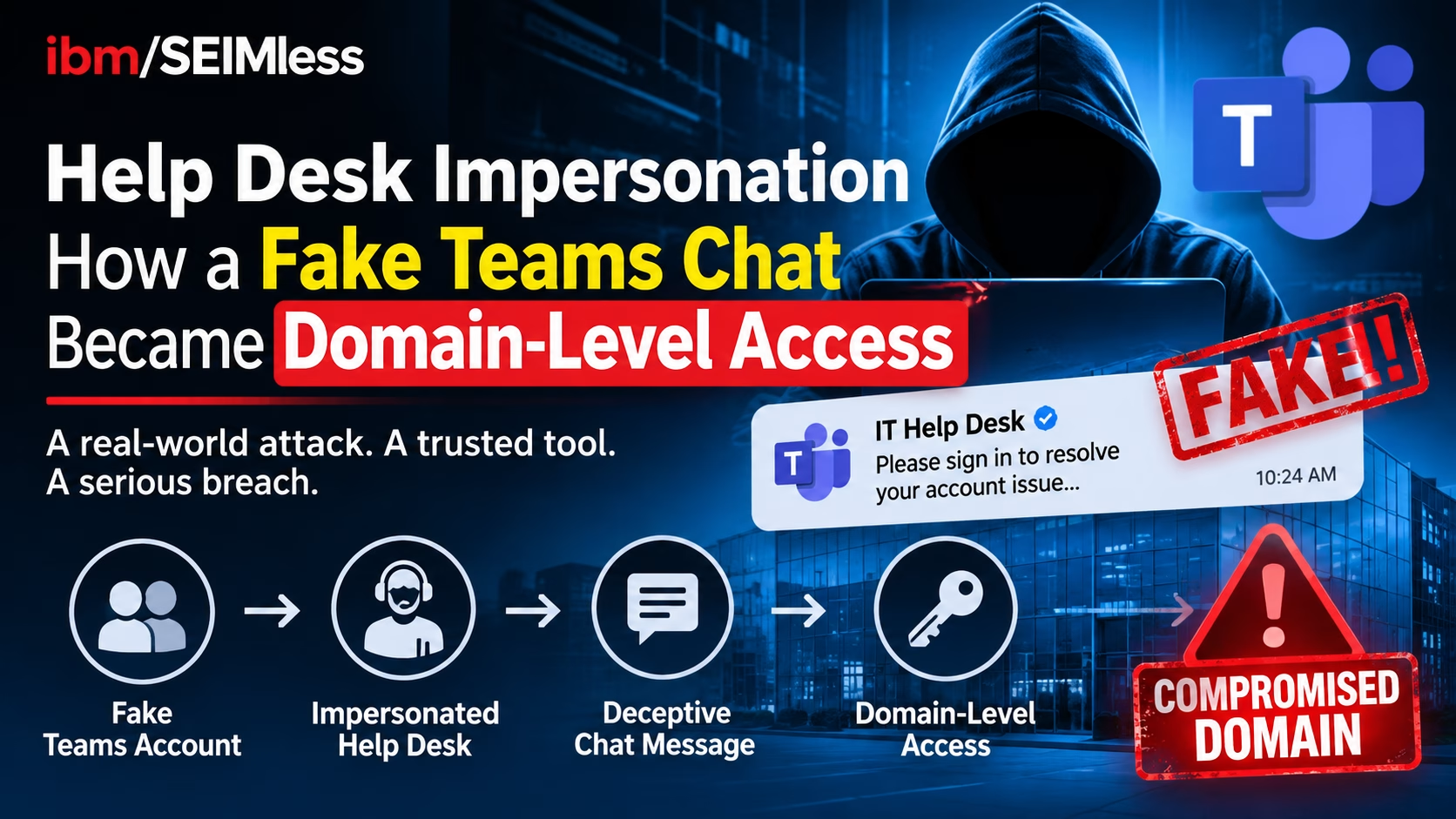
Help desk impersonation just graduated from a nuisance to a domain-level threat. On October 30, 2026, Microsoft published two investigations in which attackers posed as internal IT on Microsoft Teams, talked employees into opening Quick Assist, and then abused misconfigured Active Directory Certificate Services (AD CS) to obtain login certificates for privileged accounts. In one case the certificate was for a domain controller. The Hacker News summarized the findings on November 2: no Teams flaw was exploited, and there is no patch to install. The fix is process, identity design and network architecture, which is where regulated enterprises have the most to gain.
| What is help desk impersonation? Help desk impersonation is a social-engineering attack in which an outsider poses as an organization’s IT support, by chat, phone or email, to persuade an employee to grant remote access, read back a connection code or approve a sign-in. It is the mirror image of classic help desk fraud, where the attacker calls the real help desk pretending to be an employee. |
Key Takeaways
- Both intrusions began with a fake IT contact on Teams and a Quick Assist session, then pivoted to AD CS certificate abuse.
- Certificates for 11 privileged accounts were obtained across two waves in the first case, and a domain controller certificate in the second.
- The weaknesses (ESC1, ESC8, PetitPotam) were named in 2021. Help desk impersonation succeeds because of configuration debt, not a zero-day.
- One account excluded from automatic containment kept the first attack alive.
- Defense needs five layers: collaboration policy, verification process, AD CS hygiene, containment design and network controls.
What Microsoft Found: Help Desk Impersonation in Two Intrusions
Microsoft Security Research, in a report credited to Sagar Patil, Jesse Birch and Tal Tzhori, describes two human-operated intrusions that share an entry method. Attackers messaged and called employees on Teams from outside tenants with support-themed names. They persuaded each user to open Quick Assist, the remote-help tool built into Windows, and read back the connection code. That gave the attacker hands-on control of the workstation. From there they dropped an archive, unpacked it into a folder named to look like a Windows update, and ran it using a portable Python, Bun or Java runtime.
The second stage is what makes the report notable. AD CS issues the certificates that users and computers present when they sign in. A certificate from a poorly configured template lets its holder authenticate as the account it names, and Microsoft notes such a certificate keeps working after a password reset or after the first machine is wiped.
| Stage | Case 1: ESC1 | Case 2: ESC8 |
| Weakness | Template lets the requester name the account the certificate represents | NTLM authentication relayed to AD CS web enrollment |
| Technique | Low-privileged user requests certificates for privileged accounts | PetitPotam forces a domain controller to authenticate to the attacker, who relays it and requests a domain controller certificate |
| Scale | Wave 1: 3 users, 1 workstation, 3 privileged certificates. About 90 minutes later, wave 2: 16 users, a second workstation, 8 more | One certificate for the domain controller, used with Kerberos PKINIT to obtain a ticket-granting ticket |
| Follow-on | DCSync against a domain controller within seconds; a renamed Rclone copy moved share data to an external SFTP server | Defender raised ESC8 alerts; the customer isolated the workstation and Microsoft reported no further activity |
| Why it ended differently | One privileged account was excluded from automatic response and stayed usable | Isolating one workstation stopped the chain |
Why There Is No Patch for This Help Desk Impersonation Chain
Every link in the chain is legitimate functionality used in an unsafe way. Teams allows external contact. Quick Assist is a supported remote-help tool. AD CS issues certificates as designed. Researchers at SpecterOps named ESC1 through ESC8 in their Certified Pre-Owned research in 2021, and PetitPotam was disclosed the same year. Microsoft had already documented the Teams entry method in an April 2026 playbook, and press coverage counts this as the third time this year Microsoft has tied help desk impersonation to a serious outcome.
What is new is the combination. Defenders who treat Teams phishing as an endpoint problem and AD CS as an infrastructure problem will miss that the two form one attack path.
Trust Conversion: The Lesson Hidden in the Certificate
We call the pivot at the center of this report trust conversion: turning a moment of human trust (an employee believing a chat message) into a durable machine credential (a certificate that outlives the session). A stolen password can be reset. A remote session can be closed. A certificate that authenticates a privileged account keeps working until someone finds and revokes it, and revocation does not cancel Kerberos tickets already issued.
Microsoft’s own summary captures the containment problem: “partial identity containment can reduce attack activity while still leaving a viable privileged route.” In case one, Defender’s automatic attack disruption cut off the first three identities, yet the attacker obtained eight more certificates 90 minutes later and kept using the one account that had been excluded from automatic response. Speed of containment mattered less than completeness of containment.
How Common Is Help Desk Impersonation in 2026?
Common enough to treat as a baseline risk. National CIO Review reported that Arctic Wolf researchers reviewed more than 400 incidents of Teams external-chat social engineering, with attackers using display names such as “IT Support (Internal)” and “HelpDesk Manager.” SecureWorld summarized Ontinue research showing roughly 30% of monitored organizations saw at least one fake IT support attempt over Teams in the first half of 2026.
The broader numbers point the same way. The FBI’s 2025 Internet Crime Report put U.S. losses at $20.88 billion, up 26% from 2024. Verizon’s 2026 Data Breach Investigations Report analyzed more than 31,000 incidents and flags pretexting, including help desk impersonation, as a rising entry point for ransomware. And the joint FBI and CISA advisory on Scattered Spider, AA23-320A (updated July 29, 2025), recommends phishing-resistant MFA such as FIDO/WebAuthn or PKI-based authentication and allowlisting of remote access programs. Those are the same controls that shut the doors this Microsoft report walked through. Related reading: our FBI data breach analysis shows how stolen access gets monetized.
Layer 1: Close the Front Door in Teams and Quick Assist
Microsoft’s first recommendation is to confirm any unexpected support request through a known internal channel before sharing a screen or giving remote control, to restrict which outside Teams tenants can contact employees, and to allow only approved remote-support tools. In practice:
- Move Teams external access from open to an allow-list of trusted partner tenants. See Microsoft’s trusted organizations guidance.
- Block or restrict Quick Assist where your approved support tooling already covers the need, and publish the one tool your real help desk uses.
- Label external senders loudly. A display name containing “Internal” from an outside tenant is a red flag, not reassurance.
- Deploy EDR on every endpoint so unpacking an archive and running a portable runtime from Downloads is flagged, not ignored.
Layer 2: Fix the Human Process With Verification and Recovery Rules
Technology cannot stop an employee from believing a convincing message, so help desk impersonation defense starts with a rule that removes the decision: real IT never asks for a Quick Assist code over Teams from an outside account. Publish a call-back number, a ticket-number requirement and a one-click “report this chat” path.
Apply the same discipline to your own help desk. NIST’s final SP 800-63B-4 treats account recovery as part of authentication assurance and requires that a notification be sent when recovery occurs. The CISA guide to phishing-resistant MFA explains why FIDO-based methods resist relay and push-bombing, and CISA’s MFA page is a practical starting point for a rollout. A phishing-resistant login is only as strong as the reset path behind it, so privileged accounts should require stronger, documented proofing than a phone call.
Layer 3: Harden AD CS Before an Attacker Maps It
AD CS is a PKI that most organizations deployed years ago and rarely revisit. Microsoft’s recommendations are specific:
- Review certificate templates. Find templates that let requesters name the account or that too many users can enroll in, and remove unneeded enrollment rights.
- Harden web enrollment. Require HTTPS, enable Extended Protection for Authentication (EPA) and disable NTLM on those endpoints where possible. See Microsoft KB5005413. EPA is on by default for AD CS in Windows Server 2025, but Server 2022 and 2019 require manual enablement.
- Check your exposure. Microsoft Defender for Identity includes certificate posture checks that flag ESC1 and ESC8 exposure.
- Audit certificates. Turn on certificate auditing, revoke any bad certificate, and review active Kerberos tickets separately.
This is also the right moment to look at certificate hygiene more broadly. Our guide to certificate lifecycle management covers inventory and renewal, and NIST’s October 2026 transition report sets 2030 and 2035 milestones for retiring RSA and elliptic-curve cryptography. An internal CA you have not inventoried is a CA you cannot migrate. See our Executive Order 14412 briefing for the policy timeline.
Layer 4: Contain Without Blind Spots
Case one is a lesson in exclusions. Automatic response is powerful, but any account carved out of it becomes the attacker’s preferred route. Microsoft advises that every account excluded from automatic containment should have a manual response action assigned. Build that list now:
- Inventory every break-glass, service and executive account excluded from automated disruption, and name an owner and a runbook for each.
- Treat a certificate issued to a privileged account from an unusual workstation as an incident, not an informational alert.
- Alert on DCSync-style replication requests from non-domain-controller hosts.
- Keep logs somewhere an intruder cannot edit. Our VMware ESX audit-logging analysis explains why the system under attack cannot be the only witness.
Layer 5: Use the Network to Limit the Blast Radius
Identity controls will occasionally fail. The network decides how far a failure travels. A certificate authority and a domain controller are among the most valuable assets in a Windows environment, so they should sit in tightly restricted enclaves rather than on a flat network where any compromised workstation can reach them.
- Segment and inspect. A properly configured NxtGen Firewall and Zero Trust Content Security policy can restrict which hosts may reach CA web enrollment and domain controllers, which blunts relay techniques such as ESC8.
- Detect and respond. Exodus Aria ADR adds a place to look for anomalous behavior across the network, not only on endpoints.
- Protect keys and data. Exodus Key Management, Data in Motion and Data at Rest help keep an intruder who lands on a file server, as in case one, from walking away with readable data.
- Plan for recovery. If a domain is compromised, clean backup and recovery options decide how fast you rebuild. See our immutable backups guide.
The same thinking applies at the edge. If you have not reviewed your perimeter lately, read our guides to end-of-support edge devices and SD-WAN encryption keys.
Sector Lens: Finance, Healthcare and Insurance
Regulators do not ask whether you were tricked by help desk impersonation. They ask whether your controls were reasonable. The NYDFS cybersecurity regulation requires multi-factor authentication and access controls for covered entities, and the FFIEC IT Handbook frames authentication and access management for banks. Healthcare organizations face the HIPAA Security Rule, and public companies must consider the SEC cyber disclosure rules if an incident is material. The NIST Cybersecurity Framework 2.0 gives a common language for the identity, detect and respond functions involved. Healthcare readers should also review our medical device cybersecurity analysis, because clinical networks often depend on the same Windows identity infrastructure.
A 30-Day Help Desk Impersonation Playbook
| Days | Action | Owner |
| 1–5 | Switch Teams external access to an allow-list; restrict Quick Assist to approved use; publish the “real IT never asks” rule and a report path | IT / Security |
| 3–10 | Run certificate posture checks; list templates with enrollee-supplied identity or broad enrollment rights | Identity / PKI |
| 7–14 | Enable EPA and HTTPS on AD CS web enrollment; disable NTLM there where possible; turn on certificate auditing | Identity / PKI |
| 10–18 | Inventory accounts excluded from automatic containment; assign a manual response action to each | SOC |
| 14–24 | Move CAs and domain controllers into restricted network enclaves; limit enrollment and replication paths | Network / Security |
| 20–28 | Strengthen help desk verification and privileged-account recovery; add recovery notifications | Service Desk / IAM |
| 25–30 | Run a tabletop: fake Teams chat to certificate theft to DCSync; test whether revocation plus ticket review works | CISO / SOC |
What We Still Do Not Know
Microsoft did not attribute the activity to a known group, did not give intrusion dates, and did not disclose how much credential data DCSync copied or how much data left in case one. Treat the report as a pattern of help desk impersonation, not a profile of a specific adversary. Also note that Microsoft’s four advanced hunting queries are described as starting points for investigation, not proof. For the latest risk-based prioritization approach to what to fix first, see our vulnerability management guide, and our Cybersecurity Awareness Month plan for a sprint format.
Frequently Asked Questions About Help Desk Impersonation
What is help desk impersonation?
It is a social-engineering attack in which an outsider poses as IT support to get an employee to grant remote access, share a connection code or approve a sign-in.
Was there a vulnerability in Microsoft Teams?
No. Microsoft’s October 30, 2026 report describes social engineering and insecure AD CS configuration. There is no patch to apply, so the response is policy, process and architecture.
What are ESC1 and ESC8?
They are AD CS weaknesses named in 2021. ESC1 lets a requester choose which account a certificate represents. ESC8 lets an attacker relay NTLM authentication to AD CS web enrollment and obtain a certificate with no password.
Does resetting a password stop certificate-based access?
Not by itself. A certificate from a weak template keeps working after a password reset, and revoking it does not cancel Kerberos tickets already issued. Review active tickets separately.
How can we stop employees from approving fake support sessions?
Restrict outside Teams tenants, allow only approved remote-support tools, and require verification of any unexpected request through a known internal channel before sharing a screen or code.
How can ibm/SEIMless help?
We help enterprises design segmentation, key management and detection around identity infrastructure. Call 646-546-5245 or email in**@**********ss.com to start with a short architecture review.
Stop Help Desk Impersonation Before the Next Fake Chat
ibm/SEIMless Communications Technologies, Inc. and Exodus QRN, Inc. help carriers, MSPs, multi-nationals and large enterprises in financial services, healthcare and insurance build networks that limit how far a stolen credential can travel.
Phone: 646-546-5245
Email: in**@**********ss.com
Address: One Liberty Plaza, New York, NY 10006