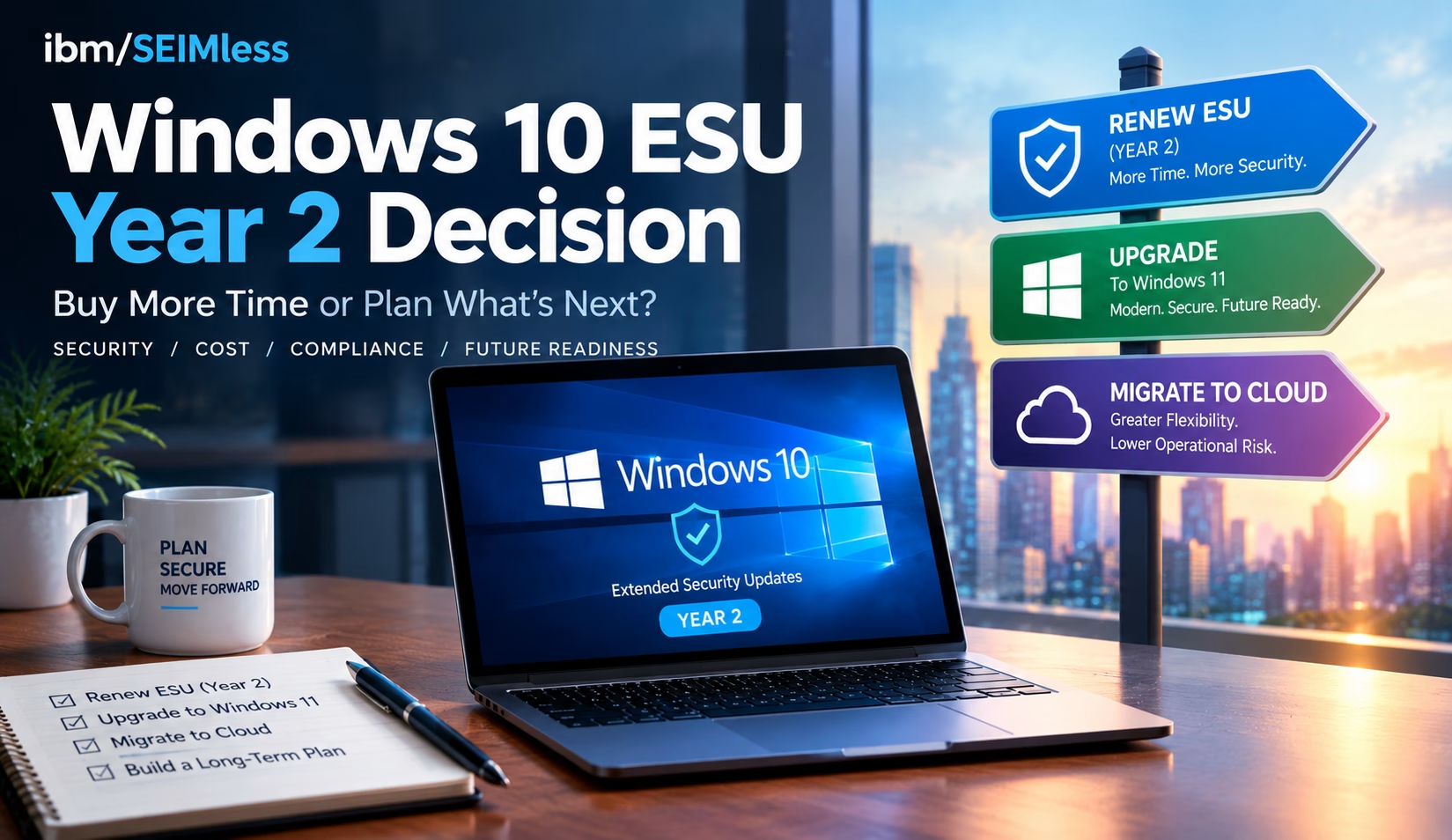
Windows 10 ESU coverage for Year 1 ends on October 13, 2026, and every business still running Windows 10 has less than three weeks to decide what happens next. After that Patch Tuesday, the next Windows 10 security fix goes only to devices licensed for Year 2, which costs twice as much as Year 1.
For IT and security leaders in financial services, healthcare and insurance, this is not a routine renewal. This guide covers the verified dates and prices, the regulatory stakes, a decision matrix and a 30-60-90 day plan.
| What is Windows 10 ESU? Windows 10 ESU (Extended Security Updates) is Microsoft’s paid, time-limited program that delivers critical and important security patches to Windows 10, version 22H2 devices after official support ended on October 14, 2025. It includes no new features or general support, is sold one year at a time, and ends completely on October 10, 2028. |
| KEY TAKEAWAYS
■ Windows 10 ESU Year 1 ends October 13, 2026; Year 2 runs to October 12, 2027 and Year 3 to October 10, 2028. ■ Commercial pricing starts at $61 per device and doubles each year, and later years are cumulative, so late enrollees pay for missed years. ■ Windows 10 in Windows 365 and Azure Virtual Desktop receives extended security updates at no extra cost, and Windows 365 Enterprise can also cover the physical Windows 10 PC used to connect. ■ Unsupported operating systems create documented risk under HIPAA, PCI DSS, NYDFS Part 500 and the FTC Safeguards Rule, and CISA lists end-of-life software as a “bad practice.” ■ ESU buys time, not a strategy. Use the next 90 days to retire Windows 10 for good. |
Windows 10 ESU Dates and Pricing: The Verified Facts
Microsoft’s Windows 10 ESU program documentation and its Lifecycle FAQ for Extended Security Updates set out the timeline. Windows 10 reached end of support on October 14, 2025. ESU can extend security patches for up to three years, one year at a time.
| ESU Period | Coverage Ends | Commercial Price per Device |
| Year 1 | October 13, 2026 | $61 |
| Year 2 | October 12, 2027 | $122 |
| Year 3 | October 10, 2028 | $244 |
Three details matter most for budgeting:
- Pricing is cumulative. Microsoft states that if you purchase in Year 2, you must also pay for Year 1. A device that skipped Year 1 costs $183 to cover through October 2027.
- Cloud-managed discount. When Microsoft first published commercial pricing in its post on when to use Windows 10 Extended Security Updates, it announced a reduced Year 1 price of $45 per device for organizations using cloud-based update management through Microsoft Intune or Windows Autopatch. Confirm current terms with your licensing partner.
- Only version 22H2 qualifies. Devices must run Windows 10, version 22H2 with the required servicing and licensing preparation updates, according to Microsoft’s guide to enabling Windows 10 Extended Security Updates.
How Year 2 Activation Works
Paying for Year 2 is not enough on its own. Microsoft’s enablement guide lists a separate activation ID for each ESU year, applied with the Multiple Activation Key (MAK). Plan Year 2 activation now through Intune, a script or the Volume Activation Management Tool, or devices will stop receiving patches after October 13.
Consumer Windows 10 ESU Is a Different Program
Microsoft’s consumer Windows 10 Extended Security Updates page offers enrollment at no cost when you sync PC settings, by redeeming 1,000 Microsoft Rewards points, or with a one-time $30 payment. Consumer coverage runs to October 12, 2027. It is intended for personal devices, not managed fleets that hold regulated data.
The Zero-Cost Path: Windows 10 ESU Through Windows 365 and Azure Virtual Desktop
Many organizations overlook this part of the Windows 10 ESU program. Microsoft provides extended security updates at no additional charge to Windows 10 virtual machines in Windows 365, Azure Virtual Desktop and other Azure-hosted platforms.
Windows 365 Covers the Endpoint Too
According to Microsoft’s guide to ESU deployment scenarios for Windows 365, a physical Windows 10 device can receive ESU entitlement when its user holds an active Windows 365 Enterprise license with an assigned Cloud PC and signs in with the same Microsoft Entra ID account. Windows 365 Flex Dedicated users must sign in at least once every 22 days to stay eligible.
An aging laptop becomes a secure access device while work happens on a managed Cloud PC. Microsoft’s Windows 365 Enterprise pricing page lists its entry configuration (2 vCPU, 4 GB RAM, 64 GB storage) at $28 per user per month at the time of writing. That compares with $122 or more per device for Year 2 ESU alone. Microsoft’s instructions to enable ESU for clients accessing cloud and virtual machines explain the required policy settings.
Azure Virtual Desktop Covers the Session Hosts
Azure Virtual Desktop supports Windows 11 and Windows 10 Enterprise multi-session, which lets many users share one virtual machine. Microsoft’s Azure Virtual Desktop ESU guidance confirms that personal and pooled Windows 10 session hosts receive ESU automatically. That guidance does not extend the same free coverage to the physical PCs that connect to AVD, so plan those endpoints separately.
Microsoft offers no central report of which endpoints claimed ESU, so keep your own inventory.
The Upgrade Path: Windows 11 Hardware Reality
Upgrading in place is the cleanest long-term answer when hardware qualifies. Microsoft’s Windows 11 system requirements include:
- A 1 GHz or faster processor with two or more cores that appears on Microsoft’s approved CPU list
- 4 GB of RAM and 64 GB of storage
- UEFI firmware with Secure Boot capability
- Trusted Platform Module (TPM) version 2.0
- DirectX 12 compatible graphics with a WDDM 2.0 driver
TPM is often disabled in firmware, so use Microsoft’s guide to enabling TPM 2.0 on your PC before writing off a device. Machines that fail on CPU generally need replacement.
Microsoft 365 Apps Are Also Frozen on Windows 10
Microsoft’s note on Windows 10 end of support and Microsoft 365 Apps says Microsoft 365 Apps get security updates on Windows 10 until October 10, 2028, but stay on Version 2608 with no further feature or Copilot updates. Microsoft does not consider it a supported configuration.
Compliance Risk of Running an Unsupported Operating System
Regulators rarely name Windows 10, but they expect you to know which systems are out of support and to manage the risk. Skipping Windows 10 ESU without a replacement plan leaves a visible gap.
CISA Calls End-of-Life Software a Bad Practice
CISA’s list of cybersecurity bad practices states that using unsupported or end-of-life software in service of critical infrastructure “is dangerous and significantly elevates risk.” In 2026 CISA went further for federal agencies with BOD 26-02 on end-of-support edge devices, which sets deadlines to inventory and remove unsupported devices. Private companies are not bound by the directive, but it shows where the standard of care is heading.
The CISA Known Exploited Vulnerabilities catalog and the NIST National Vulnerability Database regularly list Windows vulnerabilities. Our analysis of Microsoft’s patch release covering 138 vulnerabilities shows how quickly critical flaws accumulate.
Healthcare: HIPAA
HHS Office for Civil Rights addressed this directly in its cybersecurity newsletter on legacy systems. It expects covered entities to assess risks from systems the manufacturer no longer supports and apply compensating controls such as access restrictions and audit logging. The HHS Security Rule guidance library provides risk analysis tools to document your decision.
Payments: PCI DSS
PCI DSS v4.x, most recently revised as PCI DSS v4.0.1, requires critical and high-severity security patches to be installed within one month of release (Requirement 6.3.3). It also requires an annual review of hardware and software technologies, with a senior-management-approved plan for technologies whose vendors have announced end of life (Requirement 12.3.4). A Windows 10 device without ESU in the cardholder data environment will struggle to meet either requirement.
Financial Services: NYDFS and the FTC Safeguards Rule
Amended NYDFS Part 500 cybersecurity requirements required covered entities, from November 1, 2025, to maintain an asset inventory that records each asset’s support expiration date. Non-bank financial institutions under the FTC Safeguards Rule must run a written information security program based on risk assessment. NIST’s Guide to Enterprise Patch Management Planning (SP 800-40 Rev. 4) is a solid reference for either framework.
Cyber Insurance
The NAIC cybersecurity insurance overview notes that cyber policies are highly customized. Review your application answers about patching and unsupported systems with your broker before October 13, because an inaccurate answer can complicate a claim.
Windows 10 ESU Decision Matrix
Most organizations will use a mix. Use this matrix to sort your fleet.
| Option | Best For | 2026-27 Cost Signal | Compliance Posture | Main Trade-off |
| Pay for Year 2 Windows 10 ESU | Specialized devices, line-of-business apps not yet certified on Windows 11, short-term holdouts | $122 per device, plus $61 if Year 1 was skipped | Patched, but still an OS with no feature support | Cost doubles again in Year 3; only delays the move |
| Upgrade to Windows 11 in place | TPM 2.0 devices on the approved CPU list | Labor and testing only | Fully supported | Needs app compatibility testing and user change management |
| Replace hardware with Windows 11 PCs | Devices that fail CPU or TPM checks | Capital refresh | Fully supported | Budget and supply lead time |
| Windows 365 Cloud PCs | Hybrid and remote staff, contractors, seasonal workers | Per-user monthly subscription | Cloud PC and qualifying endpoint receive ESU at no extra cost | Needs reliable connectivity and identity setup |
| Azure Virtual Desktop | Large pooled workloads, call centers, regulated apps | Azure consumption, reduced by multi-session | Windows 10 session hosts get free ESU; endpoints need their own plan | More design and management effort |
| Do nothing | Nobody | Breach and audit costs | Unsupported OS | Not defensible to regulators or insurers |
A 30-60-90 Day Plan for Your Windows 10 ESU Decision
Days 1–30: Stabilize Before October 13
- Inventory every Windows 10 device: version, ESU status, TPM, CPU, owner and data sensitivity.
- Buy and stage Year 2 licenses for devices that cannot move by October 13.
- Tag devices as upgrade, replace, virtualize or retire.
- Run endpoint detection and response on every Windows 10 system as a compensating control.
- Brief compliance, auditors and your cyber insurance broker on the plan.
Days 31–60: Pilot and Prove
- Upgrade a pilot group of Windows 11-eligible devices and test line-of-business applications.
- Stand up a Windows 365 or Azure Virtual Desktop pilot for one department, such as a branch or remote team.
- Apply zero trust content security policies so access depends on identity and device health, not network location.
- Order replacement hardware for devices that fail Windows 11 requirements.
Days 61–90: Scale and Retire
- Roll out Windows 11 upgrades and Cloud PCs in waves, with clear user communications.
- Move file shares and team content to Microsoft SharePoint so data follows users rather than devices.
- Securely wipe and dispose of retired devices, and update your asset register with support expiration dates.
- Set a firm date to end Windows 10 ESU purchases, ideally before Year 3 pricing arrives.
How ibm/SEIMless Helps You Retire Windows 10
After more than 20 years as a vendor-agnostic partner, ibm/SEIMless starts with your fleet and your regulators, not a product quota. For the Windows 10 transition, we bring together:
- Desktop-as-a-Service. Our DaaS Desktop-as-a-Service solutions provide hosted virtual desktops that users can reach from PCs, Macs, tablets and phones, managed by our professionals.
- Microsoft cloud. We design and support Microsoft Azure environments, including Azure Virtual Desktop, as covered in our overview of Microsoft Azure as an enterprise cloud built for security and scale.
- Microsoft 365 and Intune. Our Microsoft 365 and Teams plans include Microsoft Intune for cloud-based endpoint management. If voice is also on your roadmap, see how Teams voice is reshaping UCaaS.
- Business applications and infrastructure. We help you modernize Microsoft Dynamics workloads and host servers on Infrastructure-as-a-Service.
- Security layers. Our Security-as-a-Service offering delivers cloud-managed firewall, intrusion prevention and web filtering, and our guide to choosing the best endpoint detection system covers device protection.
For teams stretched thin, our managed IT services approach can carry the inventory, licensing, migration and ongoing patching so your people can focus on customers and patients.
Frequently Asked Questions
When does Windows 10 ESU Year 1 end?
Windows 10 ESU Year 1 ends on October 13, 2026, which is also that month’s Patch Tuesday. According to Microsoft’s Lifecycle FAQ, Year 2 coverage runs until October 12, 2027, and Year 3 ends October 10, 2028. Devices without an activated Year 2 license will not receive Windows 10 security updates released after October 13, 2026.
How much does Windows 10 ESU Year 2 cost for businesses?
Microsoft prices commercial Windows 10 ESU at $61 per device for Year 1, doubling each year to $122 for Year 2 and $244 for Year 3. Purchases are cumulative, so an organization enrolling for the first time in Year 2 must also pay for Year 1. Buy through Microsoft Volume Licensing or a licensing partner.
Is Windows 10 ESU free with Windows 365 or Azure Virtual Desktop?
Yes. Windows 10 virtual machines in Windows 365 and Azure Virtual Desktop receive extended security updates at no extra cost. Windows 365 Enterprise can also extend ESU to the physical Windows 10 device a licensed user signs in from. Microsoft’s AVD guidance does not extend free coverage to physical PCs connecting to AVD, so plan those separately.
Can my Windows 10 PCs upgrade to Windows 11?
Only if they meet Microsoft’s minimum requirements: an approved 64-bit processor with at least two cores, 4 GB of RAM, 64 GB of storage, UEFI with Secure Boot, TPM 2.0 and DirectX 12 graphics. TPM is sometimes disabled in firmware, so check with tpm.msc before replacing hardware. Devices with unsupported CPUs usually need replacing.
Is running Windows 10 without ESU a HIPAA or PCI DSS violation?
Neither rule bans a specific operating system, but both expect documented risk management. HHS guidance on legacy systems requires risk assessment and compensating controls. PCI DSS requires critical patches within one month and a plan for end-of-life technology. An unpatched Windows 10 device holding regulated data is very difficult to defend in an audit.
Should we pay for ESU or move to Desktop-as-a-Service?
Pay for ESU only for devices that truly cannot move before October 13, such as those running applications still being tested on Windows 11. For hybrid, remote and seasonal staff, Desktop-as-a-Service often costs less over time, removes the ESU bill and centralizes security. Most organizations use a mix of upgrade, replacement and DaaS.
Talk to ibm/SEIMless About Your Windows 10 ESU Decision
October 13, 2026 is close, but you still have time to make a deliberate, defensible choice. ibm/SEIMless can inventory your Windows 10 fleet, model Year 2 ESU against Windows 11 and Desktop-as-a-Service costs, and deliver the migration with security built in.
- Start now: Get started with an ibm/SEIMless Windows 10 transition assessment
- Reach our team: Contact ibm/SEIMless
- Call: 646-546-5245
- Email: in**@**********ss.com
- Visit: One Liberty Plaza, New York, NY 10006
Let’s protect your people, your data and your bottom line before the next Patch Tuesday passes you by.